Top 5 Firebase Alternatives (2026)
On this page
Firebase is Google's app development platform and the most established Backend-as-a-Service on the market. It gives you Firestore (a NoSQL document database), authentication, cloud storage, serverless functions, push notifications, analytics, crash reporting, and more — all tightly integrated with Google Cloud.
But Firebase comes with well-known tradeoffs: a proprietary NoSQL data model that creates vendor lock-in, unpredictable pay-per-operation pricing that can spiral out of control, no self-hosting option, and no open-source codebase. Here are five alternatives worth considering, what they do differently, and where each one is the better pick.
1. Puter.js
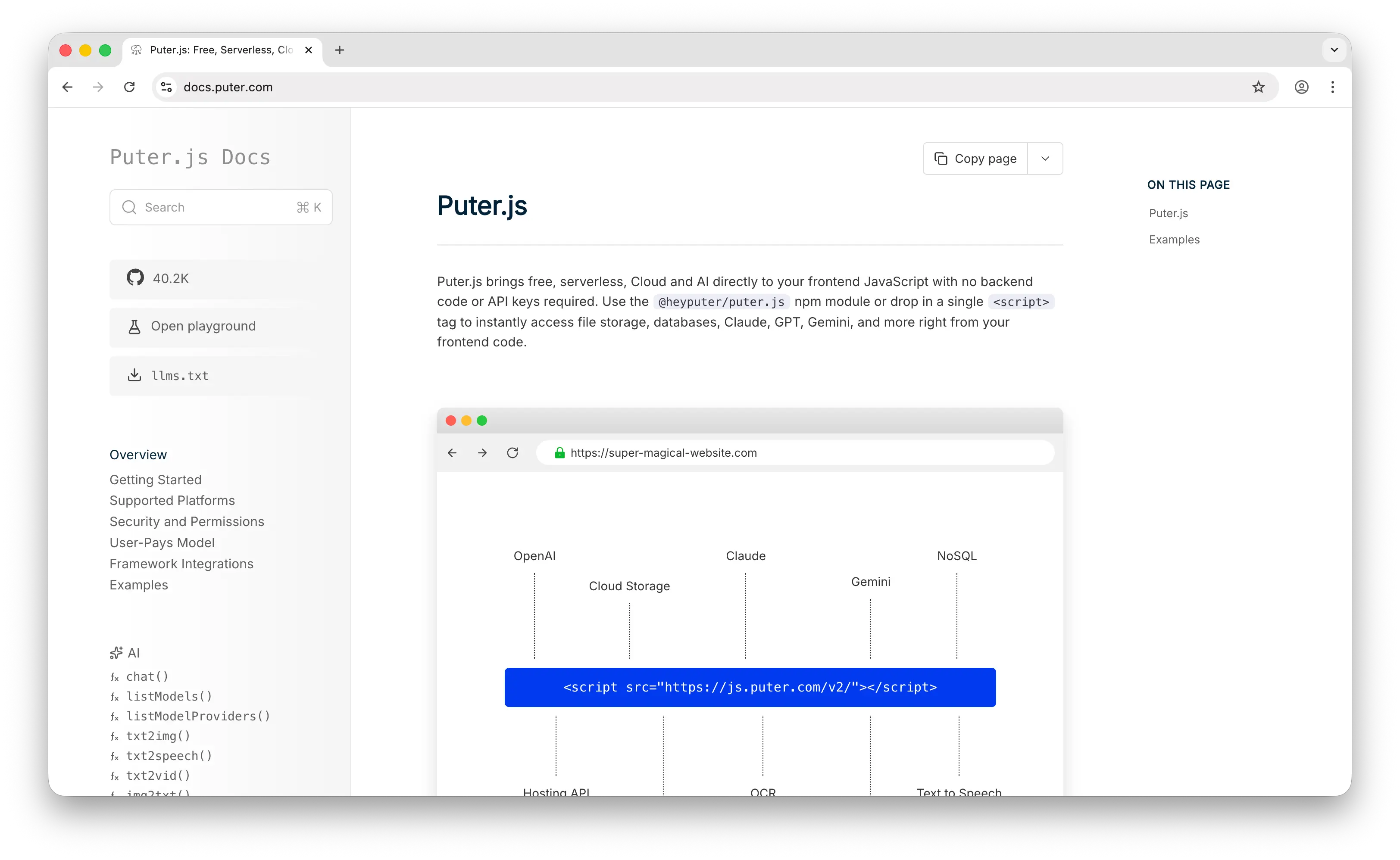
Puter.js is a client-side JavaScript library that gives you auth, a database, and cloud storage without deploying or configuring any backend. Where Firebase requires you to create a project, configure Firestore, set up security rules, and manage API keys, Puter.js is a script tag and a few lines of JavaScript.
What Makes It Different
With Firebase, you pay per read, write, and storage operation — and there's no hard spending cap. A coding mistake or a viral moment can lead to hundreds or thousands of dollars in surprise charges. Puter.js flips this with the User-Pays Model: your app's users cover their own storage and usage through their Puter account. Your cost as a developer stays at zero regardless of scale. This isn't a free tier that you'll outgrow — it's a fundamentally different cost structure.
For storage, Puter.js provides a file system API that handles uploads, downloads, and file management on the client side. Firebase Storage requires configuring buckets, setting up security rules, and managing download URLs. Puter's approach is simpler but less configurable.
Puter.js also ships with built-in access to 500+ AI models — chat, image generation, text-to-speech, and more. Firebase has Gemini integration through AI Logic, but Puter.js gives you model choice across providers without any additional setup.
Puter is open-source (AGPL-3.0) and self-hostable — two things Firebase cannot offer. For apps that need custom backend logic, it supports serverless workers.
Key Differences from Firebase
Firebase's ecosystem is far broader — push notifications (FCM), analytics, Crashlytics, remote config, A/B testing, and app distribution are all built in. Puter.js doesn't try to replicate that breadth. The database is also different: Puter.js gives you a NoSQL key-value store, while Firebase gives you Firestore's document-collection model. Neither gives you SQL. If you need Firebase's mobile ecosystem features, Puter.js isn't a drop-in replacement. But if your priority is zero-cost simplicity for web apps with AI built in, Puter.js is a compelling alternative.
Comparison Table
| Feature | Puter.js | Firebase |
|---|---|---|
| Setup required | Drop-in script tag | Project creation + config |
| Pricing model | User-pays (free for devs) | Pay-per-operation (no hard cap) |
| Database type | NoSQL key-value store | Firestore (NoSQL document) |
| SQL support |  |
(Data Connect emerging) |
| Authentication |  |
|
| Cloud storage | |
|
| Real-time | |
Best-in-class offline sync |
| Built-in AI | 400+ models |
Gemini (AI Logic) |
| Push notifications | |
FCM |
| Analytics | |
|
| Crash reporting | |
Crashlytics |
| Edge functions | Serverless workers | Cloud Functions |
| Open-source | AGPL-3.0 |
|
| Self-hostable | |
|
| Best for | Zero-cost, zero-config web apps with built-in AI | Mobile-first apps needing Google's full ecosystem |
2. Supabase
Supabase is the open-source Firebase alternative built on PostgreSQL. It gives you a full relational database, authentication, real-time subscriptions, edge functions, and file storage — with the portability and power of standard SQL.
What Makes It Different
The database is the headline difference. Firebase gives you Firestore, a proprietary NoSQL document database where data is stored as nested JSON-like documents. Supabase gives you full PostgreSQL — joins, foreign keys, views, stored procedures, and a rich extension ecosystem including pgvector for AI embeddings and PostGIS for geospatial queries. If your app has relational data, complex queries, or reporting needs, Supabase is in a different league.
Security is also structurally different. Supabase enforces Row-Level Security (RLS) at the database level — every query, whether from your app, a cron job, or a direct SQL connection, goes through the same security check. Firebase security rules are powerful but operate at the API layer, and they use a proprietary rules language that doesn't transfer to other platforms.
Supabase pricing is tier-based and predictable. The Pro plan is $25/month with clear overage rates. For equivalent workloads at production scale, Supabase typically costs 40–60% less than Firebase. Firebase's per-operation billing makes cost forecasting difficult, and there's no hard spending cap on the Blaze plan.
Supabase is open-source (Apache 2.0) and fully self-hostable. If you ever want to leave, your data is in standard PostgreSQL — change the connection string and move on.
Key Differences from Firebase
Firebase still dominates in mobile-first features. Firestore's offline sync with automatic conflict resolution is best-in-class — if your app needs to work offline and sync seamlessly when connectivity returns, Firebase handles this better. Firebase also has push notifications (FCM), analytics, Crashlytics, remote config, and A/B testing — services Supabase doesn't replicate.
The tradeoff is clear: Firebase gives you a broader mobile ecosystem but locks you into a proprietary data model. Supabase gives you SQL, portability, and cost predictability but lacks Firebase's mobile-specific tooling.
Comparison Table
| Feature | Supabase | Firebase |
|---|---|---|
| Database type | PostgreSQL (full SQL) | Firestore (NoSQL document) |
| SQL support | Full PostgreSQL |
(Data Connect emerging) |
| Row-level security | Database-level |
Security rules (API-level) |
| Real-time | Via Postgres WAL |
Best-in-class offline sync |
| Offline-first | Limited | Automatic conflict resolution |
| Authentication | |
|
| Cloud storage | |
|
| Push notifications | |
FCM |
| Analytics | |
|
| AI integration | pgvector |
Gemini (AI Logic) |
| Pricing model | Tier-based ($25/mo Pro) | Pay-per-operation (no hard cap) |
| Cost predictability | High | Low (runaway query risk) |
| Vendor lock-in | Low (standard PostgreSQL) | High (proprietary data model) |
| Open-source | Apache 2.0 |
|
| Self-hostable | |
|
| Best for | Apps needing SQL, open-source, and cost predictability | Mobile-first apps needing offline sync and Google ecosystem |
3. AWS Amplify
AWS Amplify is Amazon's full-stack development platform. With the Gen 2 release, Amplify shifted to a code-first, TypeScript-based developer experience where you define data models, business logic, and auth rules in TypeScript, and Amplify automatically provisions the underlying AWS services — AppSync, DynamoDB, Cognito, S3, and Lambda.
What Makes It Different
The real selling point is access to 200+ AWS services when you outgrow BaaS patterns. No other option on this list gives you that escape hatch into full cloud infrastructure. If you start with Amplify for a prototype and your app grows into something that needs SQS queues, Step Functions, or a custom VPC, you're already in the AWS ecosystem.
Amplify also has a distinct edge in compliance. Its ability to leverage regional isolation and native HIPAA/FedRAMP support makes it the strongest choice for government, healthcare, and regulated industries — something Firebase cannot match.
If Firebase is a motorcycle and Amplify is a semi truck — Amplify can haul anything, but it's overkill for most indie or startup use cases.
Key Differences from Firebase
Amplify's power comes with complexity. The learning curve is significant: understanding how Cognito, AppSync, and Lambda interact takes time, and debugging requires familiarity with CloudWatch and IAM. Firebase makes setup feel effortless — create a project and your database, auth, and API are ready within minutes.
Firebase has a much more polished developer experience for mobile apps. Amplify's mobile SDKs exist but aren't as seamless as Firebase's, especially for offline sync and push notifications. Firebase's real-time capabilities are also easier to set up — Amplify can do real-time with AppSync subscriptions, but it requires more configuration.
Pricing-wise, AWS pricing is more complex but often more cost-effective at high volumes, becoming favorable as applications grow beyond 100K MAU. Amplify is not open-source and cannot be self-hosted outside of AWS.
Comparison Table
| Feature | AWS Amplify | Firebase |
|---|---|---|
| Database type | DynamoDB (NoSQL) | Firestore (NoSQL document) |
| SQL support | |
(Data Connect emerging) |
| Setup complexity | High (TypeScript config + AWS services) | Low (dashboard + instant API) |
| Authentication | Cognito |
|
| Cloud storage | S3 |
|
| Serverless functions | Lambda |
Cloud Functions |
| Real-time | AppSync subscriptions |
Best-in-class offline sync |
| GraphQL API | AppSync |
|
| Push notifications | SNS/Pinpoint |
FCM |
| Escape hatch to full cloud | 200+ AWS services |
Limited (Google Cloud) |
| Compliance (HIPAA/FedRAMP) | Native support |
Limited |
| Learning curve | Steep | Gentle |
| Pricing model | Pay-per-use (AWS pricing) | Pay-per-operation |
| Open-source | |
|
| Self-hostable | (AWS only) |
|
| Best for | Teams on AWS or in regulated industries needing full cloud infra | Teams wanting fast setup and a polished mobile developer experience |
4. Appwrite
Appwrite is a self-hosted backend server packaged as Docker microservices that exposes REST, WebSocket, and GraphQL APIs. Deploy it anywhere — your server, your cloud, your rules.
What Makes It Different
Appwrite is built for developers who want full control over their data and infrastructure. Since you can host it yourself, there's no monthly platform fee — you pay only for your own infrastructure. This alone makes it a compelling Firebase alternative for teams concerned about vendor lock-in and data sovereignty.
Where Firebase only offers real-time updates through Firestore, every Appwrite service supports real-time updates via WebSockets. Appwrite also provides 30+ login methods, file encryption at rest and in transit, built-in image transformation, and messaging support across ten providers for SMS, email, and push notifications — including user segmentation and message scheduling.
Flutter developers find Appwrite's first-class Flutter SDK particularly polished. Appwrite also has broader SDK coverage overall, supporting more platforms and languages out of the box than Firebase.
Appwrite's pricing on Appwrite Cloud is transparent and predictable with clear plan tiers rather than metering every operation. You can set budget caps so you never get caught off guard by runaway costs — a direct answer to Firebase's most common complaint.
Key Differences from Firebase
Firebase has the stronger ecosystem for mobile-first development. Push notifications through FCM, analytics, Crashlytics, remote config, and A/B testing are all deeply integrated and battle-tested at scale. Appwrite's messaging capabilities are growing but the broader ecosystem isn't as mature.
The tradeoff for self-hosting is DevOps burden. Expect 10–20 hours per month for a small team to manage updates, backups, scaling, and monitoring. Appwrite Cloud exists as a hosted alternative, but the self-hosted model is where Appwrite's value proposition is strongest. Firebase handles all infrastructure management for you — that convenience is a genuine advantage for small teams.
Comparison Table
| Feature | Appwrite | Firebase |
|---|---|---|
| Database type | MariaDB (document-style API) | Firestore (NoSQL document) |
| SQL support | Limited | (Data Connect emerging) |
| Self-hosting | Docker microservices |
|
| Authentication | 30+ methods |
|
| Cloud storage | + image transformation |
|
| Messaging | 10 providers (SMS, email, push) |
FCM + In-App Messaging |
| Real-time | All services via WebSocket |
Firestore only |
| GraphQL API | |
|
| Analytics | |
|
| Crash reporting | |
Crashlytics |
| File encryption | At rest + in transit |
At rest + in transit |
| Flutter SDK | First-class |
|
| Budget caps | |
(alerts only) |
| Pricing model | Free (self-hosted) or Cloud plans | Pay-per-operation (no hard cap) |
| Open-source | |
|
| Best for | Teams needing data sovereignty and full self-hosting control | Teams wanting managed infra with Google's mobile ecosystem |
5. Convex
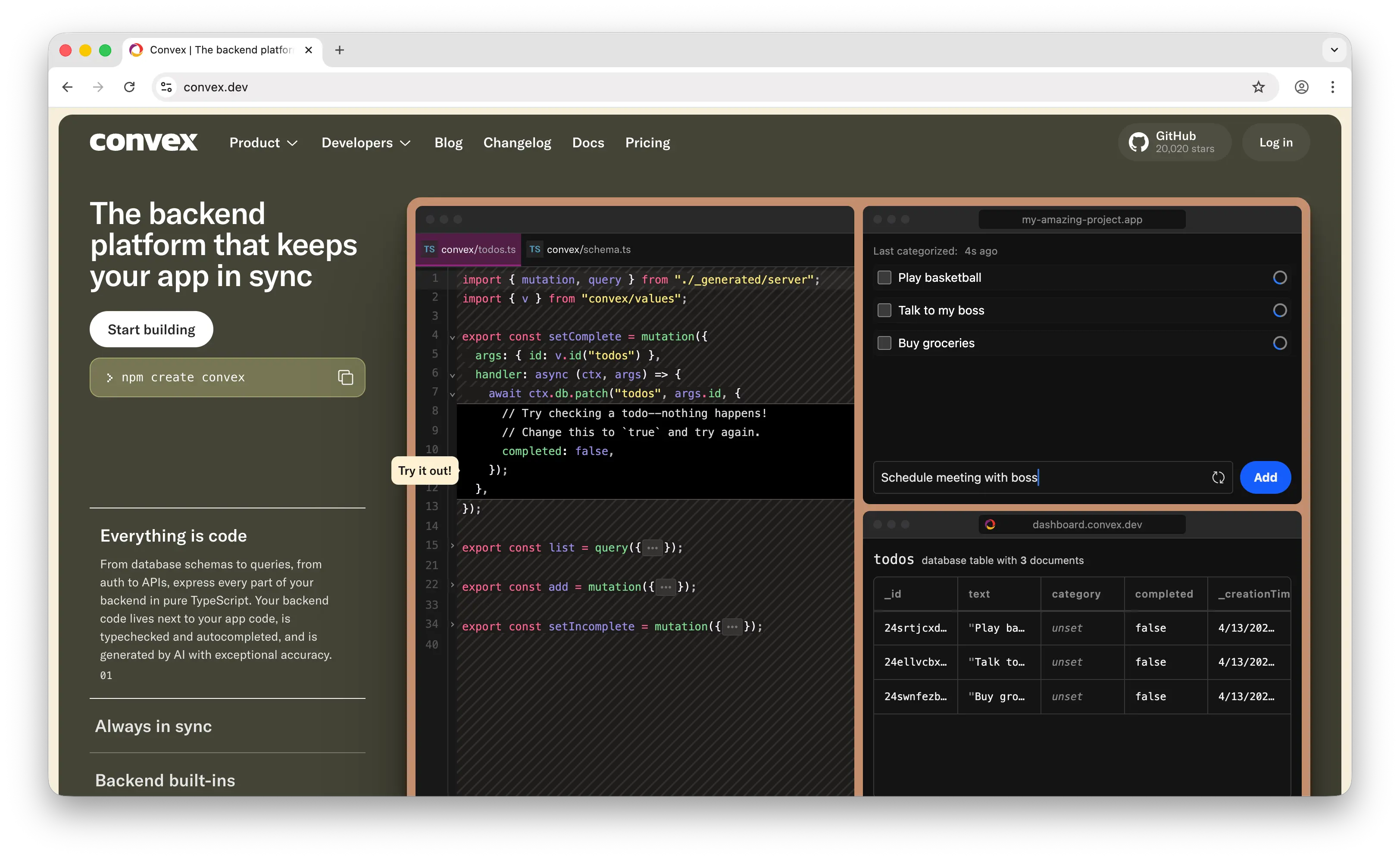
Convex is a reactive backend platform where TypeScript functions are your entire backend — no SQL, no ORM, no separate caching layer. It's a fundamentally different mental model from Firebase.
What Makes It Different
Convex uses reactive programming. All queries are fully reactive — changes to your data trigger automatic updates across all connected clients, with sub-50ms latency at 5,000 concurrent connections. Firebase can do real-time with Firestore listeners, but you have to manage onUpdate callbacks and handle consistency yourself. In Convex, reactivity is the default, not an add-on.
Everything in Convex is pure TypeScript end to end — your database schema, queries, auth, and APIs. When you define a schema, TypeScript types flow automatically to your frontend. Change a field name in your schema, and your IDE immediately flags every place in your React code that references the old name. Firebase's client SDKs work, but they don't give you this level of end-to-end type safety.
Convex also has built-in RAG components and hybrid ranking functions, simplifying search and LLM integration. Firebase has Gemini integration through AI Logic, but Convex's native RAG tooling is more developer-friendly for apps that need semantic search or retrieval-augmented generation.
Convex went open source and now supports self-hosting with Docker, PostgreSQL, and MySQL backends — a significant shift from its earlier cloud-only model. The dashboard is also open-sourced.
Key Differences from Firebase
Firebase is the faster path from zero to prototype. You can wire up auth, real-time sync, and serverless functions quickly through the console — ideal when shipping speed matters most. Firebase also has a massive ecosystem: FCM, analytics, Crashlytics, and decades of community resources. Convex's ecosystem is younger, with roughly 10K GitHub stars compared to Firebase's deeply established community.
Convex doesn't have push notifications, analytics, or crash reporting. It's a backend platform, not a full app development platform. If you need Firebase's breadth, Convex isn't a replacement. But if you're building real-time collaborative features with a TypeScript-first stack, Convex's reactive architecture is significantly more elegant than wiring up Firestore listeners.
Comparison Table
| Feature | Convex | Firebase |
|---|---|---|
| Database type | Reactive document database | Firestore (NoSQL document) |
| SQL support | |
(Data Connect emerging) |
| Query language | TypeScript functions | Firestore SDK queries |
| Real-time | Reactive by default (sub-50ms) |
Firestore listeners |
| Type safety | End-to-end TypeScript |
Partial (with client libraries) |
| Authentication | |
|
| Cloud storage | |
|
| Built-in AI/RAG | |
Gemini (AI Logic) |
| Push notifications | |
FCM |
| Analytics | |
|
| Serverless functions | (TypeScript) |
Cloud Functions |
| Pricing model | Compute-based (function execution) | Pay-per-operation |
| Open-source | |
|
| Self-hostable | Docker + Postgres/MySQL |
|
| Community size | ~10K GitHub stars | Established (Google-backed) |
| Best for | Real-time collaborative apps with TypeScript-first DX | Full app platform needing Google's mobile ecosystem |
Which Should You Choose?
Choose Puter.js if you're building a web app and want zero-cost, zero-config simplicity. Drop in a script tag and get auth, storage, database, and 500+ AI models with no backend to manage. Ideal if you don't need Firebase's mobile ecosystem.
Choose Supabase if you need the full power of PostgreSQL, want an open-source platform you can self-host, and value predictable pricing. For apps with relational data, complex queries, or reporting needs, Supabase is the strongest choice on this list.
Choose AWS Amplify if you're already on AWS, operate in a regulated industry (HIPAA/FedRAMP), or know your app will eventually need the full power of 200+ AWS services. It's the heaviest option here, but the only one with a direct path from BaaS to full cloud infrastructure.
Choose Appwrite if data sovereignty and self-hosting control are non-negotiable. You'll take on more DevOps work, but you own everything. Especially strong for Flutter teams and apps that need budget caps to avoid surprise bills.
Choose Convex if you're building real-time collaborative features and want a TypeScript-first developer experience with built-in AI/RAG support. Its reactive architecture makes Firebase's real-time approach feel manual by comparison.
Stick with Firebase if you're building a mobile-first app that needs best-in-class offline sync, push notifications, and the broader Google ecosystem (analytics, crash reporting, A/B testing, remote config). Firebase's ecosystem breadth is still unmatched — the tradeoff is vendor lock-in and less predictable pricing.
Conclusion
The top 5 Firebase alternatives are Puter.js, Supabase, AWS Amplify, Appwrite, and Convex. Each addresses Firebase's core limitations differently: Puter.js eliminates backend costs entirely, Supabase brings SQL and open-source portability, Amplify opens the door to full AWS infrastructure, Appwrite gives you complete self-hosting control, and Convex reimagines real-time as reactive TypeScript. The best choice depends on your database needs, infrastructure preferences, and whether you need Firebase's mobile ecosystem — or want to break free from it.
Related
- Getting Started with Puter.js
- Best GitHub Pages Alternatives (2026)
- The Best Backend Platform for Vibe Coding
- Top 5 Filestack Alternatives (2026)
- Top 5 Supabase Alternatives (2026)
- Best Appwrite Alternatives (2026)
- Best Convex Alternatives (2026)
- Top 5 PocketBase Alternatives (2026)
- Top 5 OpenRouter Alternatives (2026)
- Top 5 Replicate Alternatives (2026)
- Best fal.ai Alternatives (2026)
- Best Together AI Alternatives (2026)
- Top 5 Google AI Studio Alternatives (2026)
- Best ElevenLabs Alternatives (2026)
- Top 5 Vertex AI Alternatives (2026)
- Best AWS Bedrock Alternatives (2026)
- Top 5 Amazon S3 Alternatives (2026)
- Top 5 Cloudflare R2 Alternatives (2026)
- Top 5 Backblaze B2 Alternatives (2026)
- Top 5 Wasabi Alternatives (2026)
- Top 5 UploadThing Alternatives (2026)
- Top 5 DynamoDB Alternatives (2026)
- Top 5 Redis Alternatives (2026)
- Top 5 MongoDB Alternatives (2026)
- Top 5 PostgreSQL Alternatives (2026)
- Top 5 PlanetScale Alternatives (2026)
- Top 5 Neon Alternatives (2026)
- Top 5 Upstash Alternatives (2026)
- Top 5 Render Alternatives (2026)
- Top 5 Heroku Alternatives (2026)
- Best Neocities Alternatives (2026)
- Top 5 Xano Alternatives (2026)
- Top 5 Turso Alternatives (2026)
- Top 5 AWS Amplify Alternatives (2026)
- Best Back4App Alternatives (2026)
Ship a Full-Stack App with One Prompt
Create a to-do list app using Puter.js
Coding manually? see the guide