Best Back4App Alternatives (2026)
On this page
Back4App is a managed backend-as-a-service built on the open-source Parse Server framework, with MongoDB as the underlying database. You get auto-generated REST and GraphQL APIs, LiveQuery for real-time subscriptions, JavaScript cloud functions, a spreadsheet-style admin dashboard, an AI Agent that turns natural-language prompts into production backends, MCP server support for IDE-based development, and a Container-as-a-Service layer for deploying Docker images. Pricing is flat-tier and predictable, with paid plans starting at $15/month and dedicated or on-premise options for enterprise.
But Back4App's Parse-based, NoSQL model isn't the right fit for every project. Some teams want full SQL and relational modeling. Others need zero infrastructure cost regardless of scale, mature mobile SDKs with offline sync, a visual no-code backend for non-developers, or an escape hatch into a broader cloud ecosystem. Here are five alternatives worth considering, what they do differently, and where each one is the better pick.
1. Puter.js
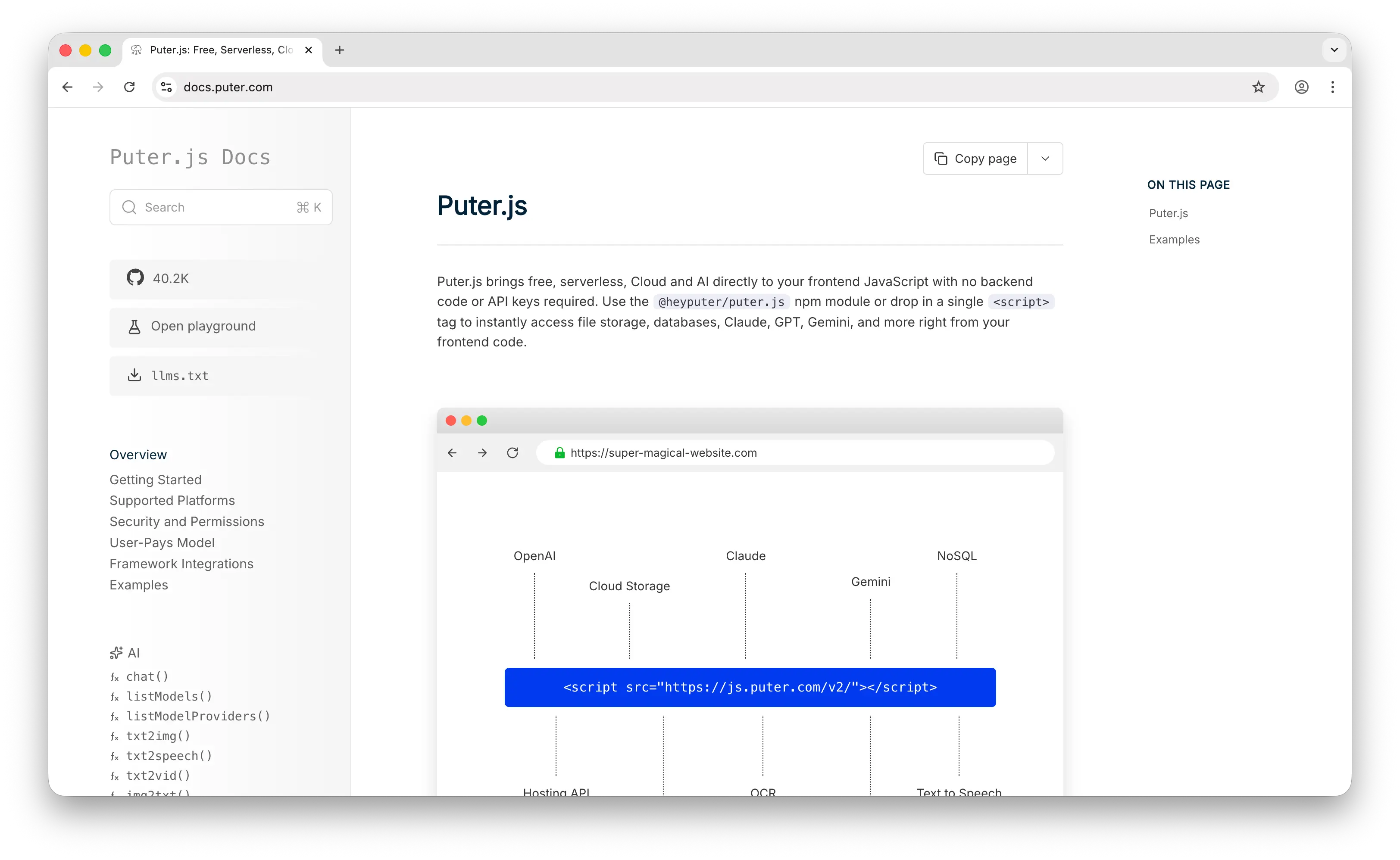
Puter.js is a client-side JavaScript library that gives you auth, a database, cloud storage, and access to 500+ AI models — all from a single script tag, with no backend to provision and no API keys to manage. Where Back4App requires you to create a project, define classes, deploy cloud code, and pay a monthly tier as your app grows, Puter.js is a <script> tag and a few lines of JavaScript.
What Makes It Different
The biggest divergence is who pays. Back4App charges the developer at predictable tiers — free for prototyping, with paid plans starting at $15/month and climbing as your data, requests, and storage grow. Puter.js eliminates this entirely with the User-Pays Model: every authenticated user covers their own storage, database, and AI usage through their Puter account. Your cost as a developer stays at zero whether you have 1 user or 1 million. This isn't a generous free tier you'll eventually outgrow — it's a fundamentally different cost structure.
AI is the other big differentiator. Puter.js ships with built-in access to 500+ AI models — GPT, Claude, Gemini, Grok, DeepSeek, DALL·E, and more — all callable directly from the frontend with no API keys. Back4App's "AI" is the AI Agent, a tool that generates backend schemas, code, and deployments from natural-language prompts. It's a developer productivity feature, not a runtime AI layer your app's users actually interact with. If your app needs to call LLMs at runtime, you're bringing your own provider keys and paying those providers separately on top of your Back4App bill.
Key Differences from Back4App
The database model is where they diverge most. Back4App gives you a MongoDB-backed document store with relational-style queries, indexes, LiveQuery subscriptions, and a polished spreadsheet UI for browsing data. Puter.js gives you a NoSQL key-value store optimized for simple lookups: no aggregations, no joins, no relational modeling. If your app needs rich querying or relational data, Back4App's Parse + MongoDB combination is the stronger pick. Puter.js trades that power for zero-config, zero-cost simplicity and a frontend-only programming model.
Back4App also auto-generates REST and GraphQL APIs from your schema and ships the Parse Dashboard for managing data, users, roles, and cloud code. Puter.js doesn't have either — there's no public API surface for other services to consume and no admin UI. It's optimized for frontend-only apps where the developer experience starts and ends in the browser.
Comparison Table
| Feature | Puter.js | Back4App |
|---|---|---|
| Setup required | Drop-in script tag | Project + classes + cloud functions |
| Pricing model | User-pays (free for devs) | Flat tiers ($0 / $15+ per month) |
| Database type | NoSQL key-value store | MongoDB (document with relational queries) |
| Database querying | Key lookup only |  Rich queries, indexes, relations Rich queries, indexes, relations |
| Auto-generated APIs |  |
REST + GraphQL |
| Real-time | |
LiveQuery |
| Authentication | |
|
| Cloud storage | |
with built-in CDN |
| Built-in AI | 400+ models, no API keys |
AI Agent for backend generation only |
| Serverless functions | Serverless Workers | Cloud Code (JavaScript) |
| Container hosting | |
CaaS (Docker) |
| Admin dashboard | |
Parse Dashboard |
| Cost at scale | $0 to developer (any scale) | Scales with plan tier |
| Open-source | AGPL-3.0 |
Parse Server (Apache 2.0) |
| Self-hostable | |
(via Parse Server) |
| Best for | Zero-cost AI-powered web apps with frontend-only architecture | Managed backends with rich document data and auto-generated APIs |
2. Supabase
Supabase is the open-source Firebase alternative built on PostgreSQL. You get a full Postgres database, auth, real-time subscriptions, edge functions, file storage, and pgvector for AI — all managed for you, with self-hosting available for teams that want full control.
What Makes It Different
The database is Supabase's biggest advantage over Back4App. Supabase gives you full PostgreSQL — joins, CTEs, full-text search, JSONB, window functions, materialized views, and a massive extensions ecosystem including pgvector. Back4App is built on MongoDB through Parse Server: capable for document data, but locked to a NoSQL model and Parse-specific query semantics. If you ever want to migrate off Supabase, your schema and queries work with any Postgres provider. With Back4App, your application code is written against Parse SDKs and class structures — migrating means rewriting your data access layer regardless of where you move.
Row-Level Security in Supabase is enforced at the database layer itself. You write Postgres policies that control which rows each user can see and modify, and those policies hold even if a client connects directly to the database. Back4App handles access through Parse's ACL and Class-Level Permissions at the class and object level — functional, but coarser-grained than per-row Postgres policies.
Supabase has by far the larger open-source community on this list — over 100K GitHub stars — which translates into more third-party SDKs, more tutorials, and more libraries built around it. The Apache 2.0 license is also as permissive as open source gets.
Key Differences from Back4App
Back4App's biggest edge is the dashboard experience and out-of-the-box convenience. The Parse Dashboard gives non-technical users a polished spreadsheet UI for browsing data, role-based permissions configurable through clicks, and REST + GraphQL endpoints generated automatically from your classes the moment you create them. Supabase has Studio and PostgREST-generated APIs that cover similar ground, but Back4App's UI is more opinionated for non-developers editing data.
Real-time also works differently. Back4App's LiveQuery sends updates whenever a Parse class changes. Supabase Realtime is opt-in per channel and runs through a separate WebSocket service backed by Postgres replication — generally more performant under load, but it requires explicit setup.
Pricing predictability favors Back4App. Back4App is flat-tier — you pick a plan, you know the monthly bill. Supabase Pro is $25/month per project but includes an always-on dedicated Postgres compute instance, and real-world bills typically run $35–$175/month once you factor in the compute tier you actually need.
Comparison Table
| Feature | Supabase | Back4App |
|---|---|---|
| Database type | PostgreSQL (full SQL) | MongoDB (via Parse) |
| SQL support | Full PostgreSQL |
(Parse query syntax) |
| Auto-generated APIs | PostgREST + GraphQL |
REST + GraphQL |
| Real-time | Opt-in per channel |
LiveQuery |
| Row-level security | Database-level (Postgres policies) |
Class/object-level (Parse ACL/CLP) |
| Authentication | |
|
| Cloud storage | |
with built-in CDN |
| Vector search | pgvector |
(third-party) |
| Function runtimes | Deno-based edge functions | Node.js cloud code |
| Container hosting | |
CaaS (Docker) |
| Admin dashboard | Studio UI | Parse Dashboard |
| Data portability | Standard Postgres |
Parse SDK-locked |
| Pricing model | $25/mo + compute add-ons | $15+/mo flat tiers |
| License | Apache 2.0 |
Apache 2.0 (Parse Server) |
| Self-hostable | (~12 Docker containers) |
(Parse Server) |
| Community size | ~100K GitHub stars | Smaller (Parse-based) |
| Best for | Apps needing full SQL, relational modeling, and Postgres tooling | Managed Parse/MongoDB backends with predictable flat pricing |
3. Firebase
Firebase is Google's app development platform and the most established BaaS on the market. It's built on Firestore — a NoSQL document database — with a massive ecosystem of services that goes well beyond what Back4App offers as a focused backend.
What Makes It Different
Mobile is where Firebase dominates. Firestore's offline-first SDKs with automatic conflict resolution on iOS and Android are best-in-class — your app works fully offline, queues writes locally, and syncs cleanly when connectivity returns. Back4App's Parse SDKs include a Local Datastore for offline support, but the conflict resolution and sync story aren't as polished. If you're building a mobile app where offline-first behavior is a real requirement, Firebase is still the benchmark.
Firebase's ecosystem is also far broader. Beyond the database and auth, you get Crashlytics for crash reporting, Firebase Analytics, Cloud Messaging (FCM) for push notifications, Remote Config, A/B testing, App Distribution, ML Kit, Performance Monitoring, and now Gemini integration through AI Logic. Back4App is a focused BaaS — it ships database, auth, storage, cloud functions, and CaaS, but you'd integrate third-party services for analytics, crash reporting, A/B testing, and most of the broader mobile stack.
SDK reach is unmatched: Swift, Kotlin, Flutter, Unity, C++, JavaScript, and more. Back4App relies on Parse SDKs, which cover the major platforms but have a smaller community keeping them current.
Key Differences from Back4App
Cost predictability is where Back4App wins decisively. Firebase's per-read/write billing has no hard spend caps and can spike sharply — a single viral moment can produce four-figure bills, and "runaway listeners" reading the same data thousands of times are a known footgun. Back4App is flat-tier: you pick a plan, you know the monthly bill, and overages mean upgrading to the next tier rather than getting blindsided.
Vendor lock-in is the other major difference. Firebase is closed-source, Google-Cloud-only, and impossible to self-host. Back4App is built on the open-source Parse Server framework, supports multi-cloud and on-premise hosting, and exposes standard REST/GraphQL APIs that don't tie you to a proprietary SDK the way Firestore does. If portability matters, Back4App wins.
Firebase recently added Firebase Data Connect, which provides PostgreSQL via Cloud SQL — closing a long-standing SQL gap. Back4App stays NoSQL through MongoDB, which is fine for document data but limiting for apps that need strict relational modeling.
Comparison Table
| Feature | Firebase | Back4App |
|---|---|---|
| Database type | Firestore (NoSQL) + Data Connect (Postgres) | MongoDB (via Parse) |
| Auto-generated APIs | SDK-first | REST + GraphQL |
| Real-time | Best-in-class offline sync |
LiveQuery |
| Offline-first | Automatic conflict resolution |
Limited (Parse Local Datastore) |
| Authentication | |
|
| Cloud storage | |
with built-in CDN |
| Push notifications | FCM |
|
| Analytics | |
(third-party) |
| Crash reporting | Crashlytics |
(third-party) |
| A/B testing | |
|
| AI integration | Gemini via AI Logic |
AI Agent for backend generation |
| Mobile SDKs | Swift, Kotlin, Flutter, Unity, C++ |
Parse SDKs (iOS, Android, JS, more) |
| Function runtimes | Node.js, Python | Node.js cloud code |
| Container hosting | (Cloud Run separate) |
CaaS (Docker) |
| Pricing model | Pay-per-read/write/storage | Flat-tier ($15+/mo) |
| Cost predictability | Low (runaway query risk) | High |
| Vendor lock-in | High (proprietary) | Low (open-source Parse) |
| Open-source | |
Parse Server |
| Self-hostable | |
|
| Best for | Mobile-first apps needing offline sync and Google ecosystem | Backends needing predictable pricing and Parse Server portability |
4. Xano
Xano is a no-code backend development platform built around a visual API builder, a managed PostgreSQL database, and a Turing-complete function stack you compose visually instead of writing in code. Where Back4App is a low-code platform that still expects you to write JavaScript cloud functions, Xano lets non-developers build complex backend logic entirely through its visual interface.
What Makes It Different
The visual function stack is Xano's defining feature. You build business logic by chaining steps — conditionals, loops, variables, custom functions, data transformations, external API calls — all without writing code. For founders and product teams who want a real backend but don't have developers, this is significantly lower-friction than Back4App's cloud code, where logic still lives in JavaScript files you have to maintain.
The database is also fundamentally different. Xano uses PostgreSQL, so you get full SQL semantics, relations, indexes, and the broader Postgres ecosystem. Back4App's Parse + MongoDB combination supports relational-style queries but stays NoSQL underneath. For apps that need real joins, aggregations, or strict relational modeling, Xano is the stronger pick.
Xano is also widely adopted as the backend layer for no-code frontend tools — Bubble, Webflow, FlutterFlow, WeWeb — through its REST and GraphQL APIs. If your frontend lives on one of those platforms, Xano integrates more naturally than Back4App.
Key Differences from Back4App
Real-time is Xano's biggest gap. Native WebSockets aren't part of the platform, so live updates require workarounds — polling, third-party services, or a separate WebSocket layer. Back4App's LiveQuery makes real-time subscriptions a first-class feature, which matters for chat, collaboration, dashboards, and any app where data needs to push to clients automatically.
Pricing climbs faster on Xano. Back4App's paid plans start at $15/month with generous limits at each tier. Xano has a free tier, but serious production use typically lands in the $85–$225+/month range, and storage limits on lower tiers fill quickly if you're handling media uploads. Back4App tends to be more cost-effective for the same workload, especially when file storage with a built-in CDN is part of the equation.
Xano has stronger AI workflow tooling — visual agents that orchestrate OpenAI, Anthropic, and other LLMs as part of your business logic. Back4App's AI Agent is focused on backend generation (creating schemas, endpoints, and deployments from prompts) rather than runtime orchestration.
Comparison Table
| Feature | Xano | Back4App |
|---|---|---|
| Backend approach | No-code visual function stack | Low-code (JavaScript cloud code) |
| Database type | PostgreSQL | MongoDB (via Parse) |
| SQL support | |
(Parse query syntax) |
| Auto-generated APIs | REST + GraphQL |
REST + GraphQL |
| Real-time | (workarounds required) |
LiveQuery |
| Visual logic builder | Turing-complete |
(write JavaScript) |
| Authentication | |
|
| Cloud storage | (S3 integration for scale) |
with built-in CDN |
| AI workflows | Visual AI agent orchestration | AI Agent for backend generation |
| Container hosting | |
CaaS (Docker) |
| Admin dashboard | Visual no-code builder | Parse Dashboard |
| No-code frontend integration | Strong (Bubble, Webflow, FlutterFlow) | Moderate |
| Pricing model | Free tier, then $85–$225+/mo | $15+/mo flat tiers |
| Open-source | |
Parse Server |
| Self-hostable | |
|
| Best for | Non-developers building real backends visually | Developers wanting managed Parse/MongoDB with predictable pricing |
5. AWS Amplify
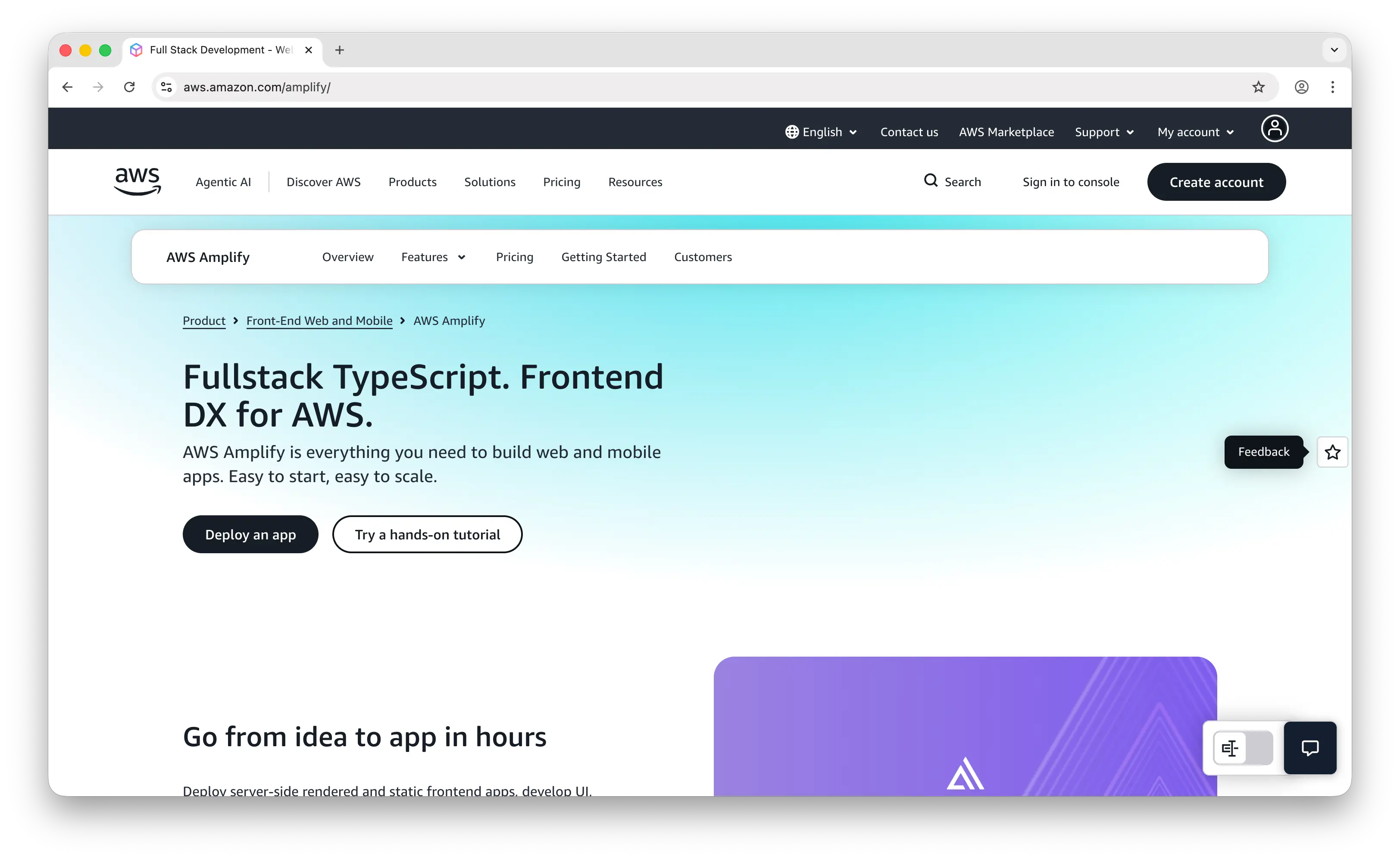
AWS Amplify is Amazon's full-stack development platform. With the Gen 2 release, Amplify shifted to a code-first, TypeScript-based developer experience: you define data models, business logic, and auth rules in TypeScript files, and the platform provisions real AWS services (AppSync, DynamoDB, Cognito, S3, Lambda) inside your own AWS account. Where Back4App is a single managed platform on its own infrastructure, Amplify stitches together a handful of AWS primitives.
What Makes It Different
The real selling point is access to the entire AWS ecosystem. Amplify is built on AWS CDK, which means you can drop down into 200+ AWS services whenever you need them — SQS queues, Step Functions, Bedrock for AI, SageMaker for ML, custom VPCs, anything. Back4App is closed at its own boundary: powerful inside the Parse model, but you can't extend it with cloud primitives the way you can with Amplify. For teams that already live on AWS or know they'll eventually need its long tail, this is decisive.
Per-developer cloud sandboxes are another genuinely nice Gen 2 feature. Each engineer gets an isolated AWS environment that deploys high-fidelity backends on every save. Back4App's environment model is simpler — typically a development app and a production app — with no equivalent of fully-provisioned-per-developer sandboxes.
Enterprise auth is stronger too. Cognito supports SAML, OIDC, MFA, and a long list of compliance certifications that matter for regulated industries. Back4App's auth handles the common cases (email/password, OAuth providers) well but doesn't go as deep on enterprise SSO out of the box.
Key Differences from Back4App
Back4App wins decisively on simplicity. Going from zero to a working backend takes minutes — define your classes through the dashboard, write cloud code in JavaScript, and you have REST + GraphQL APIs immediately. Amplify Gen 2 is more powerful but you're ultimately learning how Cognito, AppSync, DynamoDB, and Lambda interact, and debugging means navigating CloudWatch logs and IAM policies. The learning curve is steeper.
Pricing predictability is the other big Back4App advantage. Back4App bills you on a single flat-tier plan starting at $15/month with everything included. AWS Amplify gives you an AWS bill with line items across six or more services, each with its own pricing model — DynamoDB read/write units, Lambda invocations, AppSync requests, S3 storage and egress, Cognito MAUs. The flexibility comes with cost complexity, and small projects can produce surprisingly chunky monthly bills.
Vendor lock-in is also more severe on Amplify. Once your data is in DynamoDB and your auth is in Cognito, migrating off AWS means replacing all of it. Back4App, built on open-source Parse Server, supports self-hosting and multi-cloud deployment — your app code stays the same regardless of where the backend runs.
Comparison Table
| Feature | AWS Amplify | Back4App |
|---|---|---|
| Database type | DynamoDB (NoSQL) | MongoDB (via Parse) |
| Setup complexity | High (TypeScript config + AWS services) | Low (managed dashboard) |
| Type safety | TypeScript-first (Gen 2) |
Partial (JavaScript cloud code) |
| Auto-generated APIs | AppSync GraphQL |
REST + GraphQL |
| Real-time | AppSync GraphQL subscriptions |
LiveQuery |
| Authentication | Cognito (SAML, OIDC, MFA) |
|
| Cloud storage | S3 |
with built-in CDN |
| Serverless functions | Lambda (many runtimes) |
Node.js cloud code |
| Container hosting | Separate (ECS/Fargate) | CaaS (Docker) |
| Per-developer sandboxes | |
|
| Push notifications | SNS |
|
| Escape hatch to full cloud | 200+ AWS services via CDK |
|
| Learning curve | Steep | Gentle |
| Pricing model | Pay-per-use (multi-service AWS bill) | $15+/mo flat tiers |
| Cost predictability | Low | High |
| Vendor lock-in | High (AWS-only) | Low (open-source Parse) |
| Open-source | Partial (libraries/CLI only) | Parse Server |
| Self-hostable | (AWS only) |
|
| Best for | Teams on AWS or planning to scale into full cloud infra | Managed backends with predictable pricing and portable Parse stack |
Which Should You Choose?
Choose Puter.js if you want zero-cost, zero-config simplicity with built-in AI. Drop in a script tag and get auth, storage, database, and 500+ AI models with no backend, no API keys, and no infrastructure bill regardless of how many users you have. Ideal for AI-powered web apps where the User-Pays model fits your distribution.
Choose Supabase if you need full SQL and relational modeling. PostgreSQL gives you joins, full-text search, RLS, JSONB, and pgvector — plus your queries are portable to any Postgres provider. The largest open-source community in BaaS and a clean Apache 2.0 license.
Choose Firebase if you're building a mobile-first app that needs best-in-class offline sync, push notifications, analytics, and crash reporting in one place. Accept the vendor lock-in and pay-per-read pricing as the cost of a deeply mature mobile platform.
Choose Xano if you're a non-developer or small team that wants a real backend without writing code. The visual function stack is Turing-complete, and the PostgreSQL database with strong no-code frontend integrations (Bubble, Webflow, FlutterFlow) makes it the smoothest path from idea to API without engineering hires.
Choose AWS Amplify if you're already on AWS or know you'll need the long tail of AWS services eventually. The code-first Gen 2 DX is competitive, and you get a direct path to 200+ AWS services through the CDK escape hatch.
Stick with Back4App if you want a managed Parse/MongoDB stack with predictable flat-tier pricing, auto-generated REST and GraphQL APIs, LiveQuery for real-time, a polished admin dashboard, and the option to self-host or move to dedicated/on-prem infrastructure later. Best for teams that like the Parse model and want a dashboard-driven experience over assembling AWS primitives or designing relational schemas.
Conclusion
The top 5 Back4App alternatives are Puter.js, Supabase, Firebase, Xano, and AWS Amplify. Each takes a different approach to backend-as-a-service: Puter.js eliminates the backend entirely with the User-Pays model and built-in AI, Supabase gives you the full power of PostgreSQL with a clean Apache 2.0 license, Firebase dominates mobile with best-in-class offline sync and Google's broader ecosystem, Xano lets non-developers build real backends through a visual function stack, and AWS Amplify opens the door to the entire AWS ecosystem. The best choice depends on whether you need SQL or document data, who's building the backend, how much predictability you want in your bill, and where you want your data to live.
Related
- Getting Started with Puter.js
- The Best Backend Platform for Vibe Coding
- Top 5 Supabase Alternatives (2026)
- Top 5 Firebase Alternatives (2026)
- Top 5 Xano Alternatives (2026)
- Top 5 AWS Amplify Alternatives (2026)
- Best Appwrite Alternatives (2026)
- Best Convex Alternatives (2026)
- Top 5 PocketBase Alternatives (2026)
- Top 5 Filestack Alternatives (2026)
- Top 5 MongoDB Alternatives (2026)
- Top 5 PostgreSQL Alternatives (2026)
- Top 5 DynamoDB Alternatives (2026)
- Top 5 PlanetScale Alternatives (2026)
- Top 5 Neon Alternatives (2026)
- Top 5 Turso Alternatives (2026)
- Top 5 Amazon S3 Alternatives (2026)
- Top 5 Cloudflare R2 Alternatives (2026)
- Top 5 Wasabi Alternatives (2026)
- Top 5 Redis Alternatives (2026)
- Top 5 Upstash Alternatives (2026)
- Top 5 Heroku Alternatives (2026)
- Top 5 Render Alternatives (2026)
Ship a Full-Stack App with One Prompt
Create a to-do list app using Puter.js
Coding manually? see the guide