Top 5 PocketBase Alternatives (2026)
On this page
PocketBase has become a favorite among indie developers and solo founders for a simple reason: the entire backend — SQLite database, realtime subscriptions, authentication, file storage, and admin dashboard — fits inside a single Go executable. Download it, run one command, and your backend is live on any cheap VPS. No Docker, no cloud account, no dependencies.
That minimalism is exactly what makes PocketBase great, and also what defines where it stops being the right tool. SQLite's single-writer design limits concurrent throughput, there's no managed hosting option, scaling beyond one server gets awkward, and AI features aren't part of the package. If any of those are becoming friction points for your project, the five alternatives below each take a different philosophy about what a backend should be.
1. Puter.js
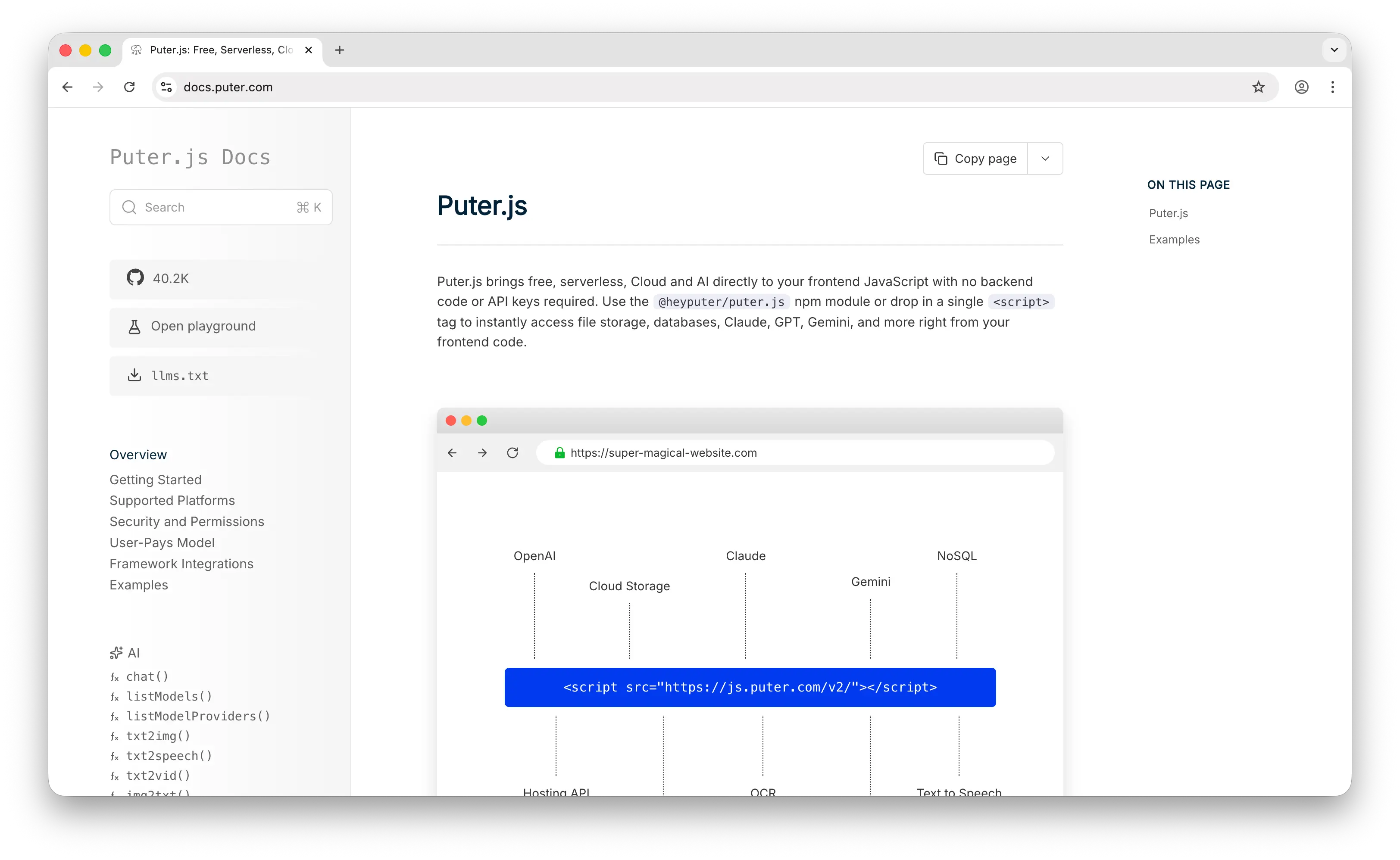
Puter.js is a JavaScript library that bundles AI, database, cloud storage, authentication, and hosting into a single package. Unlike PocketBase, which you download and run on a server, Puter.js runs entirely from the frontend via a single <script> tag, no backend to provision, configure, or maintain.
What Makes It Different
The economics work completely differently from PocketBase. PocketBase is free to download, but you still pay the VPS bill every month — and that bill grows as you add more users, more storage, or more traffic. Puter.js inverts this through its User-Pays Model: each authenticated user draws from their own Puter account for storage, database operations, and AI credits. Your infrastructure cost stays at $0 whether the app has 10 users or 10 million, with nothing to provision and nothing to scale.
The feature surface is also wider than PocketBase's. Alongside cloud storage and database, Puter.js provides direct access to AI models from OpenAI, Anthropic, Google, and Meta, plus text-to-image, text-to-video, OCR, speech-to-text, and static website hosting — all behind the same library, with no API keys to manage. PocketBase covers the backend fundamentals; Puter.js bundles the fundamentals plus a full cloud and AI toolkit.
Key Differences from PocketBase
The tradeoff is that Puter.js is built around a frontend-first, browser-native model. Its data layer is a NoSQL key-value store (puter.kv) rather than PocketBase's relational SQLite collections, which is simpler for basic state but not as well-suited for complex joins. There's no self-hosted admin UI equivalent to PocketBase's console, authentication is anchored to users' Puter accounts rather than a user table you own, and the data itself lives on Puter's infrastructure rather than a server you control.
Comparison Table
| Feature | Puter.js | PocketBase |
|---|---|---|
| Infrastructure required | None (frontend library) | Self-hosted VPS |
| Setup time | Seconds (one script tag) | Minutes (download binary) |
| Pricing model | User-pays (free for devs) | VPS cost (~$5/mo) |
| Database | NoSQL key-value | SQLite (relational) |
| Authentication |  (Puter accounts) (Puter accounts) |
(email, OAuth2) |
| File storage | |
(local or S3) |
| Realtime | |
(SSE) |
| Admin dashboard |  |
Built-in |
| AI models built-in | (GPT, Claude, Gemini, etc.) |
|
| Static site hosting | |
|
| Serverless workers | |
(JSVM hooks) |
| Open source | |
(MIT) |
| Self-hostable | |
|
| Data ownership | On Puter infrastructure by default; on your server when self-hosted | On your server |
| Scaling | Automatic (per-user resources) | Single-server (SQLite writer limit) |
| Best for | Frontend devs who want zero infra + AI built-in | Solo devs who want full control on cheap hardware |
2. Firebase
Firebase is Google's Backend-as-a-Service platform. Like PocketBase, it offers a database, authentication, file storage, and serverless functions, but it's a fully managed cloud service backed by Google Cloud, not a self-hosted binary.
What Makes It Different
Firebase is a full app-development ecosystem, with over 18 products spanning the backend core plus Crashlytics, Analytics, A/B testing, Cloud Messaging, Remote Config, and tight Gemini AI integration. As of late 2024, Firebase also bridged its long-standing SQL gap with Data Connect, which exposes a PostgreSQL database via Cloud SQL alongside the original Firestore NoSQL store.
Firebase's biggest strength is its offline-first mobile SDK. Firestore's sync engine is battle-tested over a decade and handles offline writes, reconnection, and conflict resolution more gracefully than almost anything else in the space, including PocketBase.
Key Differences from PocketBase
Firebase is closed-source and cloud-only, no self-hosting, no portability, and meaningful vendor lock-in. Its pricing is the single most-cited pain point: the Blaze plan bills per Firestore read, write, and delete, per GB stored, and per GB of egress, with no hard spending cap. A traffic spike directly translates to a larger bill. By contrast, PocketBase runs on a fixed-cost VPS and costs the same whether you serve 10 users or 10,000.
Comparison Table
| Feature | Firebase | PocketBase |
|---|---|---|
| Deployment model | Managed cloud only | Self-hosted only |
| Pricing model | Pay-per-operation (Blaze) | Flat VPS cost (~$5/mo) |
| Free tier | Generous Spark plan | Free (just pay hosting) |
| Database | Firestore (NoSQL) + Data Connect (Postgres) | SQLite |
| Authentication | (50K MAU free) |
|
| Realtime | Best-in-class |
|
| File storage | |
|
| Offline-first sync | Best-in-class |
Limited |
| Serverless functions | |
(JS/Go hooks) |
| Admin dashboard | |
|
| AI integration | (Gemini) |
|
| Analytics / Crashlytics | |
|
| Open source | |
|
| Self-hostable | |
|
| Vendor lock-in | High | None (portable SQLite) |
| Cost predictability | Low (usage-based) | High (flat VPS) |
| Best for | Mobile apps needing offline sync and Google Cloud depth | Indie devs who want a portable, predictable backend |
3. Supabase
Supabase is an open-source Postgres development platform that's often described as the "open-source Firebase alternative." Like PocketBase, it's open source and self-hostable, but it's built on PostgreSQL instead of SQLite and ships as a full stack of services rather than a single binary.
What Makes It Different
Every Supabase project is a full PostgreSQL database with Row Level Security, auto-generated REST and GraphQL APIs, realtime subscriptions via WebSockets, Edge Functions running on Deno, and S3-compatible storage. The Postgres foundation unlocks things SQLite simply can't do: full SQL power, extensions like PostGIS and pgvector for AI/RAG workloads, complex relational queries, and concurrent multi-writer throughput.
Supabase has grown into a major player in 2026, with 99K+ GitHub stars and a reported $5B valuation. The Pro plan at $25/month is the common upgrade path for teams outgrowing free tiers, and the generated TypeScript types from your schema are regularly praised as one of the best developer experiences in the space.
Key Differences from PocketBase
Self-hosting Supabase is significantly heavier than running PocketBase. Supabase is a multi-service Docker stack (Postgres, GoTrue for auth, PostgREST for the API, Realtime, Storage, Kong as a gateway), while PocketBase is a single executable you can scp to a server and run. If you want simplicity and low ops overhead, PocketBase wins. If you need real SQL power and a database that scales beyond a single writer, Supabase wins.
Comparison Table
| Feature | Supabase | PocketBase |
|---|---|---|
| Deployment | Managed cloud + self-host | Self-host only |
| Pricing (managed) | Free tier, Pro $25/mo | N/A (DIY hosting) |
| Database | PostgreSQL | SQLite |
| SQL support | Full Postgres |
Limited (SQLite syntax) |
| Extensions | (pgvector, PostGIS, etc.) |
|
| Auto-generated API | REST + GraphQL |
REST |
| Authentication | |
|
| Row Level Security | (at DB layer) |
Rule-based (at API layer) |
| Realtime | (WebSockets) |
(SSE) |
| File storage | |
|
| Edge Functions | (Deno) |
(JS/Go hooks) |
| Vector / AI support | (pgvector) |
|
| Open source | |
|
| Self-host complexity | High (multi-service Docker) | Low (single binary) |
| Concurrent writes | High (Postgres) | Limited (SQLite single-writer) |
| Best for | Teams needing real SQL, RLS, and scale | Solo devs wanting a one-binary backend |
4. Appwrite
Appwrite is an open-source backend platform that, like PocketBase, can be self-hosted on your own infrastructure. Unlike PocketBase's single-binary approach, Appwrite runs as a microservices stack in Docker and offers a managed Appwrite Cloud option.
What Makes It Different
Appwrite is more batteries-included than PocketBase. In addition to the core database, auth, storage, and functions, it ships with Messaging (email/SMS/push notifications), Sites (integrated web hosting with Git deploys and SSR), and 15 function runtimes covering Node, Python, Go, Ruby, Dart, and more. It exposes REST, GraphQL, and WebSocket APIs, with native SDKs for web, iOS, Android, Flutter, and popular backend languages.
Appwrite Cloud's free tier is generous (75K MAU, 10GB storage, unlimited projects), with Pro at $15/month per org member and a Scale tier at $599/month that adds SOC 2 compliance. Security is a strong focus — built-in DDoS mitigation, encryption at rest and in transit, and GDPR/HIPAA tooling out of the box.
Key Differences from PocketBase
Appwrite uses a document database (similar to PocketBase's collection feel) but its relational queries are still limited — deep joins are not well supported. Self-hosting requires running a Docker Compose stack rather than a single binary, which means more ops overhead. In exchange, you get significantly more built-in features: hosting, messaging, and a richer function runtime story than PocketBase's JSVM hooks.
Comparison Table
| Feature | Appwrite | PocketBase |
|---|---|---|
| Deployment | Managed cloud + self-host | Self-host only |
| Pricing (managed) | Free 75K MAU, Pro $15/mo/member | N/A (DIY hosting) |
| Self-host method | Docker Compose stack | Single binary |
| Database | Document (NoSQL-style) | SQLite (relational) |
| Authentication | (email, OAuth, magic links, SMS) |
|
| File storage | (with image manipulation) |
|
| Realtime | (WebSocket) |
(SSE) |
| Serverless functions | 15 runtimes |
Limited (JS/Go hooks) |
| Messaging (SMS/email/push) | |
|
| Web hosting (Sites) | |
|
| GraphQL API | |
|
| Mobile SDKs | (Flutter, iOS, Android native) |
Limited |
| Admin dashboard | |
|
| Open source | |
|
| Complex relations | Limited (beta, no deep joins) | Limited (SQLite joins) |
| Self-host complexity | Moderate (Docker stack) | Very low (one binary) |
| Best for | Teams wanting Firebase-feature-parity self-hosted | Devs wanting the simplest possible deploy |
5. Convex
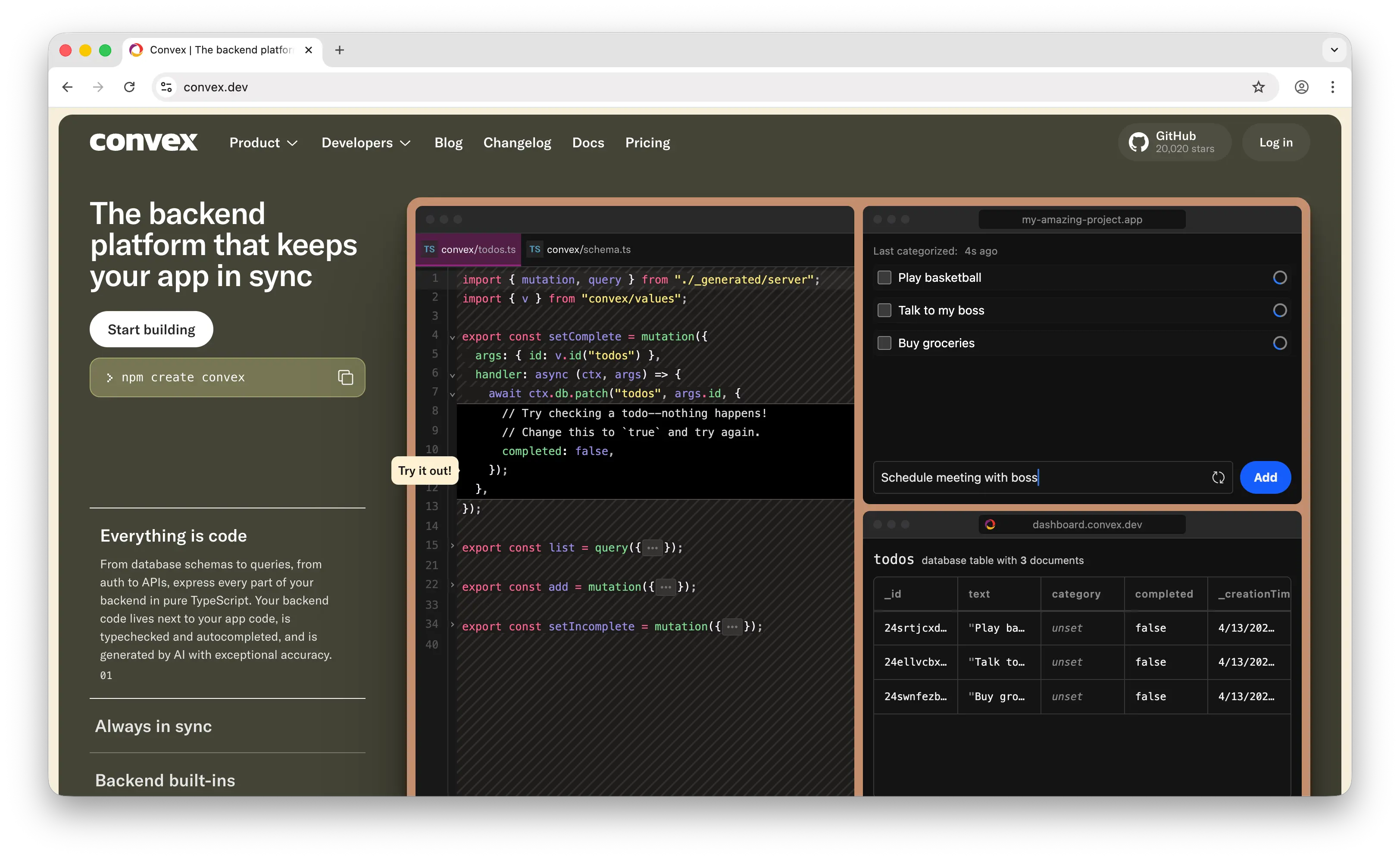
Convex is an open-source reactive database where your backend logic is written in pure TypeScript. It takes a fundamentally different approach from PocketBase: instead of writing code against a REST API, you write TypeScript functions that run inside the database and automatically re-execute when their data dependencies change.
What Makes It Different
Convex queries are reactive by default. When you subscribe to a query on the client, Convex tracks every piece of data it reads; when any of that data changes, the query re-runs and pushes the new result to every connected client. You never write WebSocket handlers, cache invalidation logic, or manual subscription management. The database is also ACID-compliant with serializable isolation, giving you strong consistency guarantees that SQLite-backed systems can't match at scale.
Convex is particularly well-suited for AI-generated code: queries are pure TypeScript (a language LLMs know intimately), mutations run in transactions (so bad code can't corrupt your database), and the reactive layer handles state synchronization automatically. It also ships with built-in OpenAI helpers, scheduling, cron jobs, and vector search.
Key Differences from PocketBase
Convex is cloud-first (the hosted version runs on PlanetScale/MySQL), though you can self-host it via Docker or a prebuilt binary on top of SQLite, Postgres, or MySQL. Its "document-relational" model sits between pure NoSQL and traditional SQL, and backend logic is TypeScript rather than Go or PocketBase's JSVM. At small scale, PocketBase on a VPS is cheaper; at scale, Convex handles reactivity and consistency in ways that would require significant custom code on PocketBase.
Comparison Table
| Feature | Convex | PocketBase |
|---|---|---|
| Deployment | Managed cloud + self-host | Self-host only |
| Pricing (managed) | Generous free tier, paid tiers for scale | N/A (DIY hosting) |
| Database | Document-relational (MySQL/Postgres/SQLite) | SQLite |
| Reactivity | Automatic (query-level) |
Manual (via subscriptions) |
| Consistency | ACID + serializable isolation | SQLite ACID |
| Backend language | TypeScript (native) | Go or embedded JS VM |
| End-to-end type safety | (schema → client) |
|
| Authentication | (built-in + Clerk/Auth0) |
|
| File storage | |
|
| Scheduling / Cron | Built-in |
Limited |
| Vector search | |
|
| AI integration | (OpenAI helpers) |
|
| Admin dashboard | |
|
| Open source | |
|
| Self-hostable | |
|
| Best for | TypeScript-first teams building reactive/realtime apps | Devs wanting a minimal, portable self-hosted backend |
Which Should You Choose?
Choose Puter.js if you're building a web app and want cloud storage, database, auth, and AI features without running any backend at all. The user-pays model means you pay $0 in infrastructure costs no matter how many users you have.
Choose Firebase if you're building a mobile app that depends on flawless offline-first sync, or if you're already deep in the Google Cloud ecosystem and want Gemini AI tightly integrated. Be prepared to watch the bill closely as you scale.
Choose Supabase if you need real PostgreSQL power — complex relational queries, Row Level Security for multi-tenant SaaS, pgvector for AI, and a well-documented SQL path. It's the strongest option for teams that will outgrow SQLite's single-writer limit.
Choose Appwrite if you want Firebase-level feature breadth (hosting, messaging, multi-runtime functions, native mobile SDKs) but self-hosted and open source. It's the most feature-rich option in this list.
Choose Convex if you're building a TypeScript-heavy app where reactivity and real-time updates are core to the experience. It eliminates an entire category of state-sync code that PocketBase would require you to write yourself.
Stick with PocketBase if you want the absolute simplest possible backend — one binary, one command, SQLite under the hood, deployable to any cheap VPS. For solo developers, MVPs, internal tools, and side projects where simplicity and cost control matter more than scale, it's still the benchmark.
Conclusion
The top 5 PocketBase alternatives are Puter.js, Firebase, Supabase, Appwrite, and Convex. Each takes a different approach to backend development, from Puter.js's zero-infrastructure frontend library to Firebase's managed cloud to Supabase's full Postgres stack to Appwrite's self-hostable Firebase-parity to Convex's reactive TypeScript runtime. Whichever platform you choose, the best option is the one that matches your stack, your scaling needs, and how much infrastructure you actually want to own.
Related
- Getting Started with Puter.js
- Top 5 Filestack Alternatives (2026)
- Top 5 Firebase Alternatives (2026)
- Top 5 Supabase Alternatives (2026)
- Best Appwrite Alternatives (2026)
- Best Convex Alternatives (2026)
- Top 5 Xano Alternatives (2026)
- Best Back4App Alternatives (2026)
- Top 5 PostgreSQL Alternatives (2026)
- Top 5 PlanetScale Alternatives (2026)
- Top 5 Neon Alternatives (2026)
- Top 5 MongoDB Alternatives (2026)
- Top 5 DynamoDB Alternatives (2026)
- Top 5 Redis Alternatives (2026)
- Top 5 Upstash Alternatives (2026)
- Top 5 Amazon S3 Alternatives (2026)
- Top 5 Wasabi Alternatives (2026)
- Top 5 UploadThing Alternatives (2026)
- Best AWS Lambda Alternatives (2026)
- Top 5 Heroku Alternatives (2026)
- Top 5 Render Alternatives (2026)
- Top 5 Railway Alternatives (2026)
- Top 5 Fly.io Alternatives (2026)
- Best Netlify Alternatives (2026)
- Best Neocities Alternatives (2026)
- Top 5 Turso Alternatives (2026)
Ship a Full-Stack App with One Prompt
Create a to-do list app using Puter.js
Coding manually? see the guide