Best GitHub Pages Alternatives (2026)
On this page
GitHub Pages is the default static host for anyone already living on GitHub. It's free, it ships HTTPS out of the box, and a Jekyll site can be online in the time it takes to write a commit message. But the moment your project grows past a personal portfolio, the limits show up fast: a 1 GB recommended site size, a 100 GB monthly bandwidth soft cap, no server-side code, terms of service that disallow commercial and e-commerce use, and the free tier's hard requirement that your source repository be public.
Here are five GitHub Pages alternatives worth knowing about, what each one does differently, and when you'd pick them over GitHub Pages.
1. Puter
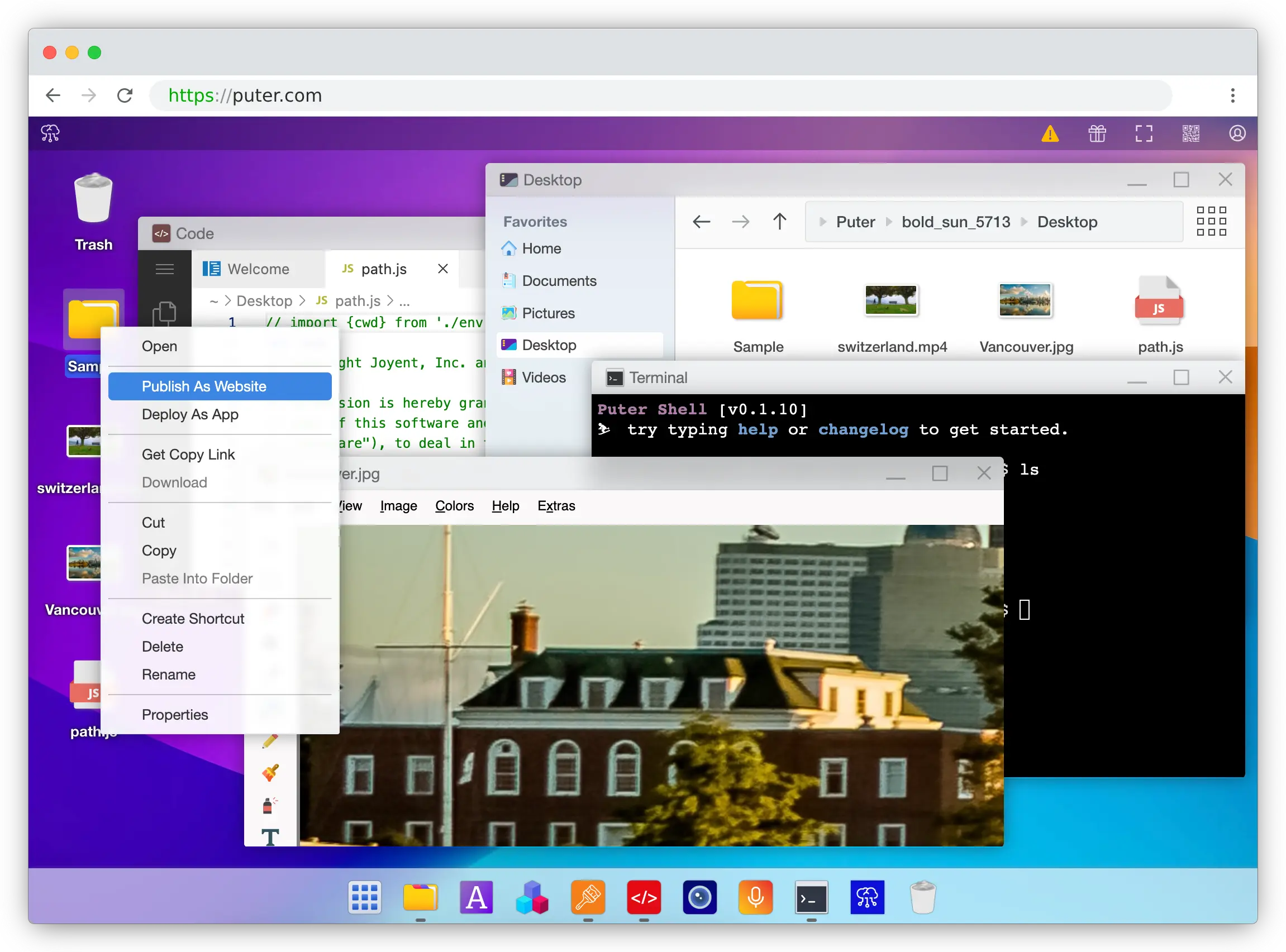
Puter is a cloud operating system that runs in your browser, with built-in static site hosting, serverless workers, object storage, key-value databases, and an AI API. It supports every major frontend framework, from React, Next.js, and Vue to Svelte, Astro, and plain HTML.
What Makes It Different
GitHub Pages turns a repository into a website, the site is essentially a side effect of pushing to a branch. Puter inverts that idea: the website is just a folder in a cloud OS, and the folder is the thing you publish. You drag files in, right-click, choose "Publish as Website," and a puter.site subdomain is live with free SSL. The next time you change a file in that folder, the change is on the internet, no commit, no gh-pages branch, no GitHub Actions workflow timing out at 11pm.
That difference matters most in two situations. The first is when the person editing the site isn't a developer, a designer, a writer, a workshop attendee, a client. They don't have to learn Git to update the homepage; they edit files in a familiar files-and-folders interface. The second is when you simply don't want your source exposed. GitHub Pages' free tier requires a public repository, so every draft, every comment, and every API key you accidentally committed is visible to the world unless you pay for GitHub Pro. Puter's files are private by default.
Full-stack is just as direct. Drop a worker.js next to your site, write a few routes with router.get('/api/hello', ...), click deploy, and your endpoints are live. Workers can call AI models, read and write a key-value store, and use object storage through Puter.js, none of which GitHub Pages can do, since it serves static files and stops there. The User-Pays Model is also worth knowing about: your end users can cover their own AI, storage, and database costs through their Puter accounts, so a project that gets popular doesn't quietly become a bill you didn't budget for.
Key Differences from GitHub Pages
The trade-offs are honest. Git's built-in version history isn't something Puter replicates. If you want diffs and rollbacks, you still want your files in a repo somewhere. The GitHub Actions ecosystem of build templates, scheduled rebuilds, and CI integrations doesn't apply. Custom apex domains work on GitHub Pages today but aren't supported on Puter yet (subdomains only). In return, commercial use is allowed on the free tier (GitHub Pages' TOS explicitly bans it), the publish loop is "save the file" rather than "build, push, wait," and the platform itself is open-source.
Comparison Table
| Feature | Puter | GitHub Pages |
|---|---|---|
| Free tier |  Generous Generous |
|
| Commercial use on free tier | |
 (TOS) (TOS) |
| Source code privacy on free tier | |
(public repo required) |
| Deployment method | Drag-and-drop, no Git required | Git push |
| Build step required | |
Optional (Jekyll / Actions) |
| Instant updates (no redeploy) | |
|
| Static hosting | |
|
| Serverless functions | (Workers) |
|
| Built-in code editor | |
|
| Free SSL | |
|
| Custom domains | (subdomain only) |
|
| Bandwidth | Generous | 100 GB / mo soft cap |
| Site size | Generous | 1 GB recommended |
| Integrated AI/DB/Storage | via Puter.js |
|
| User-pays model | |
|
| Cloud OS / file manager UI | |
|
| Open-source platform | |
|
| Framework support | All major frameworks | Static / Jekyll-first |
| Best for | Zero-friction publishing with optional backend + AI | GitHub-centric workflows with Jekyll or Actions |
2. Cloudflare Pages
Cloudflare Pages is Cloudflare's Git-integrated static and full-stack hosting platform, built on top of its global network of 300+ edge locations.
What Makes It Different
The free tier is the standout in this category: unlimited bandwidth, unlimited requests, unlimited sites, and unlimited team seats, with commercial use allowed. GitHub Pages caps you at roughly 100 GB/month and may throttle (or politely email) sites that go over. For a personal blog this rarely matters; for a site that might end up on the front page of Hacker News, it absolutely does.
Cloudflare Pages is tightly integrated with the rest of Cloudflare's developer platform: Workers for full-stack logic, R2 for object storage (with zero egress fees), D1 for SQLite at the edge, and KV for key-value storage. Pages Functions share the Workers free tier of 100,000 requests/day. GitHub Pages has none of this, it's static files only.
Key Differences from GitHub Pages
Builds happen on Cloudflare's infrastructure rather than via GitHub Actions, so you trade familiarity for a different (still capable) build system, capped at 500 builds/month with 1 concurrent build on the free tier. Workers use a V8 isolate runtime rather than full Node.js, which gives near-zero cold starts but means some Node libraries need alternatives. The developer experience leans more infrastructure-flavored (Wrangler CLI, wrangler.toml) than GitHub's friendly repo-settings page. You also need a separate Cloudflare account, though you can still deploy directly from a GitHub or GitLab repo.
Comparison Table
| Feature | Cloudflare Pages | GitHub Pages |
|---|---|---|
| Free bandwidth | Unlimited |
100 GB / mo soft cap |
| Free site size | Generous | 1 GB recommended |
| Free builds | 500 / mo, 1 concurrent | 10 / hour soft cap |
| Commercial use on free tier | |
|
| Private repos on free tier | |
|
| Static hosting | |
|
| Serverless functions | (Workers) |
|
| Edge network | 300+ locations | GitHub's CDN |
| Cold starts | Near-zero | N/A (static) |
| Node.js compatibility | Partial (V8 isolates) | N/A |
| Integrated object storage | (R2, zero egress) |
|
| Integrated KV / SQL | (KV, D1) |
|
| Preview deployments per PR | |
|
| Free SSL | |
|
| Custom domains | |
|
| Git provider | GitHub + GitLab + direct upload | GitHub only |
| Best for | High-traffic sites and edge-first apps | GitHub-centric static sites |
3. Netlify

Netlify is the platform that popularized modern JAMstack hosting. It introduced the deploy-preview workflow that the rest of the industry eventually copied, and it remains one of the most polished options for static and JAMstack sites.
What Makes It Different
Netlify ships several features GitHub Pages can't match: built-in forms handling (no backend needed to accept submissions), Netlify Identity for authentication, split testing at the CDN level, serverless and edge functions, and deploy previews for every pull request. The build pipeline is built into Netlify itself, so you don't need to write GitHub Actions YAML to ship a Next.js, Astro, Hugo, or SvelteKit site. Private repositories work on the free tier.
As of April 2026, Netlify's Credit Pro plan includes unlimited team member seats, which removes a previous pain point around per-seat pricing. Free-tier commercial use is allowed.
Key Differences from GitHub Pages
Netlify moved to a credit-based billing system in September 2025, where deploys, bandwidth, and compute draw from a shared pool of 300 credits/month on the free plan. Cost forecasting is harder than GitHub Pages, where "free" is unambiguous. Hitting your free credits results in sites being paused until the next month, GitHub Pages, by contrast, throttles gradually and emails you politely. Bandwidth overages on paid plans are notably expensive at $55 per 100 GB, and there's a well-documented history of surprise bills during traffic spikes, so configuring spend protections up front is wise. Setup and deployment also require a separate Netlify account and connecting your repo, an extra step compared to GitHub Pages' single checkbox in repo settings.
Comparison Table
| Feature | Netlify | GitHub Pages |
|---|---|---|
| Pricing model | Credit-based (Free, Pro $20/mo) | Free |
| Commercial use on free tier | |
|
| Free bandwidth | 100 GB (≈ 300 credits) | 100 GB / mo soft cap |
| Free build minutes | 300 | 10 / hour soft cap |
| Private repos on free tier | |
|
| Static hosting | |
|
| Serverless functions | |
|
| Edge functions | |
|
| Deploy previews per PR | |
|
| Built-in forms handling | |
|
| Built-in identity / auth | |
|
| Split testing | |
|
| Build pipeline | Built-in | Via GitHub Actions |
| Free SSL | |
|
| Custom domains | |
|
| Framework neutrality | (Astro, Hugo, SvelteKit, Next.js) |
Jekyll-first |
| Cutoff behavior | Sites paused at limit | Soft throttle |
| Best for | JAMstack teams needing forms, identity, and preview deploys | GitHub-centric static sites |
4. Vercel
Vercel is the home platform for Next.js and the reference implementation for modern React deployment. It supports every major JS framework, but its real strength is server-side rendering, incremental static regeneration, and edge middleware, capabilities GitHub Pages simply doesn't have.
What Makes It Different
Where GitHub Pages serves static files, Vercel runs an entire frontend platform: SSR, ISR, edge middleware, image optimization, and serverless and edge functions are all native. Every pull request gets its own preview deployment with a unique URL, making review workflows dramatically smoother. Private repositories are supported on the free Hobby tier, and Vercel's global edge network keeps latency low across regions. For Next.js specifically, no other platform offers the same level of integration, features like ISR and vercel/og work with zero configuration.
Key Differences from GitHub Pages
The biggest catch: Vercel's Hobby plan explicitly prohibits commercial use in its Fair Use guidelines. GitHub Pages has a similar restriction in its TOS, but Vercel enforces it more actively, and any revenue-generating project requires the Pro plan at $20/user/month. Function timeouts on Hobby are 60 seconds. There's no overage option on Hobby, hit the 100 GB Fast Data Transfer cap, the 1 M edge requests cap, or any other limit, and the site stops until next cycle. Bandwidth overages on Pro are pricey at roughly $15 per 100 GB, so a viral post on a Pro plan can hurt. For a purely static personal site, Vercel is overkill, but for any modern framework with server-rendered routes, the gap between Vercel and GitHub Pages is enormous.
Comparison Table
| Feature | Vercel | GitHub Pages |
|---|---|---|
| Pricing model | Hobby free, Pro $20/user/mo | Free |
| Commercial use on free tier | |
|
| Free bandwidth | 100 GB Fast Data Transfer | 100 GB / mo soft cap |
| Free build minutes | 6,000 | 10 / hour soft cap |
| Private repos on free tier | |
|
| Static hosting | |
|
| Serverless functions | |
|
| Edge functions / middleware | |
|
| Next.js SSR / ISR | First-class | |
| Deploy previews per PR | |
|
| Image optimization | Built-in |
|
| Free SSL | |
|
| Custom domains | |
|
| Framework support | All major (Next.js favored) | Static / Jekyll-first |
| Cutoff behavior | Site stops at limit | Soft throttle |
| Best for | Next.js apps and modern frontend frameworks | GitHub-centric static sites |
5. Firebase Hosting
Firebase Hosting is Google's static and dynamic web hosting product, part of the broader Firebase platform. It's typically chosen not for hosting alone but for its integration with the rest of the Firebase ecosystem.
What Makes It Different
Firebase Hosting's real strength is everything next to it: Firebase Auth for sign-in (email, social providers, phone), Firestore and Realtime Database for data, Cloud Functions for serverless backends, FCM for push notifications, and first-class mobile SDKs for iOS and Android. GitHub Pages offers none of these, its model assumes you'll stitch together a static site and live with its static-file nature. Atomic deploys with one-click rollback and preview channels are also built in.
For SSR-heavy apps, Google now offers Firebase App Hosting (a separate, newer product) that targets Next.js and Angular directly, though it requires the paid Blaze plan.
Key Differences from GitHub Pages
Firebase Hosting has a much tighter free-tier footprint than GitHub Pages: 10 GB storage and roughly 10 GB bandwidth per month (360 MB/day), versus GitHub Pages' 1 GB site size and 100 GB bandwidth soft cap. Hit the Spark plan limit and your site is disabled until next month. Deployment is CLI-driven (firebase deploy) rather than Git-push, and preview channels are less automatic than the per-PR deploys Vercel and Netlify offer. Billing on the Blaze plan runs through Google Cloud, which is powerful but can be intimidating, there are no default hard spend caps, only budget alerts. Commercial use is allowed on the free tier, unlike GitHub Pages.
Comparison Table
| Feature | Firebase Hosting | GitHub Pages |
|---|---|---|
| Pricing model | Spark (free) / Blaze (pay-as-you-go) | Free |
| Commercial use on free tier | |
|
| Free bandwidth | ≈ 10 GB / month | 100 GB / mo soft cap |
| Free storage | 10 GB | 1 GB recommended |
| Free-tier cutoff behavior | Site disabled | Soft throttle |
| Static hosting | |
|
| Serverless functions | (Cloud Functions) |
|
| Deployment method | CLI (firebase deploy) |
Git push |
| Preview channels | (manual) |
|
| Atomic deploys & rollback | |
|
| Edge / CDN | Google CDN | GitHub's CDN |
| Built-in authentication | (Firebase Auth) |
|
| Managed databases | (Firestore, Realtime DB) |
|
| Mobile SDKs (iOS/Android) | |
|
| Analytics | built-in |
|
| Push notifications (FCM) | |
|
| Next.js SSR | Via App Hosting (Blaze required) | |
| Custom domains | |
|
| Best for | Web + mobile apps using the Google backend stack | GitHub-centric static sites |
Which Should You Choose?
Puter is the right call when Git feels like overhead rather than workflow. Portfolio sites, client previews, workshop demos, internal tools, anything where the person editing the site shouldn't have to learn git push or wait for a Jekyll build. The "drag a folder, right-click, publish" loop is genuinely faster than every Git-based platform here, and the integrated AI, KV, and object storage make it a surprisingly capable backend for small apps, not just a static host. It's also one of the only options where your source files stay private by default without paying for a private repo.
Cloudflare Pages is the answer when your traffic is spiky, viral, or just genuinely large. Free unlimited bandwidth isn't a marketing line, it's the actual plan. Accept a slightly rougher CLI-driven workflow and you get economics nobody else in this list can match, plus a fast edge network for free.
Netlify is the move when you want the polished JAMstack workflow that GitHub Pages doesn't try to provide: deploy previews per PR, built-in form handling, identity, split testing. Just keep an eye on the credit meter, and set spend caps so a traffic spike doesn't become a billing surprise.
Vercel is for Next.js teams whose sites depend on SSR, ISR, or edge middleware. GitHub Pages can't run those at all, so the comparison isn't really like-for-like, but if you're outgrowing GitHub Pages because you've adopted Next.js, Vercel is the natural destination. Just remember the Hobby tier bans commercial use.
Firebase Hosting really only makes sense if you're already committed to the Firebase ecosystem. If Firestore and Firebase Auth are powering your app, hosting alongside them is frictionless. If they aren't, the 10 GB bandwidth cap and CLI-only deploys make this the weakest pure-hosting option in the lineup.
Stick with GitHub Pages when your site lives inside a public GitHub repository, your needs are purely static, your traffic fits comfortably under 100 GB/month, and the GitHub Actions or Jekyll pipeline is already serving you well. For open-source documentation and project sites, it's still hard to beat.
Conclusion
The best GitHub Pages alternatives are Puter, Cloudflare Pages, Netlify, Vercel, and Firebase Hosting. Each takes a different approach to shipping web apps: Puter offers a cloud OS with drag-and-drop publishing and integrated backend services, Cloudflare Pages leverages its global edge network for unlimited-bandwidth hosting, Netlify doubles down on JAMstack with built-in forms and identity, Vercel specializes in modern frontend frameworks with first-class SSR, and Firebase Hosting fits naturally into the Google backend ecosystem. Whichever platform you choose, the best option is the one that matches your stack, your traffic profile, your need (or lack of need) for a backend, and how much friction you're willing to accept in your deploy workflow.
Related
- How to Host a Website for Free
- Getting Started with Puter.js
- Best Cloudflare Pages Alternatives (2026)
- Best Netlify Alternatives (2026)
- Best Vercel Alternatives (2026)
- Top 5 Firebase Alternatives (2026)
- Best Neocities Alternatives (2026)
- Top 5 Glitch Alternatives (2026)
- Top 5 Cloudflare Workers Alternatives (2026)
- Top 5 Render Alternatives (2026)
- Top 5 Fly.io Alternatives (2026)
Ship a Full-Stack App with One Prompt
Create a to-do list app using Puter.js
Coding manually? see the guide