Best Appwrite Alternatives (2026)
On this page
Appwrite is an open-source backend server packaged as Docker microservices. You get a document database (built on MariaDB), auth with 30+ login methods, file storage with image transformation, serverless functions in 15+ runtimes, real-time subscriptions, and messaging — all self-hostable on your own infrastructure.
But Appwrite isn't the only way to build a backend. Some teams need full SQL and relational modeling. Others want zero-config simplicity, deeper cloud integration, or a completely different programming model. Here are five alternatives worth considering, what they do differently, and where each one is the better pick.
1. Puter.js
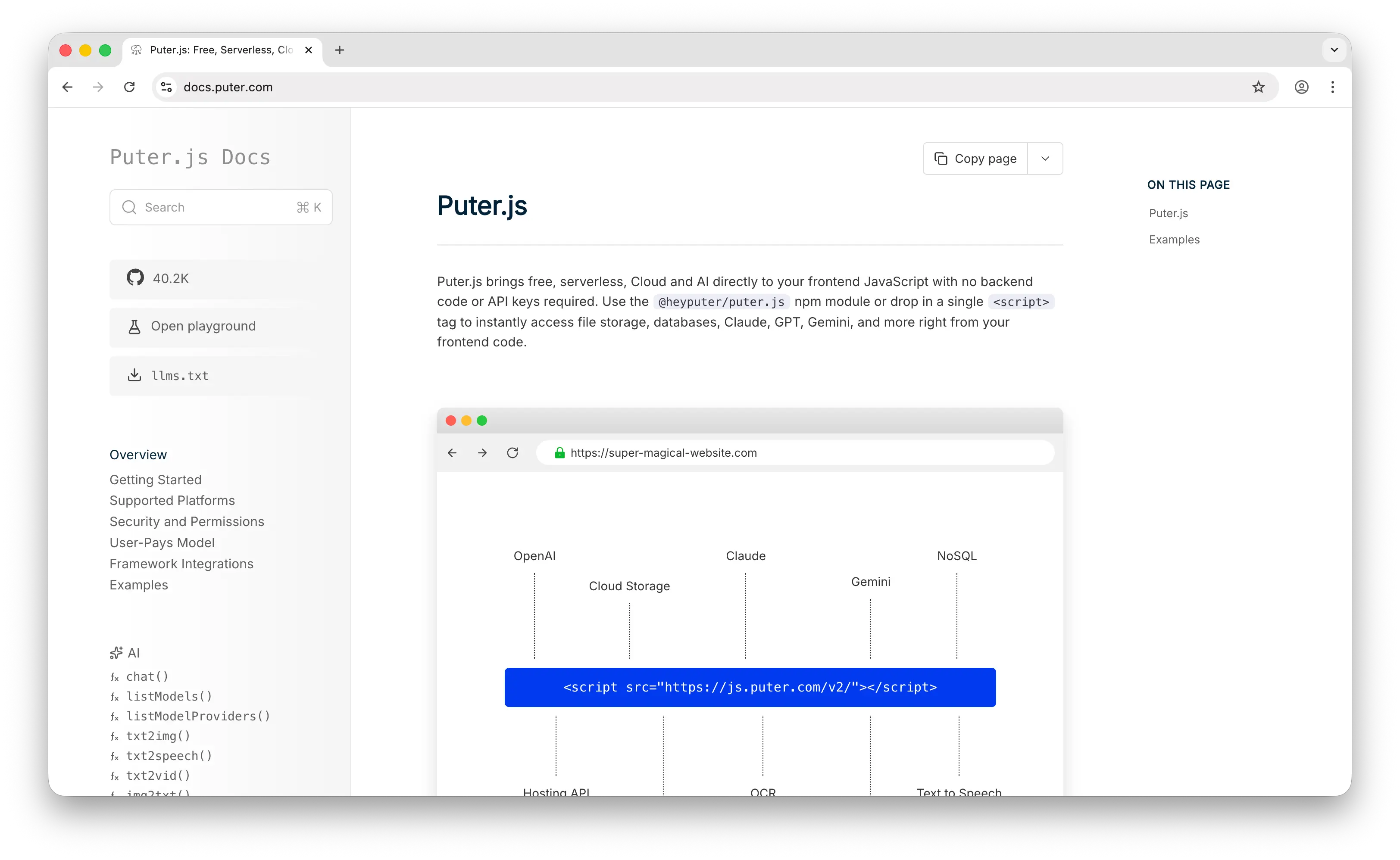
Puter.js is a client-side JavaScript library that gives you auth, a database, and cloud storage without deploying or configuring any backend. Where Appwrite requires you to set up Docker, configure services, and manage infrastructure, Puter.js is a script tag and a few lines of JavaScript.
What Makes It Different
With Appwrite, you either self-host and manage the infrastructure yourself or pay for Appwrite Cloud. Puter.js eliminates this entirely with the User-Pays Model: your app's users cover their own storage and usage through their Puter account. Your cost as a developer stays at zero regardless of scale. This isn't a free tier that you'll outgrow — it's a fundamentally different cost structure.
For storage, Puter.js provides a filesystem API that handles uploads, downloads, and file management on the client side. Appwrite's storage requires configuring buckets, setting permissions, and managing file IDs through REST APIs. Puter's approach is simpler but less configurable.
Puter.js also ships with built-in access to 500+ AI models — chat, image generation, text-to-speech, and more. Appwrite has no native AI capabilities, so if your app needs AI features alongside storage and auth, Puter.js saves you from integrating a separate service.
Puter is open-source (AGPL-3.0) and self-hostable. For apps that need custom backend logic, it supports serverless workers.
Key Differences from Appwrite
The database is where they diverge most. Puter.js gives you a NoSQL key-value store — no queries beyond key lookup, no indexing, no relationships, no access control at the database level. Appwrite gives you a document database with indexing, queries, and relationships between collections. If your app needs structured data with querying, Appwrite is the stronger choice. Puter.js trades that power for zero-config, zero-cost simplicity.
On the other hand, Puter.js requires no DevOps at all. Appwrite's self-hosting model means you're responsible for updates, backups, scaling, and monitoring — typically 10-20 hours per month for a small team.
Comparison Table
| Feature | Puter.js | Appwrite |
|---|---|---|
| Setup required | Drop-in script tag | Docker setup + config |
| Pricing model | User-pays (free for devs) | Free (self-hosted) or Cloud plans |
| Database type | NoSQL key-value store | Document database (MariaDB) |
| Database querying | Key lookup only |  Indexes, filters, relationships Indexes, filters, relationships |
| Authentication | |
30+ methods |
| Cloud storage | |
+ image transformation |
| Real-time | |
WebSocket |
| Built-in AI | 400+ models |
 |
| Serverless functions | Serverless workers | 15+ runtimes |
| Push notifications | |
|
| DevOps burden | None | High (self-hosted) or Low (Cloud) |
| Open-source | AGPL-3.0 |
MIT |
| Self-hostable | |
|
| Best for | Zero-cost, zero-config web apps with built-in AI | Self-hosted apps needing structured data and multi-platform SDKs |
2. Supabase
Supabase is the open-source Firebase alternative built on PostgreSQL. You get a full Postgres database, auth, real-time subscriptions, edge functions, and file storage — with a managed cloud service that removes the DevOps burden.
What Makes It Different
The database is Supabase's biggest advantage over Appwrite. Where Appwrite uses MariaDB with a document-style API that abstracts away SQL, Supabase gives you full PostgreSQL — joins, CTEs, full-text search, JSONB, window functions, and a massive extensions ecosystem including pgvector for AI embeddings. If your data is relational, Supabase lets you model it properly.
Row-Level Security (RLS) in Supabase is built into the database layer itself. You write Postgres policies that control which rows each user can see and modify. Appwrite handles permissions at the API level through collection-level and document-level rules — functional, but less granular than database-level enforcement.
Supabase also has the largest open-source community in the BaaS space with over 100K GitHub stars, compared to Appwrite's roughly 55K. This means more tutorials, integrations, third-party tools, and community support.
Key Differences from Appwrite
Appwrite's strength is its all-in-one, self-hosted package. It includes built-in messaging (push, SMS, email), image transformation, and support for 15+ function runtimes — features that Supabase either lacks or requires third-party integrations for. Appwrite also reportedly outperforms Supabase in self-hosted benchmarks on equivalent hardware.
However, Supabase's managed service means you don't need to think about infrastructure. You create a project and your database, auth, and API are ready in minutes. For teams that don't want to manage Docker containers, backups, and scaling themselves, this is a significant advantage.
Comparison Table
| Feature | Supabase | Appwrite |
|---|---|---|
| Database type | PostgreSQL (full SQL) | Document database (MariaDB) |
| SQL support | Full PostgreSQL |
Limited (document API) |
| Row-level security | Database-level |
API-level permissions |
| Authentication | |
30+ methods |
| Cloud storage | |
+ image transformation |
| Real-time | Via Postgres WAL |
WebSocket |
| Push notifications | |
|
| Edge functions | Deno-based |
15+ runtimes |
| AI/vector search | pgvector |
|
| GraphQL API | (REST + PostgREST) |
|
| Managed service | |
Appwrite Cloud |
| Pricing model | Tier-based ($0 / $25 / $599) | Free (self-hosted) or Cloud plans |
| Open-source | Apache 2.0 |
MIT |
| Self-hostable | |
|
| Community size | ~100K GitHub stars | ~55K GitHub stars |
| Best for | Apps needing full SQL, relational modeling, and managed hosting | Self-hosted apps needing multi-platform SDKs and all-in-one features |
3. AWS Amplify
AWS Amplify is Amazon's full-stack development platform. With the Gen 2 release, Amplify shifted to a code-first, TypeScript-based developer experience where you define data models, business logic, and auth rules in TypeScript, and Amplify automatically provisions the underlying AWS services — AppSync, DynamoDB, Cognito, S3, and Lambda.
What Makes It Different
The real selling point is access to the entire AWS ecosystem. No other option on this list gives you a direct path from BaaS to full cloud infrastructure. Need SQS queues, Step Functions, Bedrock for AI, or a custom VPC? You're already in the AWS ecosystem. Appwrite gives you a clean, contained set of backend services — Amplify gives you everything, at the cost of complexity.
Enterprise auth is another differentiator. Cognito supports SAML, OIDC, and compliance certifications that matter for regulated industries. Appwrite's auth is broad (30+ methods) but targets developer convenience over enterprise compliance.
Key Differences from Appwrite
Appwrite wins on simplicity and developer experience. You can go from zero to a working backend in minutes with Docker Compose. Amplify requires understanding how Cognito, AppSync, DynamoDB, and Lambda interact — debugging means navigating CloudWatch, IAM policies, and the AWS console.
Appwrite is fully open-source and self-hostable anywhere. Amplify is locked to AWS — there's no running it on your own infrastructure. For teams that value data sovereignty or want to avoid cloud vendor lock-in, this is a dealbreaker.
Pricing is also more predictable with Appwrite. Self-hosted Appwrite costs only your infrastructure, and Cloud plans have clear tiers. AWS pricing is notoriously complex, with each service billing independently.
Comparison Table
| Feature | AWS Amplify | Appwrite |
|---|---|---|
| Database type | DynamoDB (NoSQL) | Document database (MariaDB) |
| SQL support | |
Limited (document API) |
| Setup complexity | High (TypeScript config + AWS services) | Low (Docker Compose) |
| Authentication | Cognito (SAML, OIDC) |
30+ methods |
| Cloud storage | S3 |
+ image transformation |
| Serverless functions | Lambda |
15+ runtimes |
| Real-time | AppSync subscriptions |
WebSocket |
| GraphQL API | AppSync |
|
| Push notifications | SNS |
|
| Escape hatch to full cloud | 200+ AWS services |
|
| Learning curve | Steep | Gentle |
| Pricing model | Pay-per-use (AWS pricing) | Free (self-hosted) or Cloud plans |
| Open-source | Partial (libraries/CLI only) | MIT |
| Self-hostable | (AWS only) |
|
| Best for | Teams on AWS or planning to scale into full cloud infra | Teams wanting simplicity, data sovereignty, and open-source control |
4. Firebase
Firebase is Google's app development platform and the most established BaaS on the market. It's built on Firestore, a proprietary NoSQL document database, with a massive ecosystem of services that goes well beyond backend basics.
What Makes It Different
Real-time offline sync is where Firebase dominates. Firestore's offline-first capabilities with automatic conflict resolution on mobile are best-in-class. If you're building a mobile-first app that needs to work offline and sync seamlessly when connectivity returns, Firebase handles this better than Appwrite. Appwrite has real-time subscriptions, but it doesn't have the same depth of offline sync and conflict resolution.
Firebase's ecosystem is also broader. It includes push notifications (FCM), analytics, crash reporting (Crashlytics), remote config, A/B testing, and app distribution. Appwrite has messaging support, but analytics, crash reporting, and A/B testing are not part of the platform. Firebase is also adding AI integration with Gemini through AI Logic.
Key Differences from Appwrite
The biggest difference is philosophy. Appwrite is open-source, self-hostable, and designed for data sovereignty. Firebase is proprietary, cloud-only, and locked to Google's infrastructure. If you need to run your backend on your own servers for compliance or cost reasons, Firebase is not an option.
Appwrite's function runtimes are also more flexible — 15+ languages compared to Firebase's Cloud Functions which support Node.js and Python. Appwrite's real-time covers all services by default through WebSocket subscriptions, while Firebase requires explicit listener setup.
Cost predictability favors Appwrite. Firebase's pay-per-read/write model means "runaway queries" can lead to massive, unexpected bills. Appwrite's self-hosted model means you only pay for your own infrastructure, with completely predictable costs.
Comparison Table
| Feature | Firebase | Appwrite |
|---|---|---|
| Database type | Firestore (NoSQL document) | Document database (MariaDB) |
| SQL support | (Data Connect emerging) |
Limited (document API) |
| Real-time | Best-in-class offline sync |
WebSocket |
| Offline-first | Automatic conflict resolution |
Limited |
| Authentication | |
30+ methods |
| Push notifications | FCM |
|
| Analytics | |
|
| Crash reporting | Crashlytics |
|
| A/B testing | |
|
| AI integration | Gemini (AI Logic) |
|
| Function runtimes | Node.js, Python | 15+ runtimes |
| Image transformation | |
|
| Pricing model | Pay-per-read/write/storage | Free (self-hosted) or Cloud plans |
| Cost predictability | Low (runaway query risk) | High |
| Vendor lock-in | High (proprietary) | Low (open-source, self-hosted) |
| Open-source | |
MIT |
| Self-hostable | |
|
| Best for | Mobile-first apps needing offline sync and Google ecosystem | Self-hosted apps needing data sovereignty and multi-runtime functions |
5. Convex
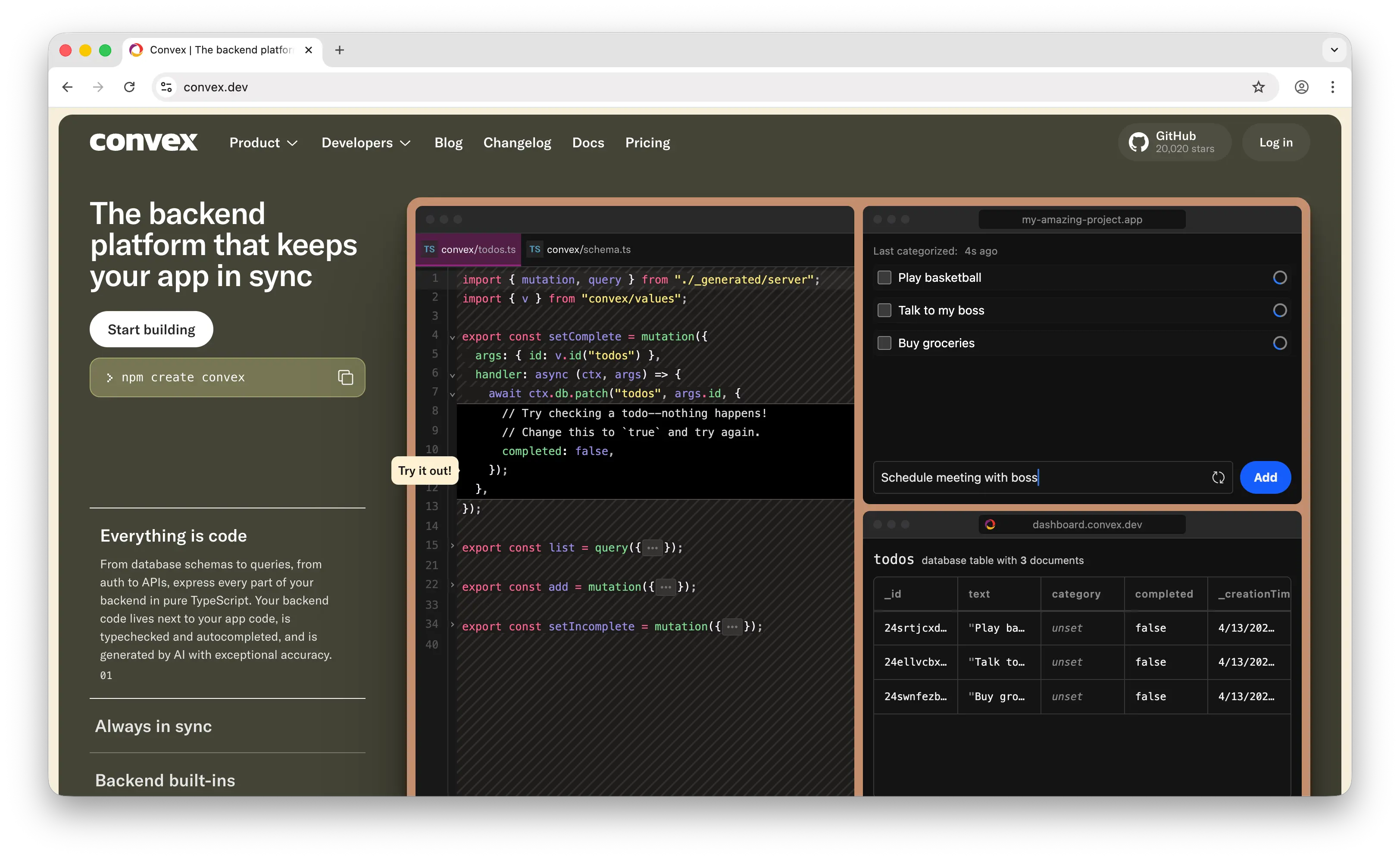
Convex is a reactive backend platform where TypeScript functions are your entire backend — no SQL, no ORM, no separate caching layer. It's a fundamentally different mental model from Appwrite.
What Makes It Different
Convex uses reactive programming. Changes to your data trigger automatic updates across all connected clients, with sub-50ms latency. Every query is a live subscription by default — no explicit real-time setup needed. This makes it exceptional for collaborative apps like multiplayer games, shared documents, or live dashboards. Appwrite's real-time requires explicit WebSocket subscriptions to specific channels.
Everything in Convex is pure TypeScript end to end — your database schema, queries, mutations, and APIs. You get end-to-end type safety without ORMs or code generation. Appwrite's SDKs are well-built across many platforms, but they don't offer the same level of compile-time type safety for your data layer.
Convex also has full ACID transactions by default. Every mutation is automatically transactional — no partial writes, no inconsistent state. Appwrite only recently added transaction support in v1.8, and it's opt-in rather than the default.
Convex went open source and is self-hostable, though the self-hosting story is less mature than Appwrite's proven Docker deployment model.
Key Differences from Appwrite
Appwrite is a more complete, all-in-one platform. It includes messaging (push, SMS, email), image transformation, 15+ function runtimes, and a broader set of platform SDKs. Convex is TypeScript-only for server functions — if your team works in Python, PHP, Ruby, or other languages, Appwrite's multi-runtime support is a significant advantage.
Appwrite's self-hosting story is also more mature. Docker Compose gets you a production-ready instance quickly, and Kubernetes deployments are well-documented. Convex's open-source release is newer and running your own instance isn't as straightforward.
Community size differs too — Appwrite has roughly 55K GitHub stars compared to Convex's 11K, meaning more tutorials, integrations, and community support.
Comparison Table
| Feature | Convex | Appwrite |
|---|---|---|
| Database type | Reactive document database | Document database (MariaDB) |
| Query language | TypeScript functions | REST / GraphQL API |
| Real-time | Automatic (sub-50ms) |
WebSocket subscriptions |
| ACID transactions | Default on all mutations |
Opt-in (v1.8+) |
| Type safety | End-to-end TypeScript |
Partial (via SDKs) |
| Authentication | |
30+ methods |
| Cloud storage | |
+ image transformation |
| Push notifications | |
|
| Function runtimes | TypeScript only | 15+ runtimes |
| Image transformation | |
|
| Pricing model | Compute-based (function execution) | Free (self-hosted) or Cloud plans |
| Open-source | |
MIT |
| Self-hostable | (less mature) |
(Docker, proven) |
| Community size | ~11K GitHub stars | ~55K GitHub stars |
| Best for | Real-time collaborative apps with TypeScript-first DX | All-in-one self-hosted backend with broad language support |
Which Should You Choose?
Choose Puter.js if you're building a web app and want zero-cost, zero-config simplicity. Drop in a script tag and get auth, storage, database, and AI with no backend. Ideal if you don't need structured querying and want your users to cover their own usage costs.
Choose Supabase if you need full SQL and relational data modeling. PostgreSQL gives you joins, full-text search, RLS, and pgvector for AI workloads. The managed service eliminates DevOps, and the community is the largest in the BaaS space.
Choose AWS Amplify if you're already on AWS or know your app will eventually need the full power of AWS services. It's the heaviest option here, but the only one that gives you a direct path from BaaS to full cloud infrastructure.
Choose Firebase if you're building a mobile-first app that needs best-in-class offline sync, push notifications, analytics, and crash reporting. Accept the vendor lock-in and less predictable pricing.
Choose Convex if you're building real-time collaborative features and want a TypeScript-first developer experience with automatic reactivity and ACID transactions. Best for teams that prioritize type safety and reactive UX.
Stick with Appwrite if you need full control over your data and infrastructure. Appwrite's self-hosted model, broad SDK support across platforms, built-in messaging, and 15+ function runtimes make it the strongest choice for teams that value data sovereignty and want an all-in-one backend they can run anywhere.
Conclusion
The top 5 Appwrite alternatives are Puter.js, Supabase, AWS Amplify, Firebase, and Convex. Each takes a different approach to backend-as-a-service: Puter.js eliminates the backend entirely with zero-cost AI integration, Supabase gives you the full power of PostgreSQL, Amplify opens the door to the entire AWS ecosystem, Firebase dominates mobile offline sync, and Convex reimagines the backend as reactive TypeScript. The best choice depends on your database needs, infrastructure preferences, and how much control you want over your deployment.
Related
- Getting Started with Puter.js
- Top 5 Filestack Alternatives (2026)
- Top 5 Supabase Alternatives (2026)
- Best Convex Alternatives (2026)
- Top 5 PostgreSQL Alternatives (2026)
- Top 5 PlanetScale Alternatives (2026)
- Top 5 Neon Alternatives (2026)
- Top 5 PocketBase Alternatives (2026)
- Top 5 Xano Alternatives (2026)
- Top 5 OpenRouter Alternatives (2026)
- Top 5 Replicate Alternatives (2026)
- Best fal.ai Alternatives (2026)
- Best Together AI Alternatives (2026)
- Top 5 Google AI Studio Alternatives (2026)
- Best ElevenLabs Alternatives (2026)
- Top 5 Vertex AI Alternatives (2026)
- Best AWS Bedrock Alternatives (2026)
- Top 5 Amazon S3 Alternatives (2026)
- Top 5 Wasabi Alternatives (2026)
- Top 5 UploadThing Alternatives (2026)
- Top 5 DynamoDB Alternatives (2026)
- Top 5 MongoDB Alternatives (2026)
- Top 5 Upstash Alternatives (2026)
- Top 5 Render Alternatives (2026)
- Top 5 Heroku Alternatives (2026)
- Top 5 Turso Alternatives (2026)
- Top 5 AWS Amplify Alternatives (2026)
- Best Back4App Alternatives (2026)
Ship a Full-Stack App with One Prompt
Create a to-do list app using Puter.js
Coding manually? see the guide