Top 5 Xano Alternatives (2026)
On this page
Xano has become a popular no-code backend for teams who want a full PostgreSQL database and a visual API builder without writing code. You get a database, auth, file storage, business logic, and background tasks from a single visual dashboard — no DevOps, no infrastructure to manage.
But Xano isn't the only way to build a backend. Some teams want code-first control. Others need native real-time WebSockets, open-source self-hosting, or a fundamentally different pricing model. Here are five alternatives worth considering, what they do differently, and where each one is the better pick.
1. Puter.js
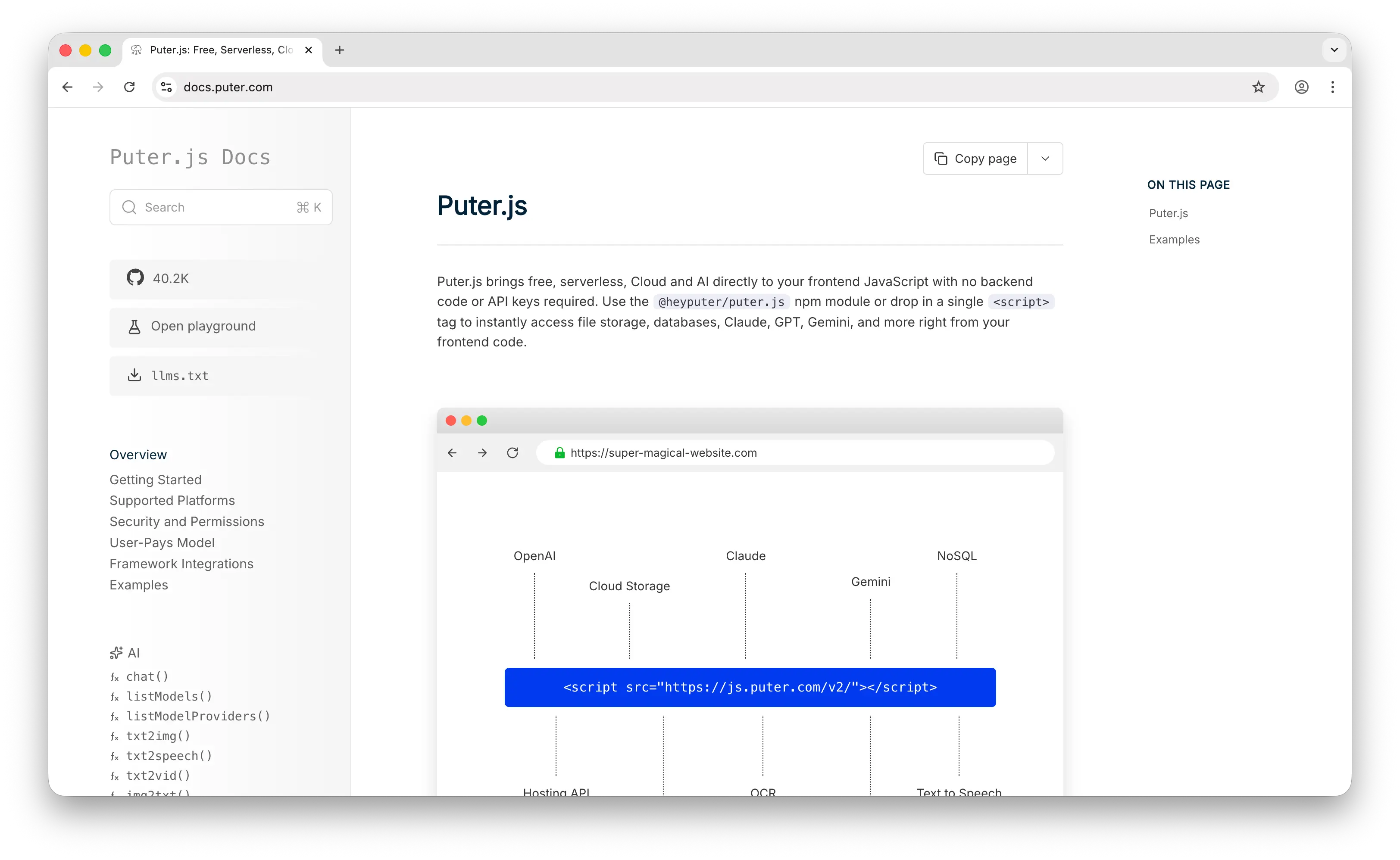
Puter.js is a client-side JavaScript library that gives you auth, a database, and cloud storage without deploying or configuring any backend. Where Xano requires you to create a workspace, design a database schema, and build out your API endpoints through a visual function stack, Puter.js is a script tag and a few lines of JavaScript.
What Makes It Different
With Xano, you pay a flat monthly fee for every tier — $29/month for Starter, $249/month for Pro, and custom pricing for Enterprise — regardless of how much your app is actually used. Puter.js flips this with the User-Pays Model: your app's users cover their own storage and usage through their Puter account. Your cost as a developer stays at zero regardless of scale. This isn't a free tier that you'll outgrow — it's a fundamentally different cost structure.
For storage, Puter.js provides a file system API that handles uploads, downloads, and file management on the client side. Xano's file storage is bundled into its tier limits (100 GB on Starter), which can fill up quickly for media-heavy apps and force an upgrade. Puter's approach removes that ceiling entirely.
Puter.js also ships with built-in access to 500+ AI models — chat, image generation, text-to-speech, and more, all without API keys. Xano has AI agent workflows that integrate with OpenAI and other LLMs, but you bring your own API keys and pay those providers directly on top of your Xano subscription.
Puter is open-source (AGPL-3.0) and self-hostable. For apps that need custom backend logic, it supports serverless workers.
Key Differences from Xano
The biggest divergence is the development model. Xano is no-code and visual — you build APIs by dragging steps into a function stack, and non-developers can be productive without writing a line of code. Puter.js is code-first JavaScript — you write actual JS in your frontend. The database also differs: Puter.js gives you a NoSQL key-value store, while Xano provides full PostgreSQL with relational joins, indexes, and full-text search. If your app needs complex relational queries or your team can't write code, Xano remains the stronger choice. Puter.js trades that power for zero-config simplicity and zero infrastructure cost.
Comparison Table
| Feature | Puter.js | Xano |
|---|---|---|
| Setup required | Drop-in script tag | Workspace + visual API builder |
| Pricing model | User-pays (free for devs) | Fixed tiers ($29–$249+/mo) |
| Database type | NoSQL key-value store | PostgreSQL (full SQL) |
| SQL support |  |
 Full PostgreSQL Full PostgreSQL |
| Coding required | JavaScript | No-code visual |
| Authentication | |
|
| Cloud storage | Unlimited (user-pays) |
Tier-capped |
| Real-time | |
(polling only) |
| Built-in AI | 400+ models, no API keys |
AI agent workflows (BYO keys) |
| Serverless functions | Serverless workers | Function Stack |
| Open-source | AGPL-3.0 |
|
| Self-hostable | |
Enterprise only |
| Best for | Zero-cost, zero-config web apps with built-in AI | Non-developers wanting a visual Postgres backend |
2. Firebase
Firebase is Google's app development platform and the most established BaaS on the market. It's built on Firestore, a proprietary NoSQL document database where you store data as nested JSON-like documents organized into collections — no joins, no foreign keys, no schema enforcement.
What Makes It Different
Real-time is where Firebase dominates over Xano. Firestore's offline sync with automatic conflict resolution on mobile is best-in-class, and live data updates propagate to connected clients instantly. Xano has no native WebSocket support — to add real-time features, you either poll Xano's APIs every few seconds or integrate an external service like Pusher, Ably, or Firebase itself. If you're building a mobile-first app that needs to work offline and sync seamlessly when connectivity returns, Firebase handles this in ways Xano simply doesn't.
Firebase's ecosystem is also broader. It includes push notifications (FCM), analytics, crash reporting (Crashlytics), remote config, A/B testing, and app distribution — none of which Xano natively provides. Firebase has also launched Data Connect (a managed PostgreSQL integration with GraphQL) and AI Logic for Gemini, narrowing the SQL gap that historically separated it from Xano.
Key Differences from Xano
Firebase is code-first — you write JavaScript or TypeScript Cloud Functions and manage everything through configuration and SDKs. Xano is visual no-code, with a drag-and-drop function stack that lets non-developers build complex business logic. Firestore is NoSQL, while Xano's PostgreSQL gives you proper relational modeling, joins, and unlimited records on paid tiers.
Cost predictability is Firebase's main weakness. Pay-per-read/write/storage means "runaway queries" can produce massive surprise bills, especially at scale. Xano's fixed tier pricing makes budgeting much easier — you know exactly what you'll pay each month. Firebase is also not open-source and has no self-hosting option, while Xano offers self-hosting on Enterprise plans.
Comparison Table
| Feature | Firebase | Xano |
|---|---|---|
| Database type | Firestore (NoSQL document) | PostgreSQL (full SQL) |
| SQL support | (Data Connect emerging) |
Full PostgreSQL |
| Coding required | JS/TS |
No-code visual |
| Real-time | Best-in-class offline sync |
(polling only) |
| Offline-first mobile | Automatic conflict resolution |
|
| Authentication | |
|
| Push notifications | FCM |
|
| Analytics | |
|
| Crash reporting | Crashlytics |
|
| AI integration | Gemini (AI Logic) |
AI agent workflows |
| Pricing model | Pay-per-read/write/storage | Fixed tiers |
| Cost predictability | Low (runaway query risk) | High |
| Compliance (SOC2, HIPAA, ISO) | |
|
| Open-source | |
|
| Self-hostable | |
Enterprise only |
| Best for | Mobile-first apps needing offline sync and Google ecosystem | Non-developers wanting visual Postgres backend |
3. Supabase
Supabase is the open-source PostgreSQL backend that's become the default code-first alternative to Firebase. You get a managed Postgres instance with auto-generated REST and GraphQL APIs, built-in auth, file storage, edge functions, and real-time subscriptions over WebSockets — and you can self-host the entire stack.
What Makes It Different
Supabase and Xano both use PostgreSQL under the hood, so the database engine itself is the same. The divergence is what sits on top. Xano abstracts the database behind a visual function stack — you never write SQL, you build queries by clicking through steps. Supabase keeps you close to the database — you write SQL, set up Row Level Security (RLS) policies, and consume auto-generated APIs from PostgREST.
For developers who already know SQL, Supabase feels native and fast. The auto-generated APIs eliminate boilerplate CRUD work, and edge functions in TypeScript/Deno handle custom logic. Real-time subscriptions over Postgres WAL give you live data updates with minimal setup — something Xano lacks natively.
Supabase is also open-source (Apache 2.0) and self-hostable on any infrastructure. Xano is hosted-only except on Enterprise plans. For teams worried about vendor lock-in or data sovereignty, Supabase is the safer bet.
Key Differences from Xano
The split is who you're building for. Supabase assumes a developer audience — you'll write SQL, configure RLS, and work with PostgREST conventions. Xano assumes a non-developer or product-led audience — its visual function stack lets you build complex business logic without code. Pricing is structured differently too: Supabase is $25/month Pro with usage-based overages on bandwidth and storage, while Xano uses larger fixed tiers ($29 Starter, $249 Pro) with included resources. Supabase costs can grow unpredictably with usage; Xano costs scale through plan upgrades, making them easier to estimate.
For complex multi-step business logic, Xano's function stack is more approachable and easier to test than coordinating SQL functions, triggers, and edge functions across Supabase.
Comparison Table
| Feature | Supabase | Xano |
|---|---|---|
| Database type | PostgreSQL (full SQL) | PostgreSQL (full SQL) |
| Coding required | SQL + TS/JS |
No-code visual |
| API generation | Auto-generated REST + GraphQL | Visual Function Stack |
| Authentication | |
|
| Cloud storage | |
|
| Real-time | Postgres WAL subscriptions |
(polling only) |
| Serverless functions | Edge Functions (Deno) |
Visual Function Stack |
| Row-level security | |
Via visual permissions |
| Built-in AI | |
AI agent workflows |
| Pricing model | $25/mo Pro + usage overages | Fixed tiers ($29–$249+/mo) |
| Cost predictability | Medium (usage overages) | High (fixed) |
| Open-source | Apache 2.0 |
|
| Self-hostable | |
Enterprise only |
| Best for | Developers who want SQL, open-source, and real-time | Non-developers wanting visual logic with Postgres |
4. AWS Amplify
AWS Amplify is Amazon's full-stack development platform. With the Gen 2 release, Amplify shifted to a code-first, TypeScript-based developer experience where you define data models, business logic, and auth rules in TypeScript, and Amplify automatically provisions the underlying AWS services — AppSync, DynamoDB, Cognito, S3, and Lambda.
What Makes It Different
The real selling point is access to 200+ AWS services when you outgrow BaaS patterns. Xano is a self-contained platform — powerful within its scope, but you can't reach into raw cloud infrastructure when you need SQS queues, Step Functions, or a custom VPC. Amplify gives you that escape hatch by default. If you start with Amplify for a prototype and your app grows into something that needs deep cloud infrastructure, you're already in the AWS ecosystem.
Amplify also has mature CI/CD baked in: Git-based deploys, per-developer cloud sandbox environments, and branch-based preview deploys. Xano has versioning and branching but the deployment story is more contained to its own platform.
Key Differences from Xano
Amplify's power comes with complexity. DynamoDB is NoSQL with well-known constraints around querying flexibility, and stepping outside Amplify's patterns means engaging directly with the underlying AWS services. The learning curve is significant: understanding how Cognito, AppSync, and Lambda interact takes time, and debugging requires familiarity with CloudWatch and IAM.
Xano makes setup feel effortless — you create a workspace, design your tables, and build your APIs through a visual interface, all without touching AWS or any cloud console. There's no IAM to configure, no CloudFormation to debug. Amplify is not open-source and cannot be self-hosted outside of AWS, while Xano offers self-hosting on Enterprise plans (including AWS, Azure, or GCP).
Pricing is also fundamentally different. Amplify is pay-per-use across multiple AWS services, which can be unpredictable. Xano's fixed monthly tiers are easier to budget around.
Comparison Table
| Feature | AWS Amplify | Xano |
|---|---|---|
| Database type | DynamoDB (NoSQL) | PostgreSQL (full SQL) |
| SQL support | |
Full PostgreSQL |
| Setup complexity | High (TypeScript config + AWS services) | Low (visual builder) |
| Coding required | TypeScript |
No-code visual |
| Authentication | Cognito |
|
| Cloud storage | S3 |
|
| Serverless functions | Lambda |
Function Stack |
| Real-time | AppSync subscriptions |
(polling only) |
| GraphQL API | AppSync |
(REST primarily) |
| Escape hatch to full cloud | 200+ AWS services |
|
| Learning curve | Steep | Gentle |
| Pricing model | Pay-per-use (AWS pricing) | Fixed tiers |
| Cost predictability | Low | High |
| Open-source | |
|
| Self-hostable | (AWS only) |
Enterprise (AWS, Azure, GCP) |
| Best for | Teams already on AWS or planning to scale into full cloud infra | Non-developers wanting fast visual setup |
5. Convex
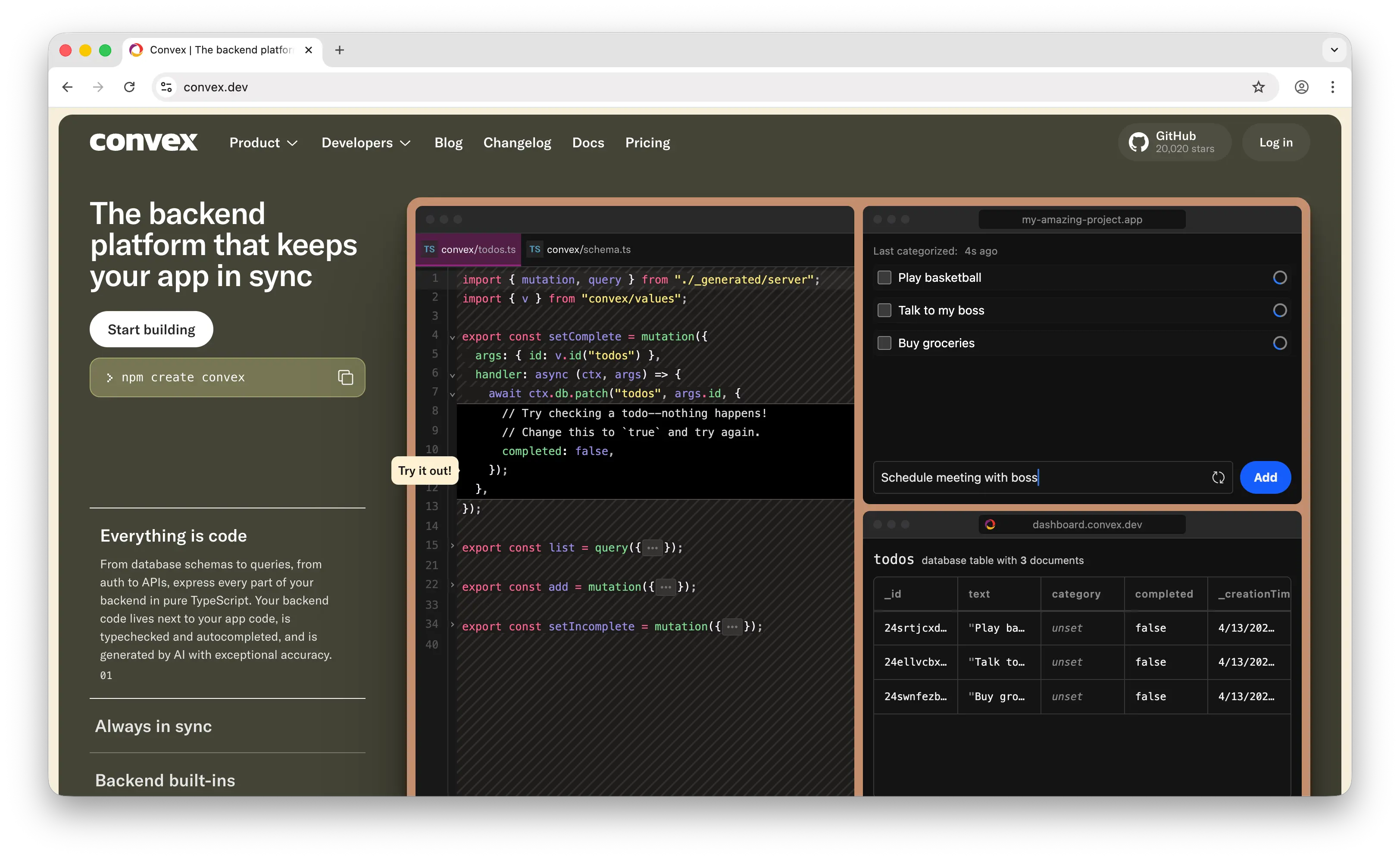
Convex is a reactive backend platform where TypeScript functions are your entire backend — no SQL, no ORM, no separate caching layer. It's a fundamentally different mental model from Xano's visual approach.
What Makes It Different
Convex uses reactive programming. Changes to your data trigger automatic updates across all connected clients with sub-50ms latency, no WebSocket setup required. This makes it exceptional for collaborative apps like multiplayer games, shared documents, or live dashboards. Xano's lack of native WebSockets means real-time features have to be bolted on via polling or third-party services — Convex makes reactivity the default.
Everything in Convex is pure TypeScript end to end — your database schema, queries, auth, and APIs. You get end-to-end type safety from backend to frontend without ORMs or code generation. Convex also has built-in RAG components, vector search, and AI workflow primitives, making it especially strong for LLM-powered apps. Xano has AI agent workflows for orchestrating LLM calls, but you bring your own model API keys and the integration is visual rather than typed.
Convex went open source in February 2025 (FSL-1.1-Apache-2.0), though self-hosting is not yet a fully supported production path — the open-source release means you can inspect the code and self-host for dev purposes, but the managed cloud is still the practical option for most teams.
Key Differences from Xano
The split is who's building. Convex assumes a TypeScript developer — you write functions, you think in subscriptions, you ship in code. Xano assumes a product-led or non-developer audience — its visual function stack lets anyone with backend understanding build complex APIs without code.
Convex uses a document database, not SQL. If your team thinks in relational schemas and joins, Xano's PostgreSQL is a more natural fit. Pricing models also differ: Convex charges per developer seat ($25/dev/mo Pro) plus usage-based overages on function calls, database bandwidth, and compute, while Xano uses fixed tiers regardless of team size up to the seat limits in each plan.
Comparison Table
| Feature | Convex | Xano |
|---|---|---|
| Database type | Reactive document database | PostgreSQL (full SQL) |
| SQL support | |
Full PostgreSQL |
| Query language | TypeScript functions | Visual Function Stack |
| Coding required | TypeScript |
No-code visual |
| Real-time | Reactive (sub-50ms) |
(polling only) |
| Type safety | End-to-end TypeScript |
N/A (no code) |
| Authentication | |
|
| Cloud storage | |
|
| Built-in AI/RAG | Vector search + RAG |
AI agent workflows |
| Serverless functions | (TypeScript) |
Function Stack |
| Pricing model | Per-dev seat + usage | Fixed tiers |
| Open-source | (source-available) |
|
| Self-hostable | (not yet practical) |
Enterprise only |
| Best for | Real-time collaborative apps with TypeScript-first DX | Non-developers wanting visual Postgres backend |
Which Should You Choose?
Choose Puter.js if you're building a web app and want zero-cost, zero-config simplicity. Drop in a script tag and get auth, storage, database, and built-in AI with no backend. Ideal if you don't need Xano's visual builder or PostgreSQL and want your users to cover their own usage costs.
Choose Firebase if you're building a mobile-first app that needs best-in-class offline sync, push notifications, and the broader Google ecosystem (analytics, crash reporting, A/B testing). Accept the vendor lock-in and less predictable pricing.
Choose Supabase if you want full PostgreSQL like Xano but with code-first control, open-source freedom, and native real-time subscriptions. Best for developer teams who already know SQL and want lower entry pricing.
Choose AWS Amplify if you're already on AWS or know your app will eventually need the full power of AWS services. It's the heaviest option here, but the only one that gives you a direct path from BaaS to full cloud infrastructure.
Choose Convex if you're building real-time collaborative features and want a TypeScript-first developer experience with built-in AI/RAG support. Best for teams that don't need SQL and prioritize reactive UX over visual workflow building.
Stick with Xano if you need a true no-code visual backend, predictable fixed pricing, full PostgreSQL with no record limits, and strong compliance certifications (SOC2, ISO 27001, HIPAA). For non-developer teams and agencies shipping production backends without writing code, Xano remains the strongest pick.
Conclusion
The top 5 Xano alternatives are Puter.js, Firebase, Supabase, AWS Amplify, and Convex. Each takes a different approach to backend-as-a-service: Puter.js eliminates the backend entirely with a user-pays model, Firebase dominates mobile offline sync, Supabase delivers code-first PostgreSQL with real-time, Amplify opens the door to full AWS, and Convex reimagines the backend as reactive TypeScript. The best choice depends on your team's skills, your database needs, your real-time requirements, and how predictable you need your pricing to be.
Related
- Getting Started with Puter.js
- Top 5 Firebase Alternatives (2026)
- Top 5 Supabase Alternatives (2026)
- Best Convex Alternatives (2026)
- Best Appwrite Alternatives (2026)
- Top 5 PocketBase Alternatives (2026)
- Best Back4App Alternatives (2026)
- Top 5 PostgreSQL Alternatives (2026)
- Top 5 Neon Alternatives (2026)
- Top 5 PlanetScale Alternatives (2026)
- Top 5 MongoDB Alternatives (2026)
- Top 5 DynamoDB Alternatives (2026)
- Top 5 Heroku Alternatives (2026)
- Top 5 Render Alternatives (2026)
- Top 5 Railway Alternatives (2026)
- Top 5 Fly.io Alternatives (2026)
Ship a Full-Stack App with One Prompt
Create a to-do list app using Puter.js
Coding manually? see the guide