Top 5 PostgreSQL Alternatives (2026)
On this page
PostgreSQL has earned its reputation as "the world's most advanced open-source database," and the 2026 numbers back it up: it's the most-wanted database on Stack Overflow for the second year running, and new projects choose it 3:1 over MySQL. JSONB, pgvector for AI workloads, PostGIS, and an extension ecosystem of 1,000+ add-ons make it the safest default for almost any new project.
But Postgres isn't always the right shape for the job. Sometimes you don't need a server at all. Sometimes your data doesn't fit into rows. Sometimes you need scale or simplicity that a traditional RDBMS isn't designed for. This article walks through five PostgreSQL alternatives, what makes each one different, how they compare, and which one fits your project best.
1. Puter.js
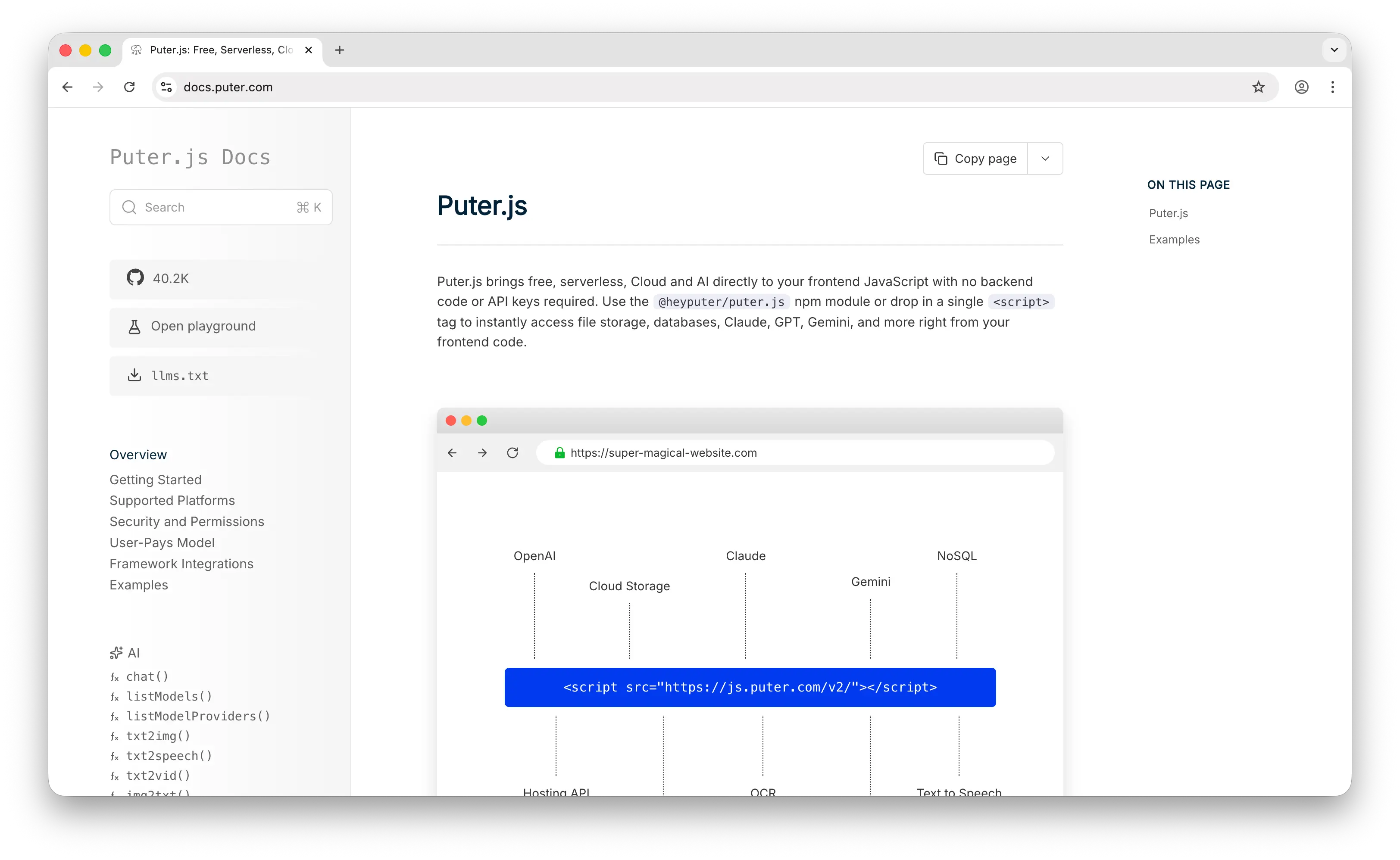
Puter.js is a JavaScript library that gives you a cloud key-value database, file storage, authentication, hosting, and 400+ AI models through one unified API. Persisting data takes a single line: puter.kv.set('key', value). There's no server to run, no schema to define, and no SQL to write.
What Makes It Different
Puter.js flips the database model on its head. Instead of provisioning a server, managing connection pools, and paying per gigabyte, you drop in a <script> tag and start storing data from the frontend. Values are written to the cloud, sync across devices, and persist between sessions, no backend required.
Through the User-Pays Model, each user of your app stores their data under their own Puter account and covers their own storage. The cost to the developer is $0, whether the app serves 10 users or 10 million. PostgreSQL, by contrast, scales costs with your user base on every managed service from RDS to Supabase to Neon.
The KV store also ships with atomic operations that would normally need careful SQL design: incr and decr for counters, expire and expireAt for TTLs, plus add, remove, update, list, and flush. You can use these from a <script> tag in the browser, from Node.js, or from React, Next.js, Vue, Nuxt, SvelteKit, and serverless workers, the same library, the same API, everywhere.
Key Differences from PostgreSQL
Puter.js is a key-value store, not a relational database. There are no joins, no foreign keys, no SQL queries, and no multi-key transactions. If your data has complex relationships or you need ad-hoc analytical queries, PostgreSQL is the stronger fit. Puter.js is best understood as an alternative architecture rather than a drop-in replacement: instead of "which engine stores my rows," the question becomes "do I need a database server at all, or can I just persist values from the frontend?"
Comparison Table
| Feature | Puter.js | PostgreSQL |
|---|---|---|
| Data model | Key-value (cloud) | Relational + JSON |
| Setup required | None (one script tag) | Server provisioning + config |
| API key / credentials |  Not needed Not needed |
 Required Required |
| Schema enforcement | Schema-less | Strictly typed schema |
| SQL support | |
|
| Joins / foreign keys | |
|
| ACID transactions | Per-key atomic ops | Full multi-statement ACID |
| Horizontal scaling | Built-in (per user) | Manual (Citus, sharding) |
| Frontend-callable | Native browser |
Needs backend |
| Atomic counters (incr/decr) | Built-in |
Via SQL |
| TTL / expiration | Built-in |
Manual (cron + queries) |
| Auth included | Built-in |
|
| File storage included | |
|
| AI models included | 400+ |
|
| Open source | |
|
| Cost for developer | $0 (user-pays) | Hosting + ops costs |
| Best for | Frontend/web app devs who want zero-backend persistence | Apps with complex relational data and analytical queries |
2. MySQL
MySQL is the world's most popular open-source relational database, owned by Oracle and powering everything from WordPress to YouTube (via Vitess). Like PostgreSQL, it's an SQL-based RDBMS, but its design choices and ecosystem skew toward simpler, read-heavy workloads.
What Makes It Different
MySQL has unmatched ecosystem dominance in the legacy and PHP world: WordPress, Drupal, Magento, and most cheap shared hosting assume MySQL. Its thread-per-connection model handles thousands of concurrent simple connections more efficiently than PostgreSQL's process-per-connection design (which typically requires PgBouncer in front to scale). MySQL also supports pluggable storage engines like InnoDB, MyISAM, and Memory, letting you pick the engine per table.
For horizontal scaling, MySQL has the most battle-tested story: Vitess (which powers YouTube) and PlanetScale's Git-style branching workflows are mature solutions you can't replicate in vanilla Postgres. On simple primary-key lookups, MySQL 8.4 is consistently 20-30% faster than Postgres in sysbench OLTP tests.
Key Differences from PostgreSQL
PostgreSQL is significantly more SQL-standard-compliant and stricter about data integrity. MySQL historically performed silent type conversions (inserting a string into an integer column would coerce instead of failing), though MySQL 8.0+ enables strict mode by default. PostgreSQL wins decisively on complex queries with CTEs, window functions, JSON operations, and analytics. MySQL also uses a dual-license model (GPL + commercial via Oracle), while Postgres uses a permissive BSD-style license, one reason cloud providers and startups gravitate toward Postgres. Notably, MySQL has no equivalent to Postgres's pgvector for AI/ML workloads, PostGIS for geospatial, or its 1,000+ extension ecosystem.
Comparison Table
| Feature | MySQL | PostgreSQL |
|---|---|---|
| Database type | Relational (RDBMS) | Object-relational (ORDBMS) |
| License | Dual (GPL + commercial) | Permissive BSD-style |
| SQL standard compliance | Moderate | Strict |
| Connection model | Thread-per-connection | Process-per-connection |
| Simple read performance | ~20-30% faster |
Slower on simple lookups |
| Complex query performance | Slower | Significantly faster |
| JSON support | Basic | JSONB (advanced) |
| Pluggable storage engines | |
|
| Vector search (AI/ML) | Limited (MySQL 9.x) | pgvector |
| Geospatial | Basic | PostGIS |
| Extension ecosystem | Small | 1,000+ |
| Horizontal sharding | Vitess (mature) |
Citus (less battle-tested) |
| Replication | Binary log + Group | WAL streaming + logical |
| Managed cloud cost | ~10% cheaper | Slightly higher |
| Best for | WordPress, legacy PHP, simple read-heavy CRUD | New projects, analytics, AI workloads |
3. MongoDB
MongoDB is the most popular document-oriented NoSQL database, storing data as flexible JSON-like (BSON) documents instead of rows in tables. It's used by eBay, Uber, and Lyft for high-volume, evolving data workloads.
What Makes It Different
MongoDB's schema-less document model lets you store nested objects, arrays, and varying field structures within the same collection without migrations. This maps naturally to JavaScript objects, which is why it became the default choice for full-stack JS developers (the "M" in MEAN/MERN stacks). Its native horizontal sharding is built into the engine, with auto-sharding and "live resharding" (since v5.0) that doesn't require redesigning your data layer for scale.
Instead of SQL, MongoDB uses aggregation pipelines, multi-stage transforms that handle filtering, grouping, joining, and reshaping in a way that maps cleanly to how JS developers already think. MongoDB Atlas is also one of the most polished managed database experiences available, with multi-region clusters across AWS, Azure, and GCP.
Key Differences from PostgreSQL
PostgreSQL is rigid where MongoDB is flexible. Postgres enforces schemas, foreign keys, and referential integrity by default; MongoDB lets you denormalize and embed instead of joining. PostgreSQL has full multi-statement ACID transactions out of the box, while MongoDB only added multi-document transactions in 4.0 (and they're considered an escape hatch, not the default). For OLTP workloads, Postgres typically delivers 4-15x better performance. MongoDB's Community Edition uses the SSPL license, which MongoDB Inc. designed to block competing cloud services and which isn't recognized as open-source by some standards bodies, unlike Postgres's truly permissive license. Documents in MongoDB are also capped at 16MB, a real ceiling for some workloads.
Comparison Table
| Feature | MongoDB | PostgreSQL |
|---|---|---|
| Data model | Document (BSON) | Relational + JSON |
| Schema | Schema-less (optional validation) | Strict, enforced |
| Query language | MQL + aggregation pipelines | SQL |
| Joins / foreign keys | Denormalize/embed |
|
| ACID transactions | Since v4.0 (limited) |
Full, default |
| Document size limit | 16MB | Unlimited (rows can be large) |
| Horizontal sharding | Native, auto |
Manual (Citus) |
| OLTP performance | Slower for relational workloads | 4-15x faster |
| Write-heavy / document workloads | |
Slower |
| JSON handling | Native |
JSONB (very capable) |
| License | SSPL (community) | Permissive BSD-style |
| Managed service | Atlas (excellent) |
Many (RDS, Supabase, Neon) |
| Vector search | Atlas Vector Search |
pgvector |
| Best for | Content management, real-time analytics, IoT, evolving schemas | Complex relational data, financial systems, analytics |
4. DynamoDB
DynamoDB is Amazon's fully managed, serverless NoSQL key-value and document database. It powers Amazon.com itself and is designed for predictable single-digit millisecond latency at virtually unlimited scale.
What Makes It Different
DynamoDB is truly serverless: no instances to provision, no capacity planning in on-demand mode, and zero administration. It now handles more than 10 trillion requests per day and supports peaks exceeding 20 million requests per second. Performance doesn't degrade as your table grows, a key-based lookup on a 1KB table is the same speed as one on a 100TB table.
DynamoDB Streams plus AWS Lambda gives you change-data-capture and event-driven workflows out of the box, and Global Tables enables multi-region active-active replication with one toggle. It's also one of the few NoSQL databases with full ACID transaction support. Recent pricing reductions, 50% off on-demand throughput and up to 67% off Global Tables replicated writes, have made it dramatically more competitive for variable workloads.
Key Differences from PostgreSQL
DynamoDB only supports key-based access patterns: a partition key plus an optional sort key. There are no joins, no ad-hoc complex queries, no WHERE x LIKE '%foo%' without an expensive scan. You design your schema around access patterns first, the opposite of how Postgres is taught. The pricing model is also fundamentally different: you pay per read/write request and per GB stored, not per instance-hour. Spiky traffic is dirt cheap; steady high-throughput workloads can get expensive fast, which is why teams sometimes migrate from DynamoDB to Postgres as their query needs mature. Critically, DynamoDB is tightly locked into AWS, leaving it means rewriting your data layer entirely.
Comparison Table
| Feature | DynamoDB | PostgreSQL |
|---|---|---|
| Data model | Key-value + document | Relational + JSON |
| Hosting model | Serverless (AWS only) | Self-host or managed |
| Vendor lock-in | AWS-only |
Runs anywhere |
| Setup / admin | Zero | Significant |
| Latency | Single-digit ms (predictable) | Varies with query |
| Max scale | 20M+ req/sec | Vertical + Citus |
| Joins | |
|
| Ad-hoc queries | Access-pattern-first |
|
| ACID transactions | |
|
| Schema enforcement | Schema-less | Strict |
| Pricing model | Per-request + storage | Per instance-hour |
| Spiky traffic cost | Very cheap |
Pay for idle |
| Steady high traffic cost | Can be expensive | Predictable |
| Change data capture | Streams + Lambda |
Logical replication |
| Global replication | Global Tables |
Manual setup |
| Open source | |
|
| Best for | Gaming, shopping carts, IoT, AWS-native serverless apps | General-purpose apps, complex queries, anywhere |
5. SQLite
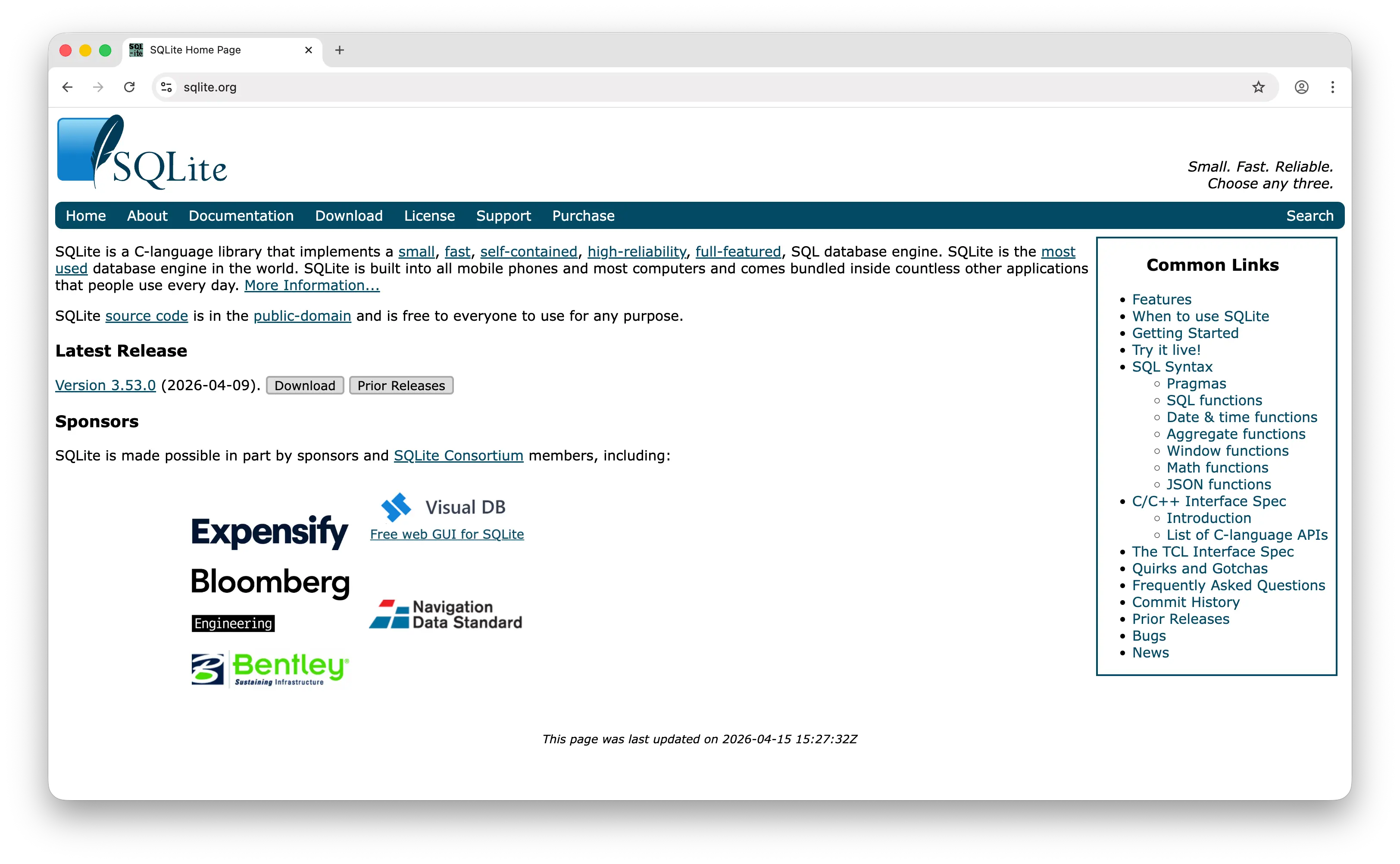
SQLite is the most widely deployed database in the world. It's not a server, it's a C library that gets linked directly into your application, with the entire database stored as a single file on disk. Every iPhone, Android phone, Chrome browser, and most desktop apps ship with SQLite databases inside.
What Makes It Different
SQLite is embedded, not client-server. No separate process, no port to listen on, no auth to configure, just a file. The entire engine is under 500KB, compared to PostgreSQL's 200MB+ install. Backups are as simple as cp database.db backup.db. It's also in the public domain with no license restrictions whatsoever, the most permissive "license" possible.
For a long time SQLite was dismissed as "just for prototypes," but a new wave of tools like Litestream, LiteFS, and Turso have made it viable for production web applications by adding replication, edge distribution, and high availability. Combined with its in-memory mode (:memory:), SQLite is also the gold standard for fast unit tests, no Docker container, no test database setup, just a file that disappears when the test ends.
Key Differences from PostgreSQL
SQLite has single-writer concurrency: multiple processes can read at once, but only one can write at a time. PostgreSQL handles thousands of concurrent writers via MVCC. SQLite has no user management, no roles, and no auth, security is just file system permissions, while Postgres has RBAC and row-level security. SQLite supports only 5 storage classes (NULL, INTEGER, REAL, TEXT, BLOB) and uses dynamic typing (you can technically insert any value into any column), versus Postgres's rich type system with arrays, ranges, JSONB, geometric, and custom types. For complex queries, parallel processing, or anything beyond a single machine, Postgres wins decisively.
Comparison Table
| Feature | SQLite | PostgreSQL |
|---|---|---|
| Architecture | Embedded library | Client-server |
| Install size | <500KB | 200MB+ |
| Setup required | None (linked into app) | Server install + config |
| License | Public domain | Permissive BSD-style |
| Database storage | Single file | Server-managed files |
| Concurrent writers | 1 at a time | Thousands via MVCC |
| Concurrent readers | Many |
Many |
| User / role management | File permissions only |
Full RBAC + RLS |
| Data types | 5 storage classes (dynamic) | Rich, strict type system |
| Stored procedures | |
PL/pgSQL + others |
| Extensions | Limited | 1,000+ |
| In-memory mode | Built-in |
|
| Replication | Via Litestream/LiteFS/Turso | Native |
| Network access | Local only |
|
| Backup | Copy the file | pg_dump / WAL archiving |
| Best for | Mobile, desktop, CLI, embedded, prototypes, edge apps | Multi-user web apps, analytics, mission-critical systems |
Which Should You Choose?
Choose Puter.js if you're building a web app and want to add data persistence without spinning up any backend. The user-pays model means $0 infrastructure cost no matter how many users you have, and you get auth, file storage, and AI models in the same library.
Choose MySQL if you're working in the WordPress, Drupal, or legacy PHP ecosystem, or your team has deep MySQL expertise. It's also a strong choice if your workload is dominated by simple high-concurrency CRUD and you want proven horizontal sharding via Vitess or PlanetScale.
Choose MongoDB if your data is genuinely document-shaped, evolves frequently, or doesn't fit neatly into rows and columns. Content management, real-time analytics, IoT, and agile teams iterating on schema all benefit from its flexibility.
Choose DynamoDB if you're already on AWS, your access patterns are well-defined and key-based, and you need predictable single-digit millisecond latency at massive scale. It's especially compelling for spiky workloads where pay-per-request pricing wins over instance-hour billing.
Choose SQLite if you're building a mobile app, desktop app, CLI tool, embedded system, or a single-writer web app with read-heavy traffic. Modern tools like Turso and LiteFS are also making it surprisingly viable for production at the edge.
Stick with PostgreSQL if you need complex relational queries, full ACID transactions, a rich type system, and the world's deepest extension ecosystem (pgvector, PostGIS, TimescaleDB). It remains the safest default for new projects in 2026, especially anything involving AI, analytics, or sophisticated data modeling.
Conclusion
The top 5 PostgreSQL alternatives are Puter.js, MySQL, MongoDB, DynamoDB, and SQLite. Each takes a fundamentally different approach to storing data, from Puter.js's zero-backend cloud key-value store to MySQL's web-app-friendly relational engine, MongoDB's flexible documents, DynamoDB's serverless scale, and SQLite's embedded simplicity. The best option isn't the one that beats Postgres on every benchmark, it's the one that fits your stack, your scale, and how your data actually behaves.
Related
- Getting Started with Puter.js
- How to Use Puter.js Key-Value Store API
- Add a Key-Value Store to Your App: A Free Alternative to DynamoDB
- Top 5 PlanetScale Alternatives (2026)
- Top 5 Neon Alternatives (2026)
- Top 5 Supabase Alternatives (2026)
- Top 5 Firebase Alternatives (2026)
- Best Appwrite Alternatives (2026)
- Best Convex Alternatives (2026)
- Top 5 PocketBase Alternatives (2026)
- Top 5 MongoDB Alternatives (2026)
- Top 5 DynamoDB Alternatives (2026)
- Top 5 Redis Alternatives (2026)
- Top 5 Memcached Alternatives (2026)
- Top 5 Upstash Alternatives (2026)
- Top 5 Turso Alternatives (2026)
Ship a Full-Stack App with One Prompt
Create a to-do list app using Puter.js
Coding manually? see the guide