Top 5 AWS Lambda Alternatives (2026)
On this page
AWS Lambda popularized serverless computing — upload a function, attach an event source, and AWS scales it from zero to thousands of concurrent invocations without you provisioning a single server. It runs across roughly 33 regions, supports half a dozen runtimes natively, and connects to 200+ AWS services as event sources.
But Lambda's power comes with friction: cold starts of 100–500ms (and several seconds for Java without SnapStart), a 15-minute hard timeout, IAM policies and API Gateway glue for almost every non-trivial app, billing for full wall-clock time even when you're waiting on I/O, and a console that's notoriously dense for newcomers. Whether you're hitting these limits or simply tired of the AWS tax on developer time, here are five Lambda alternatives worth considering.
1. Puter (Serverless Workers)
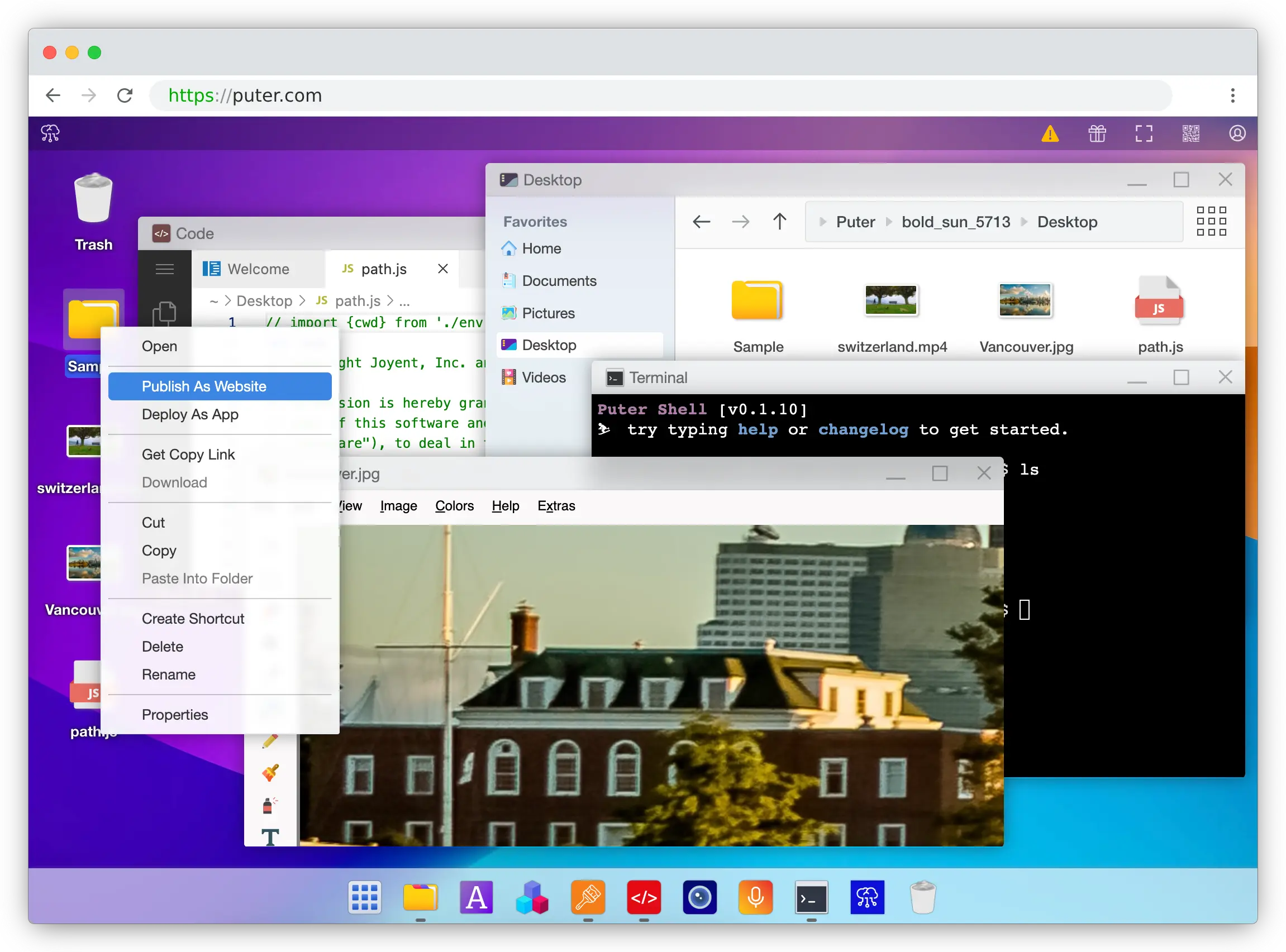
Puter is a browser-based cloud platform whose Serverless Workers let you publish a worker.js file in seconds — right-click the file inside Puter, pick "Publish as Worker," and your endpoint is live. No CLI, no IAM policies, no API Gateway, no serverless.yml.
What Makes It Different
Puter Workers introduce a User-Pays Model that no other serverless platform on this list offers. A worker can call user.puter.ai.chat() and the cost of that AI inference, storage, or compute is charged to the end user's Puter account rather than the developer's. Lambda — and every other serverless option here — bills the developer for everything by default, which means you have to build your own metering, quota, and billing layer if you want to pass costs through to users.
The router API also feels nothing like Lambda's event/context handler. You write router.get('/users/:id', ...) against standard Request/Response objects, the same shape any frontend developer already knows. Workers also ship with first-class access to Puter's cloud primitives — hundreds of AI models (OpenAI, Anthropic, Google, Meta), a key-value store, object storage, and networking — without separate SDKs, secrets, or IAM roles for each service.
Key Differences from AWS Lambda
Puter Workers are JavaScript-only and best suited to web app backends, lightweight APIs, and AI-powered endpoints. They're not a fit for ML training jobs, multi-hour batch processing, or workloads that depend on AWS-specific event sources like Kinesis or DynamoDB Streams. There's also no concept of regions, memory tiers, VPCs, or provisioned concurrency — which is a feature for most apps and a limitation for the small set that genuinely needs that control.
Comparison Table
| Feature | Puter Workers | AWS Lambda |
|---|---|---|
| Setup required | Right-click "Publish as Worker" | AWS account + IAM + API Gateway |
| Pricing model | User-pays (free for devs) | Per-invocation + GB-second |
| Cost passthrough to end users |  Built-in Built-in |
 (DIY billing) (DIY billing) |
| Built-in AI access | Hundreds of models |
(Bedrock separate) |
| Built-in storage / KV | |
(S3 / DynamoDB) |
| Router API | Express-style |
(event/context) |
| Standard Request/Response | |
Proprietary event shape |
| Runtime support | JavaScript | Node, Python, Java, Go, Ruby, .NET, custom |
| IAM / VPC / region config | Not required | Required |
| Open-source | AGPL-3.0 |
|
| Best for | Web app backends, AI endpoints, zero-config APIs | Ecosystem-locked AWS workloads at any scale |
2. Google Cloud Functions
Google Cloud Functions is Google's serverless compute offering. The 2nd-generation product is built on Cloud Run, which means each function is just a container under the hood — and that single decision unlocks most of what makes it interesting compared to Lambda.
What Makes It Different
The biggest functional gap is the 60-minute timeout on 2nd-gen functions, four times Lambda's 15-minute cap. That makes Cloud Functions viable for nightly report generation, longer ETL jobs, and webhook-driven batch work that would force you off Lambda onto Step Functions or Fargate. Because the runtime is a container on Cloud Run, the same image can be pulled and run anywhere — your function is portable in a way Lambda's bundle isn't.
Cloud Functions also bills CPU and memory separately rather than Lambda's bundled GB-second model, cold starts for Node and Python are typically faster (50–200ms range), and Cloud Run-backed functions have GPU support in preview (Nvidia L4) — something Lambda still doesn't offer natively. If your stack already touches Firebase, the Firestore, Auth, and Storage triggers are tighter than anything Lambda has on the AWS side.
Key Differences from AWS Lambda
Google's event-source ecosystem is much narrower than AWS's. Lambda can be triggered by 200+ services across the AWS catalog; Cloud Functions covers the GCP basics plus Eventarc, but the long tail of integrations isn't comparable. The platform is also smaller, so community resources, third-party tooling, and Stack Overflow density all favor Lambda. If you're already deep in AWS, the migration cost is real.
Comparison Table
| Feature | Google Cloud Functions | AWS Lambda |
|---|---|---|
| Max timeout | 60 minutes (2nd gen) | 15 minutes |
| Underlying runtime | Container (Cloud Run) | Proprietary microVM |
| Portability | Container-based |
Lambda-specific |
| Cold start (Node/Python) | ~50–200ms | ~100–300ms |
| Pricing granularity | CPU + memory separate | Bundled GB-seconds |
| GPU support | Preview (Nvidia L4) |
|
| Firebase integration | Native triggers |
|
| Event-source breadth | Moderate | Extensive (200+ AWS services) |
| Runtime support | Node, Python, Go, Java, .NET, Ruby, PHP | Node, Python, Java, Go, Ruby, .NET, custom |
| Best for | Long-running jobs, container portability, Firebase apps | AWS-native workloads with broad event-source needs |
3. Cloudflare Workers
Cloudflare Workers takes a different architectural bet from Lambda. Instead of running each function in its own container or microVM, Workers runs JavaScript and WASM inside V8 isolates on Cloudflare's edge network across 330+ locations.
What Makes It Different
Two things stand out. First, cold starts are effectively zero — under ~5ms — because V8 isolates don't need to spin up a runtime for each invocation. Lambda's 100–500ms cold starts (and multi-second cold starts for Java without SnapStart) become a non-issue. Second, Workers bills CPU time, not wall-clock time. If your function waits 200ms on a database call but only burns 5ms of CPU, you pay for 5ms. Lambda charges for the full 200ms. For I/O-heavy workloads — which describes most APIs — this can make Workers dramatically cheaper, with reports of roughly 7× savings versus Lambda + API Gateway.
Workers integrates tightly with the rest of Cloudflare's developer platform: KV, R2 (object storage), D1 (SQL), Durable Objects (stateful coordination), Queues, and Vectorize. For globally distributed apps where p95 latency matters, that combination is hard to beat.
Key Differences from AWS Lambda
Workers caps memory at 128MB and CPU time at 30 seconds per request, which rules out memory-hungry or CPU-bound jobs that Lambda handles fine (image processing, ML inference, large data transforms — Lambda goes up to 10GB of memory and 15 minutes). Workers is also JavaScript, TypeScript, and WASM only, while Lambda supports Node, Python, Java, Go, Ruby, .NET, and custom runtimes. If you need a Python function or a Go binary, Workers is not the answer.
Comparison Table
| Feature | Cloudflare Workers | AWS Lambda |
|---|---|---|
| Cold start | <5ms (isolates) | 100–500ms (2s+ for Java) |
| Billing model | CPU time only | Wall-clock GB-seconds |
| Edge presence | 330+ locations | ~33 regions |
| Max memory | 128MB | Up to 10GB |
| Max execution | 30s CPU time | 15 minutes |
| Runtime support | JS, TS, WASM | Node, Python, Java, Go, Ruby, .NET, custom |
| Storage primitives | KV, R2, D1, Durable Objects | S3, DynamoDB (separate services) |
| Pricing for I/O-bound apps | Roughly 7× cheaper | Charged for waits |
| Best for | Global low-latency APIs, auth, I/O-bound endpoints | CPU/memory-heavy workloads, polyglot teams |
4. Azure Functions
Azure Functions is Microsoft's serverless compute service. On the surface it looks like a Lambda clone — pay-per-execution, multiple language runtimes, event triggers — but a couple of design choices make it genuinely distinct.
What Makes It Different
The headline feature is Durable Functions, which lets you write stateful, long-running orchestrations as plain code. Fan-out/fan-in patterns, human approval workflows, retries with backoff, and saga transactions are all expressed as ordinary functions that can await other functions and survive process restarts. To do the same on AWS, you reach for Step Functions and write your workflow in a separate JSON state-machine DSL — Azure keeps the whole thing in one language.
Azure Functions also offers three hosting plans instead of Lambda's single Consumption-style model. Premium gives you pre-warmed instances with no cold starts and unlimited execution duration; Dedicated runs functions on App Service for predictable cost; Consumption is the standard pay-per-use tier. The triggers-and-bindings model declaratively wires inputs and outputs from Blob Storage, Cosmos DB, Service Bus, and more — less glue code than Lambda's explicit event-parsing approach. For .NET, F#, C#, and PowerShell shops, the Visual Studio tooling is unmatched.
Key Differences from AWS Lambda
The Consumption plan has historically had worse cold starts than Lambda, especially for .NET — 2026 improvements have closed much of the gap, but it's still typically slower. Azure bills in 100ms increments versus Lambda's 1ms granularity, which can matter for very short functions. If your team isn't already in the Microsoft ecosystem, the broader cost is the learning curve: Active Directory, App Service, Resource Groups, and ARM templates all show up faster than you'd expect.
Comparison Table
| Feature | Azure Functions | AWS Lambda |
|---|---|---|
| Stateful orchestrations | Durable Functions in code |
Step Functions (separate JSON DSL) |
| Hosting plans | Consumption / Premium / Dedicated | Single pay-per-use model |
| Pre-warmed instances | Premium plan |
Provisioned concurrency (extra cost) |
| Triggers & bindings | Declarative I/O |
Manual event parsing |
| .NET tooling | Best-in-class |
Supported but less polished |
| Billing granularity | 100ms increments | 1ms increments |
| Cold start (Consumption) | Higher than Lambda (esp. .NET) | 100–500ms typical |
| Microsoft ecosystem (AAD, M365, Dynamics) | Native |
|
| Hybrid / on-prem (Azure Arc) | |
|
| Best for | Stateful workflows, .NET shops, Microsoft-heavy stacks | Polyglot teams already on AWS |
5. Netlify Functions
Netlify Functions is, technically, AWS Lambda — Netlify runs your function code on Lambda under the hood and wraps it in a developer experience aimed at JAMstack and frontend teams. The interesting question is whether that wrapper is worth the trade-offs.
What Makes It Different
The deployment story is dramatically simpler. Drop a file into netlify/functions/, push to Git, and the function is live — alongside your site, with the same preview deployments, branch URLs, and rollback story as the rest of your Netlify project. There's no AWS Console, no IAM policies, no API Gateway routes, no SAM or CDK template. For a frontend developer who needs a few backend endpoints, that's a meaningful productivity win.
Netlify Functions also slots into the broader Netlify platform: Identity for auth, Forms, Blobs, and the edge network all work with zero additional setup. If your project is already on Netlify, adding a function is a one-file change.
Key Differences from AWS Lambda
Because it is Lambda, you inherit Lambda's limits — including the 15-minute timeout — plus Netlify's own caps: 20MB response size, no WebSocket support, and a far more limited set of triggers. You can't wire a function to DynamoDB Streams, S3 events, or Kinesis the way you would on raw Lambda. You also lose direct IAM control: no custom roles, no per-function permission boundaries, and no access to AWS-internal networking. It's Lambda with the sharp edges hidden, which is the point — but if you outgrow the Netlify wrapper, you're rebuilding on Lambda anyway.
Comparison Table
| Feature | Netlify Functions | AWS Lambda |
|---|---|---|
| Underlying runtime | AWS Lambda | AWS Lambda |
| Deployment | Git push to Netlify | SAM / CDK / Serverless Framework |
| Setup overhead | Near-zero | Significant (IAM, API Gateway) |
| Frontend integration | Identity, Forms, Blobs |
|
| Preview deployments | Per branch / PR |
|
| Max execution | 15 minutes (Lambda limit) | 15 minutes |
| Response size cap | 20MB | 6MB sync / 20MB stream |
| WebSocket support | |
(API Gateway) |
| AWS event-source triggers | |
200+ services |
| IAM roles per function | |
|
| Best for | JAMstack and frontend teams already on Netlify | Teams that need full Lambda flexibility |
Which Should You Choose?
Choose Puter if you're building a web app backend or AI-powered API and want to skip the entire AWS setup ritual. The User-Pays model is unique on this list and removes the developer's cost burden as your app grows — there's no other Lambda alternative that lets your end users foot their own compute and AI bill.
Choose Google Cloud Functions if you need timeouts longer than 15 minutes, container portability, GPU-backed inference, or tight Firebase integration. Cloud Run-as-foundation makes it the most flexible of the big-cloud options.
Choose Cloudflare Workers if you're building a globally distributed API where p95 latency matters, or where most of your time is spent waiting on I/O. Sub-5ms cold starts and CPU-only billing change the cost model for high-volume HTTP workloads.
Choose Azure Functions if you need stateful orchestrations without bolting on a separate workflow service, or if you're already invested in the Microsoft ecosystem. Durable Functions alone is worth the look.
Choose Netlify Functions if your project already lives on Netlify and you just need a few backend endpoints next to your frontend. You're trading flexibility for a Git-push deploy story — a great trade for the right project, a painful one if you outgrow it.
Stick with AWS Lambda if you're deep in AWS, depend on the breadth of event-source integrations, run polyglot workloads across Node, Python, Java, Go, and .NET, or need fine-grained IAM and VPC controls. It's still the most powerful general-purpose serverless platform — the cost is the operational complexity that comes with that power.
Conclusion
The top 5 AWS Lambda alternatives are Puter, Google Cloud Functions, Cloudflare Workers, Azure Functions, and Netlify Functions. They sit at different points on the abstraction spectrum — from Cloudflare's edge-isolate model to Azure's stateful orchestrations to Puter's zero-config, user-pays workers that hide the cloud entirely. The right choice depends on what you're building, who pays the bill, and how much infrastructure you want the platform to handle for you.
Related
- Getting Started with Puter.js
- Top 5 DynamoDB Alternatives (2026)
- Top 5 Amazon S3 Alternatives (2026)
- Best AWS Bedrock Alternatives (2026)
- Best Netlify Alternatives (2026)
- Best Vercel Alternatives (2026)
- Top 5 Fly.io Alternatives (2026)
- Top 5 Modal Alternatives (2026)
- Top 5 Cloudflare Workers Alternatives (2026)
- Top 5 AWS Amplify Alternatives (2026)
- Top 5 Google Cloud Run Alternatives (2026)
Ship a Full-Stack App with One Prompt
Create a to-do list app using Puter.js
Coding manually? see the guide