How to Get an OpenAI API Key: A Step-by-Step Guide
On this page
This guide shows you how to get an OpenAI API key. You'll create an OpenAI account, generate your key, and make your first API call, plus a free alternative for adding OpenAI models to your web app.
Prerequisites
- An email address (or a Google, Microsoft, or Apple account for single sign-on)
- A payment method — OpenAI's API is usage-based
- Basic familiarity with code (we'll show simple JavaScript examples)
Step 1: Create Your OpenAI Account
Go to platform.openai.com. This is the API platform, which is separate from chatgpt.com where you use ChatGPT.
Sign up or log in to the API platform using your email or SSO provider. Once you're in, you'll land on the API platform dashboard.
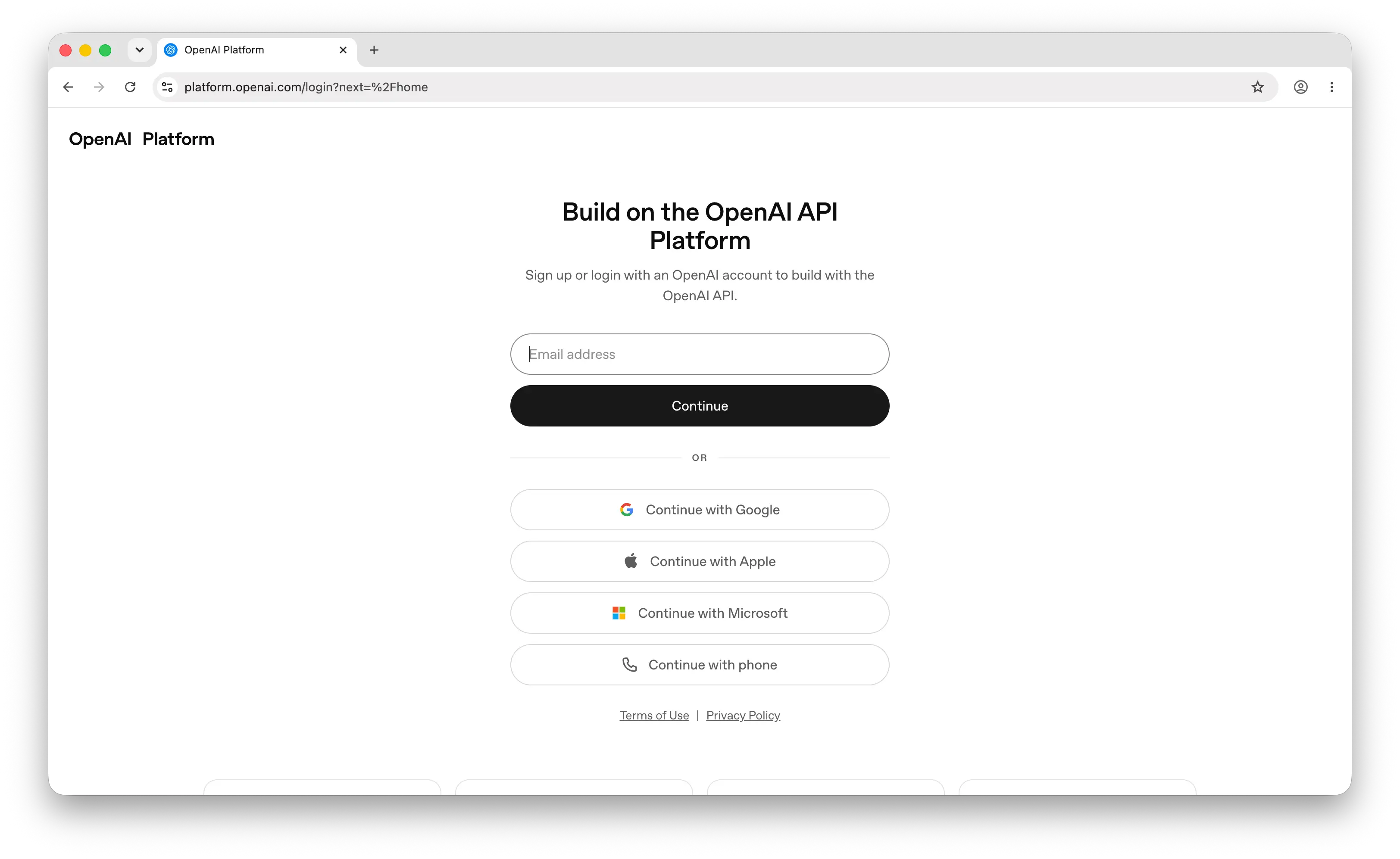
If you already have a ChatGPT account, you can use the same credentials to log in. However, you'll still need to set up billing separately for API access.
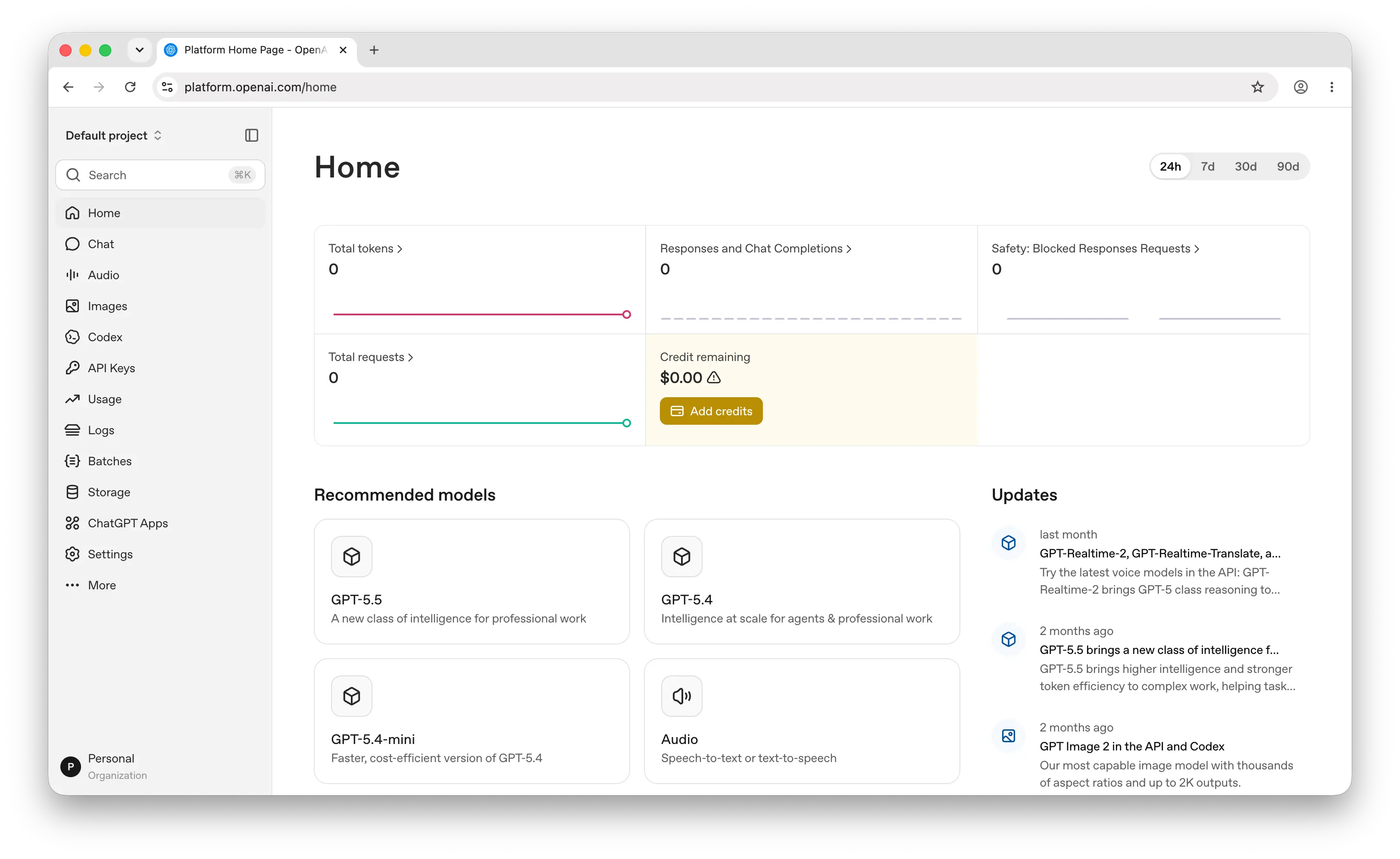
Before your API key will work, you need to add a payment method. Go to the Billing page and add a credit card. OpenAI charges per token, and pricing varies by model. Set a monthly spending limit here to avoid surprises — you can always increase it later.
Step 2: Generate Your API Key
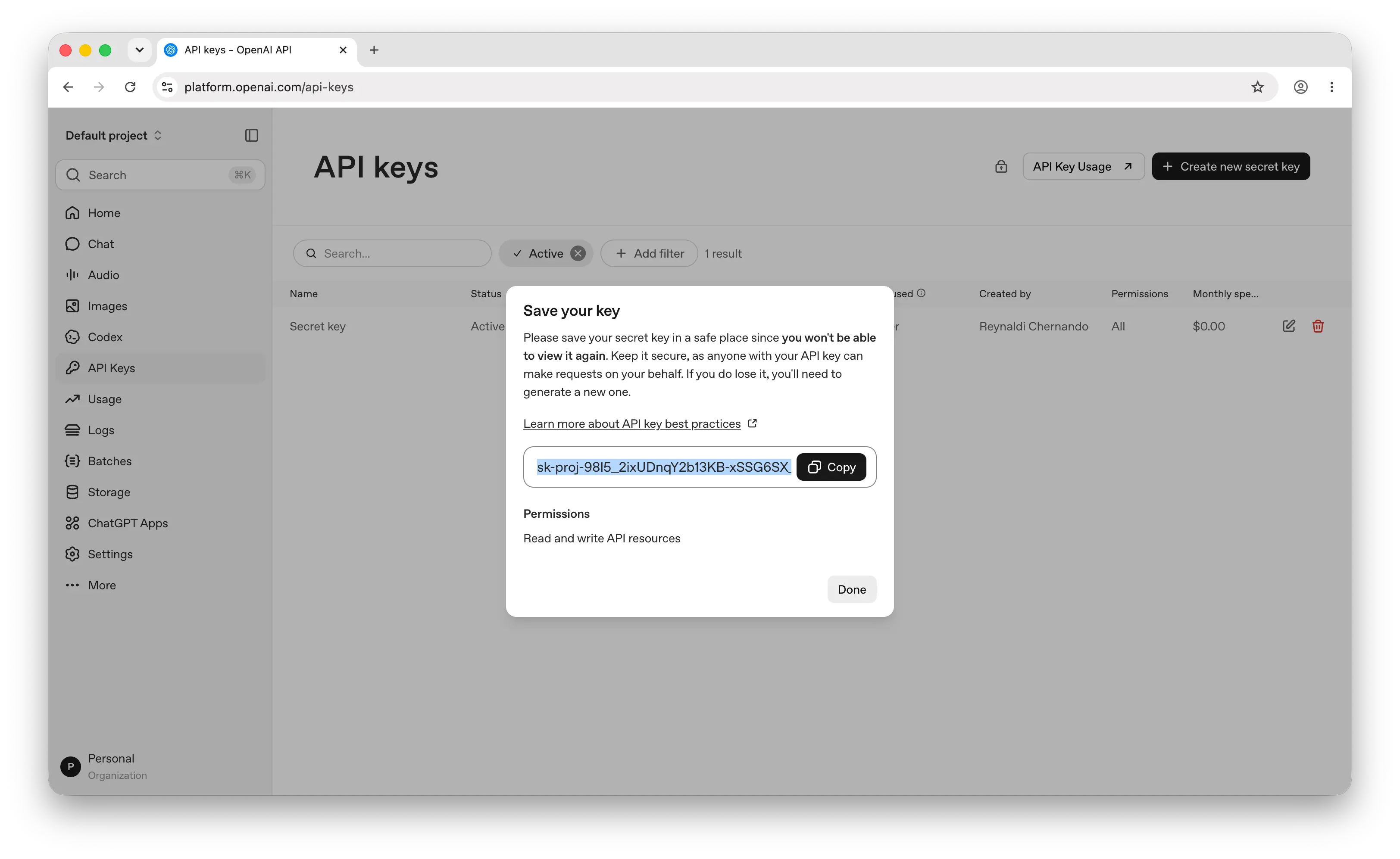
In the left sidebar, click API keys, then click Create new secret key.
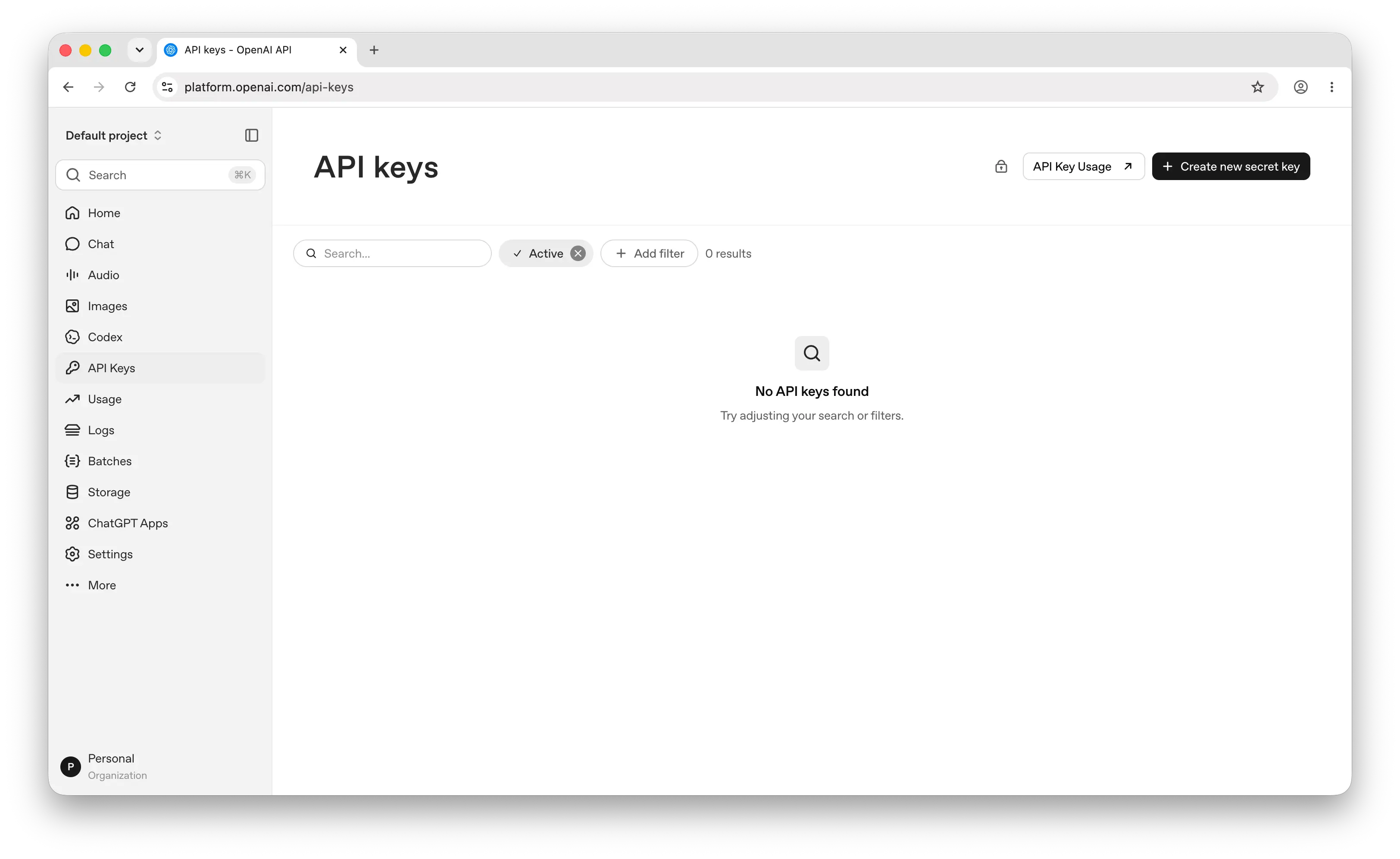
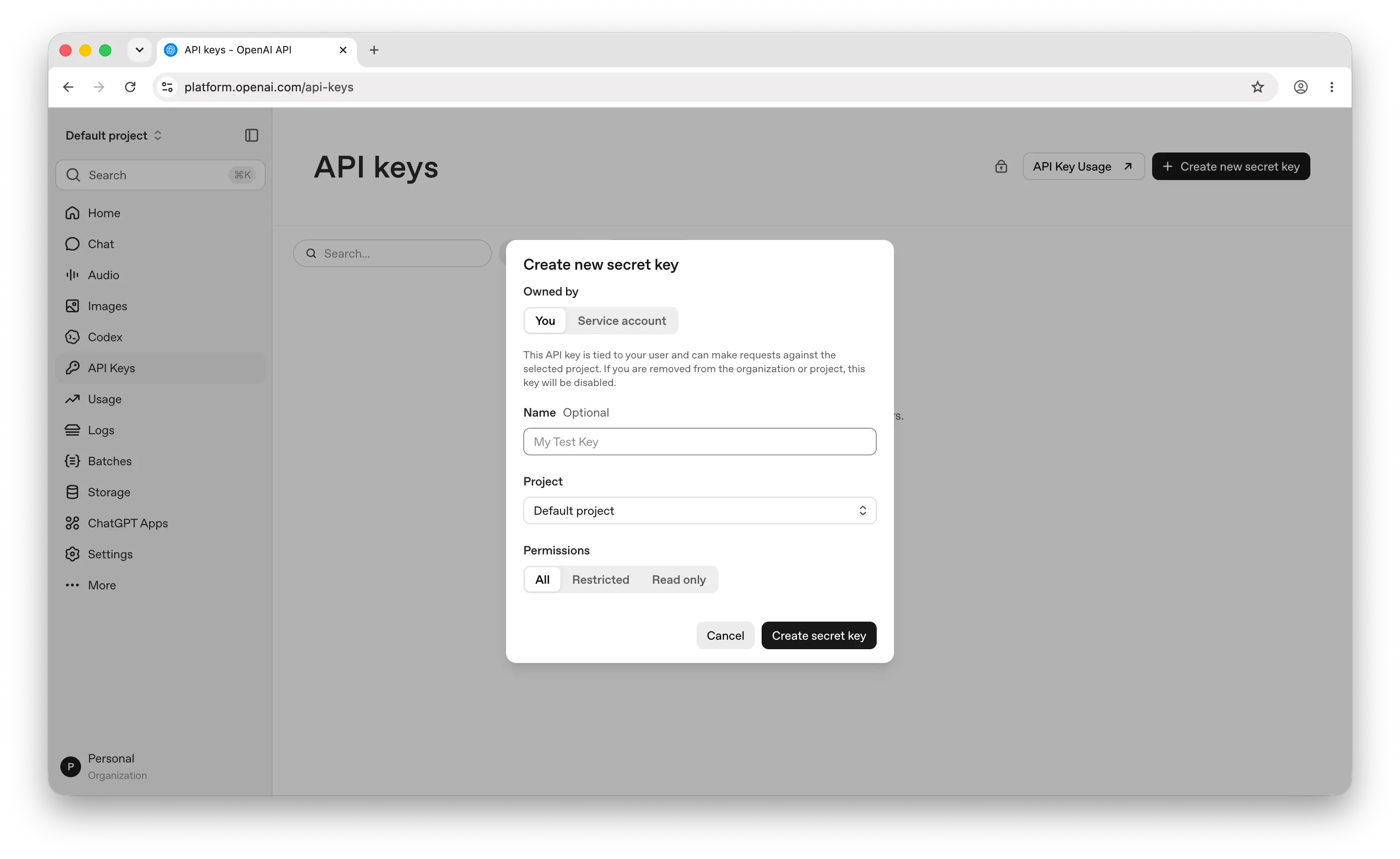
You'll see a few options:
- Name — give it something descriptive like
my-app-devso you can identify it later - Project — assign it to a specific project if you have multiple (optional for most people starting out)
- Permissions — choose the scope: full access, read-only, etc.
Click Create secret key.
Important: Copy the key immediately. OpenAI only shows it once. If you lose it, you'll need to generate a new one.
Store it somewhere safe — a password manager, an .env file, or your platform's secrets manager. Never commit API keys to a public repository.
Step 3: Make Your First API Call
Now you're ready to use the key. Here's a quick example using the OpenAI JavaScript SDK:
npm install openai
import OpenAI from "openai";

const client = new OpenAI({
  apiKey: process.env.OPENAI_API_KEY,
});

const response = await client.chat.completions.create({
  model: "gpt-5.4-nano",
  messages: [{ role: "user", content: "Hello, world!" }],
});

console.log(response.choices[0].message.content);
If you get a response back, everything is working. For the full set of endpoints and parameters, see OpenAI's official API docs.
Can You Use the OpenAI API for Free?
Creating an API key is free, but using it requires topping up credits. OpenAI's own API is pay-as-you-go and bills per token.
OpenAI has at times given new accounts a small trial credit (around $5) to test with. Availability changes, so check your billing page after signing up rather than counting on it. Past that, the API runs on prepaid credits and bills per token. A ChatGPT Plus or Team subscription is billed separately and includes no API credit.
Puter.js offers a different model. With its User-Pays model, you can add OpenAI models to your app for free: each user covers their own AI usage through their own Puter account, so your cost stays at $0 regardless of how many users you have, with no API key and no backend.
Add OpenAI models with the browser script tag:
<script src="https://js.puter.com/v2/"></script>
<script>
  puter.ai.chat("Explain quantum computing in simple terms", {
    model: "openai/gpt-5.4-nano"
  }).then(response => {
    document.body.innerHTML = response.message.content;
  });
</script>
or the npm package:
import { puter } from '@heyputer/puter.js';

const response = await puter.ai.chat("Explain quantum computing in simple terms", {
  model: "openai/gpt-5.4-nano"
});
console.log(response.message.content);
This fits front-end apps where your users sign into Puter: usage is tied to their accounts, and Puter.js runs in the browser, so it does not replace a server-side key for a backend you control. For a backend, you can use the prepaid route below.
How Much Does the OpenAI API Cost?
OpenAI bills per token, with separate input and output rates, so cost scales with usage instead of a flat fee. The current flagship, GPT-5.5, is $5.00 per 1M input tokens and $30.00 per 1M output. The cheapest model, GPT-5.4 nano, is $0.20 input and $1.25 output, about 25x cheaper. The minimum to start is a $5 prepaid top-up.
For the per-model breakdown, including the Batch and cached-input discounts and the per-token costs for reasoning, long context, and built-in tools, see our OpenAI API pricing guide.
Why Isn't My Key Working?
Most first-call failures trace back to a few errors:
- 429, insufficient_quota ("You exceeded your current quota"): the account has no credits. Add a payment method and prepay, then retry. This is behind most reports of a new key not working.
- 401, invalid authentication: the key is wrong, was revoked, or picked up a stray space or newline when copied. Regenerate it and paste again.
- 429, rate_limit_exceeded: requests are going out faster than your tier allows. Add retries with exponential backoff, or move up a usage tier.
- 403, region not supported: the request is coming from a location OpenAI does not serve.
- model_not_found: the model is not available to your account yet, usually because billing is not set up or it needs a higher usage tier.
Most of these come back to billing, so check that first. For the full list of status and error codes, see OpenAI's error codes reference.
Conclusion
To get an OpenAI API key: sign up at platform.openai.com, add a payment method, then go to API keys and click Create new secret key. From there you can make your first API call, or skip the key entirely and add OpenAI models to a web app for free with Puter.js.
Related
- OpenAI API Pricing
- How to do OAuth with OpenAI
- How to Get an Anthropic API Key
- How to Get a Gemini API Key
- How to Get a Grok (xAI) API Key
- How to Get a DeepSeek API Key
- How to Get an ElevenLabs API Key
- How to Get a Mistral API Key
- How to Get a MiniMax API Key
- How to Get a Moonshot AI (Kimi) API Key
- How to Get a Qwen API Key
- How to Get a Z.AI (GLM) API Key
- How to Get an OpenRouter API Key
- How to Get a FLUX (Black Forest Labs) API Key
- How to Get a Stability AI (Stable Diffusion) API Key
- How to Get a Kling API Key
- How to Get a Leonardo.Ai API Key
- How to Get a Together AI API Key
- How to Get a Llama API Key
- How to Get a Cohere API Key
- How to Use OpenAI SDK with Puter
- Free, Unlimited OpenAI API
- Free, Unlimited Claude API
- Free, Unlimited Gemini API
- How to Use LangChain with Puter
- How to Use Vercel AI SDK with Puter
Ship a Full-Stack App with One Prompt
Build an AI chat app using Puter.js
Coding manually? see the guide