How to Get a Stability AI (Stable Diffusion) API Key: A Step-by-Step Guide
On this page
This guide shows you how to get a Stability AI (Stable Diffusion) API key. You'll create a Stability AI account, grab your key, and make your first image generation API call, plus a free alternative for adding Stable Diffusion models to your web app.
Prerequisites
- A Google account or email for signing in
- Basic familiarity with code (we'll show simple examples)
Step 1: Create Your Stability AI Account
Go to platform.stability.ai. You'll see the platform dashboard.
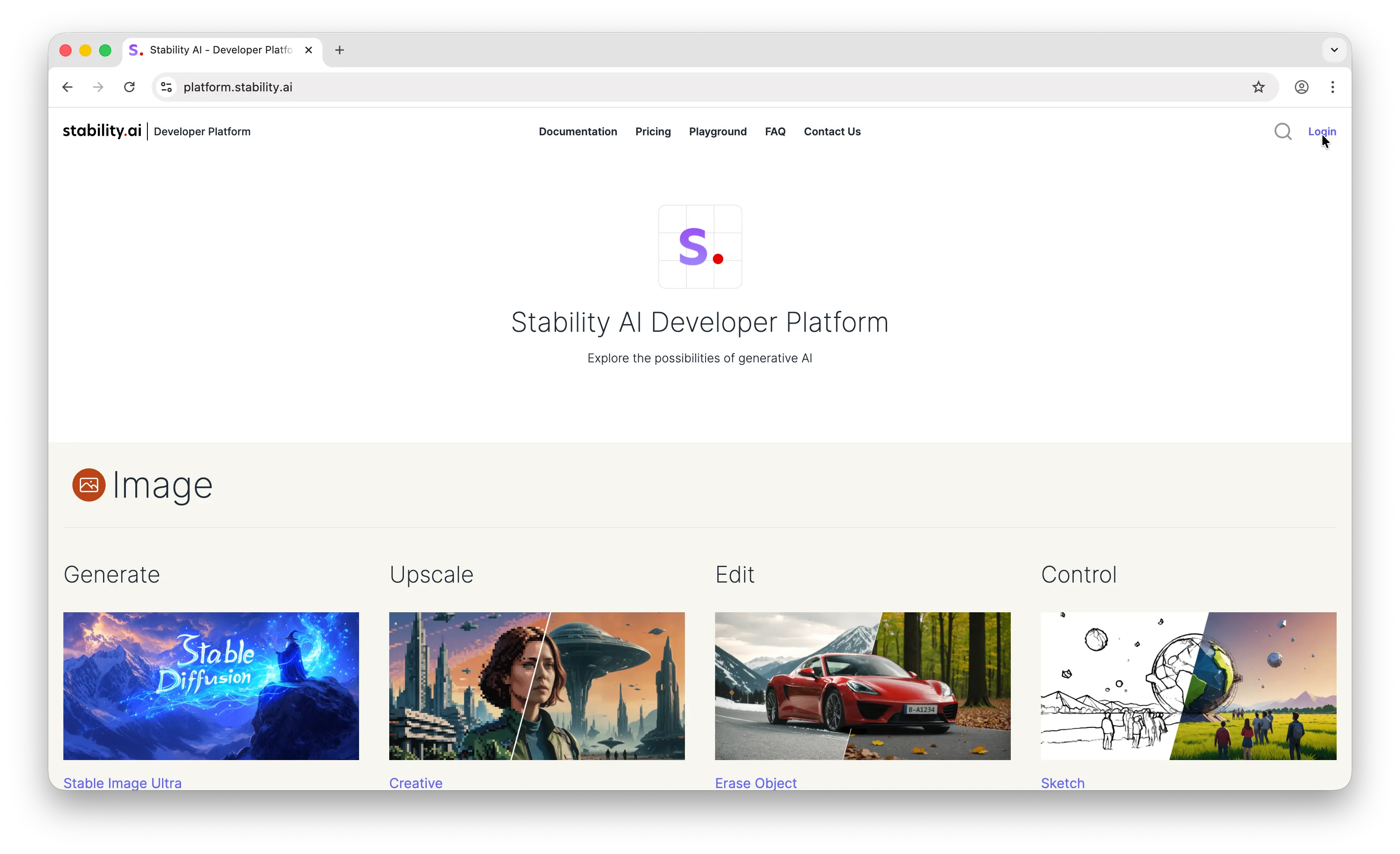
Click Login in the top right corner. Sign in with your Google account or email.
Step 2: Get Your API Key
Once logged in, click your profile in the top right corner.

You'll land on the account API key page. Stability AI automatically creates an API key for you when you sign up, so you can copy it right away.
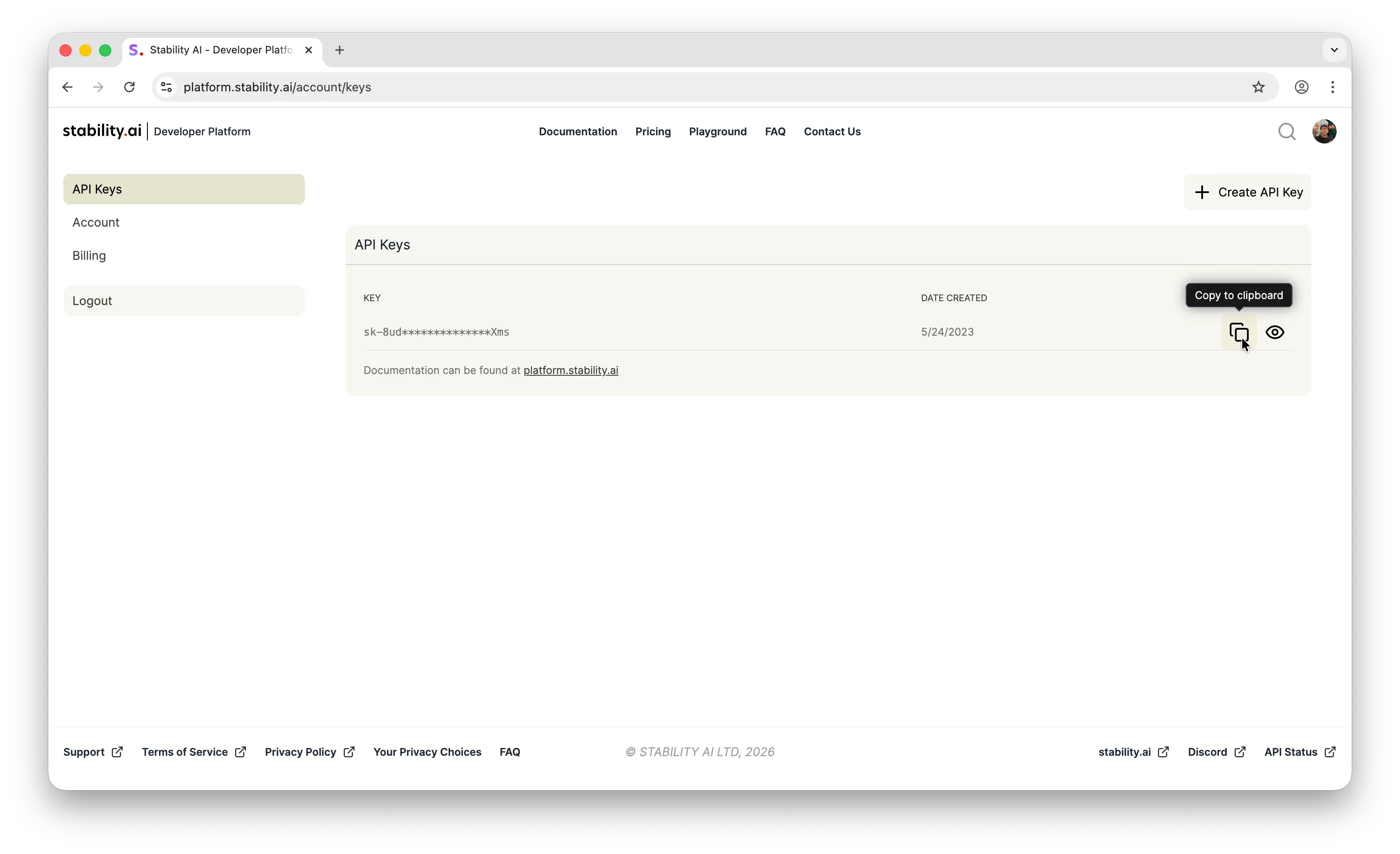
Store it somewhere safe, like a password manager, an .env file, or your platform's secrets manager. Never commit API keys to a public repository.
Step 3: Make Your First API Call
Stability AI uses a direct REST API. Here's a quick example to generate an image with Stable Diffusion XL:
import fetch from 'node-fetch'
import fs from 'node:fs'

const engineId = 'stable-diffusion-xl-1024-v1-0'
const apiHost = process.env.API_HOST ?? 'https://api.stability.ai'
const apiKey = process.env.STABILITY_API_KEY

if (!apiKey) throw new Error('Missing Stability API key.')

const response = await fetch(
  `${apiHost}/v1/generation/${engineId}/text-to-image`,
  {
    method: 'POST',
    headers: {
      'Content-Type': 'application/json',
import fetch from 'node-fetch'
import fs from 'node:fs'
const engineId = 'stable-diffusion-xl-1024-v1-0'
const apiHost = process.env.API_HOST ?? 'https://api.stability.ai'
const apiKey = process.env.STABILITY_API_KEY
if (!apiKey) throw new Error('Missing Stability API key.')
const response = await fetch(
`${apiHost}/v1/generation/${engineId}/text-to-image`,
{
method: 'POST',
headers: {
'Content-Type': 'application/json',import fetch from 'node-fetch'
import fs from 'node:fs'
const engineId = 'stable-diffusion-xl-1024-v1-0'
const apiHost = process.env.API_HOST ?? 'https://api.stability.ai'
const apiKey = process.env.STABILITY_API_KEY
if (!apiKey) throw new Error('Missing Stability API key.')
const response = await fetch(
`${apiHost}/v1/generation/${engineId}/text-to-image`,
{
method: 'POST',
headers: {
'Content-Type': 'application/json',
Accept: 'application/json',
Authorization: `Bearer ${apiKey}`,
},
body: JSON.stringify({
text_prompts: [
{
text: 'A lighthouse on a cliff',
},
],
cfg_scale: 7,
height: 1024,
width: 1024,
steps: 30,
samples: 1,
}),
}
)
if (!response.ok) {
throw new Error(`Non-200 response: ${await response.text()}`)
}
interface GenerationResponse {
artifacts: Array<{
base64: string
seed: number
finishReason: string
}>
}
const responseJSON = (await response.json()) as GenerationResponse
responseJSON.artifacts.forEach((image, index) => {
fs.writeFileSync(
`./out/v1_txt2img_${index}.png`,
Buffer.from(image.base64, 'base64')
)
})
If the image file is saved successfully, everything is working. For the full set of endpoints and parameters, see Stability AI's official API docs.
Can You Use the Stability AI API for Free?
Creating an API key is free, but using it requires prepaid credits. Stability bills in credits rather than tokens, and each generation deducts a fixed number of them. Signing up with Google's social login grants 25 free credits, enough for a few Stable Image Ultra generations or about eight Stable Image Core images, to test with. There is no recurring free quota, so once those are spent every call costs credits.
Puter.js offers a different model. With its User-Pays model, you can add Stability AI models to your app for free: each user covers their own AI usage through their own Puter account, so your cost stays at $0 regardless of how many users you have, with no API key and no backend.
Add Stability AI models with the browser script tag:
<script src="https://js.puter.com/v2/"></script>
<script>
  puter.ai.txt2img("A lighthouse on a cliff", {
    model: "stabilityai/stable-diffusion-xl-base-1.0"
  }).then(image => {
    document.body.appendChild(image);
  });
</script>
or the npm package:
import { puter } from '@heyputer/puter.js';

const image = await puter.ai.txt2img("A lighthouse on a cliff", {
  model: "stabilityai/stable-diffusion-xl-base-1.0"
});
document.body.appendChild(image);
This fits front-end apps where your users sign into Puter: usage is tied to their accounts, and Puter.js runs in the browser, so it does not replace a server-side key for a backend you control. For a backend, you can use the prepaid route below.
How Much Does the Stability AI API Cost?
Stability AI bills in credits rather than tokens, with 1 credit = $0.01 and a fixed credit cost per generation. The flagship service, Stable Image Ultra, is $0.08 per image, and the cheapest, Stable Image Core, is $0.03 per image, with the Stable Diffusion 3.5 family in between. Credits are prepaid: a 1,000-credit top-up costs $10.
For the full breakdown, including the per-service credit rates for editing, upscaling, audio, and 3D, see our Stability AI API pricing guide.
Conclusion
To get a Stability AI API key: sign up at platform.stability.ai, then open your profile to copy the key Stability creates for your account automatically. From there you can make your first image generation call, or skip the key entirely and add Stable Diffusion models to a web app for free with Puter.js.
Related
- Free, Unlimited Stable Diffusion API
- Stability AI API Pricing
- Free, Unlimited Image Generation API
- Free, Unlimited Flux API
- Free, Unlimited GPT Image API
- Free, Unlimited Claude API
- How to Get an OpenAI API Key
- How to Get an Anthropic (Claude) API Key
- How to Get a Gemini API Key
- How to Get a Grok (xAI) API Key
- How to Get a DeepSeek API Key
- How to Get an ElevenLabs API Key
- How to Get a Mistral API Key
- How to Get a MiniMax API Key
- How to Get a Moonshot AI (Kimi) API Key
- How to Get a Qwen API Key
- How to Get a Z.AI (GLM) API Key
- How to Get an OpenRouter API Key
- How to Get a FLUX (Black Forest Labs) API Key
- How to Get a Kling API Key
- How to Get a Leonardo.Ai API Key
- How to Get a Together AI API Key
- How to Get a Cohere API Key
- How to Use OpenAI SDK with Puter
- How to Use LangChain with Puter
- How to Use Vercel AI SDK with Puter
Ship a Full-Stack App with One Prompt
Build an AI chat app using Puter.js
Coding manually? see the guide