How to Get a Cohere API Key: A Step-by-Step Guide
On this page
This guide shows you how to get a Cohere API key. You'll create a Cohere account, generate your key, and make your first API call, plus a free alternative for adding Cohere models to your web app.
Prerequisites
- An email address (or a Google/GitHub account for single sign-on)
- Basic familiarity with code (we'll show simple JavaScript examples)
Step 1: Go to the Cohere Dashboard
Open dashboard.cohere.com. This is where you manage your API keys, usage, and settings.
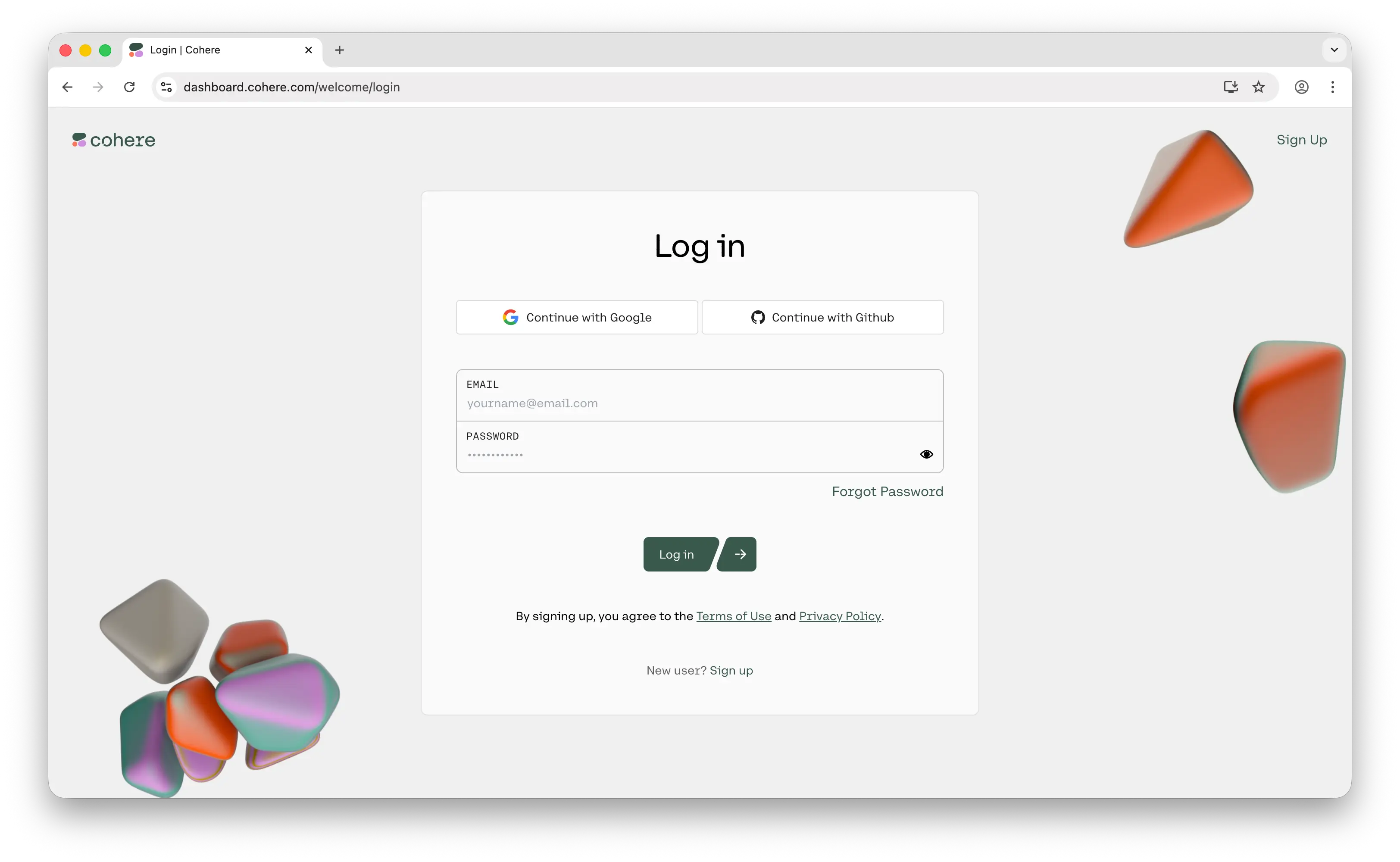
Step 2: Sign In to Your Account
Sign in using your Google account, GitHub account, or email. If you don't have an account yet, you'll be prompted to create one.
Once logged in, you'll land on the Cohere dashboard.
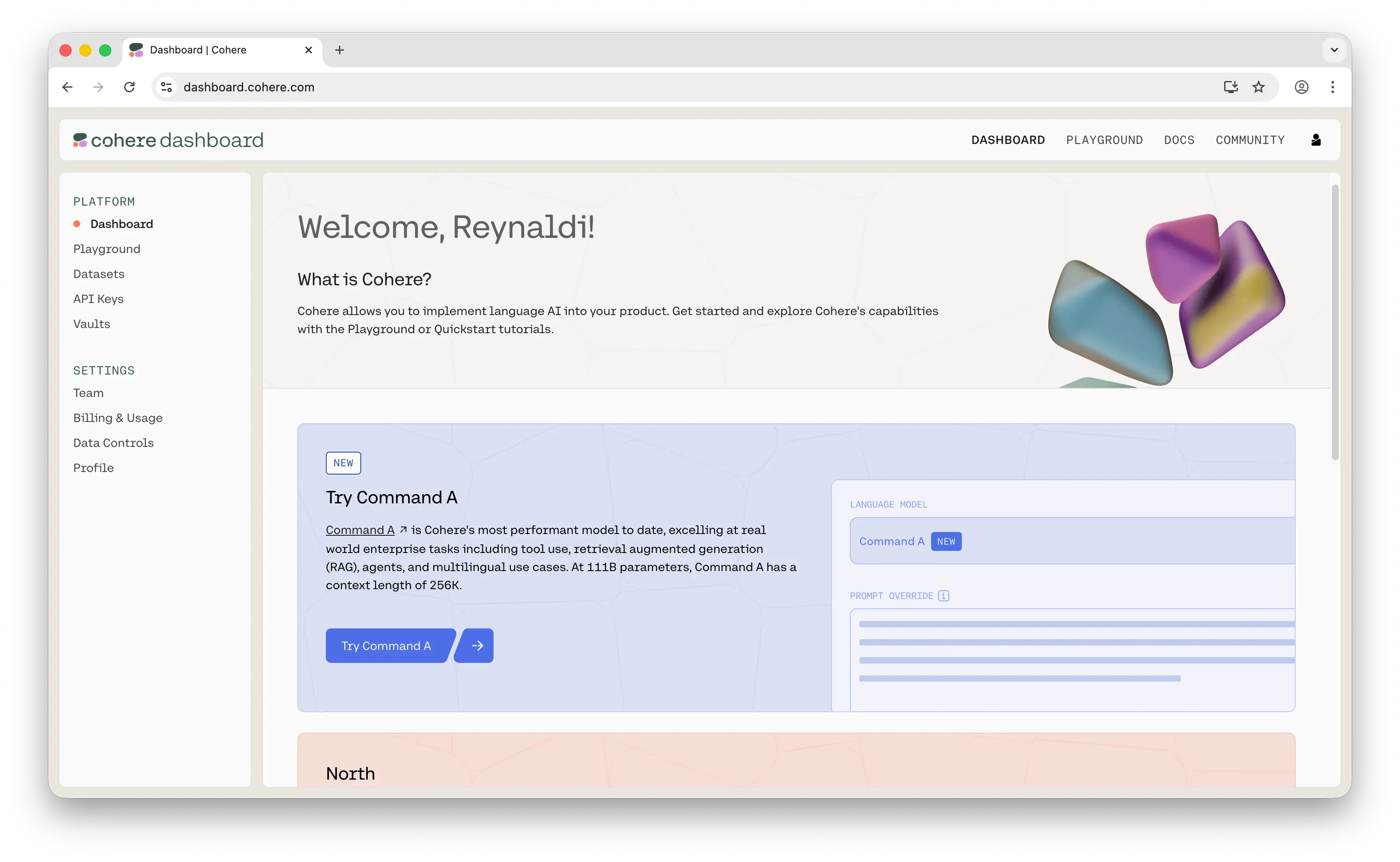
Step 3: Get Your API Key
Find the API Keys menu in the left sidebar and click on it.
You'll see that a trial key has already been generated for you. Click the copy button to grab it.
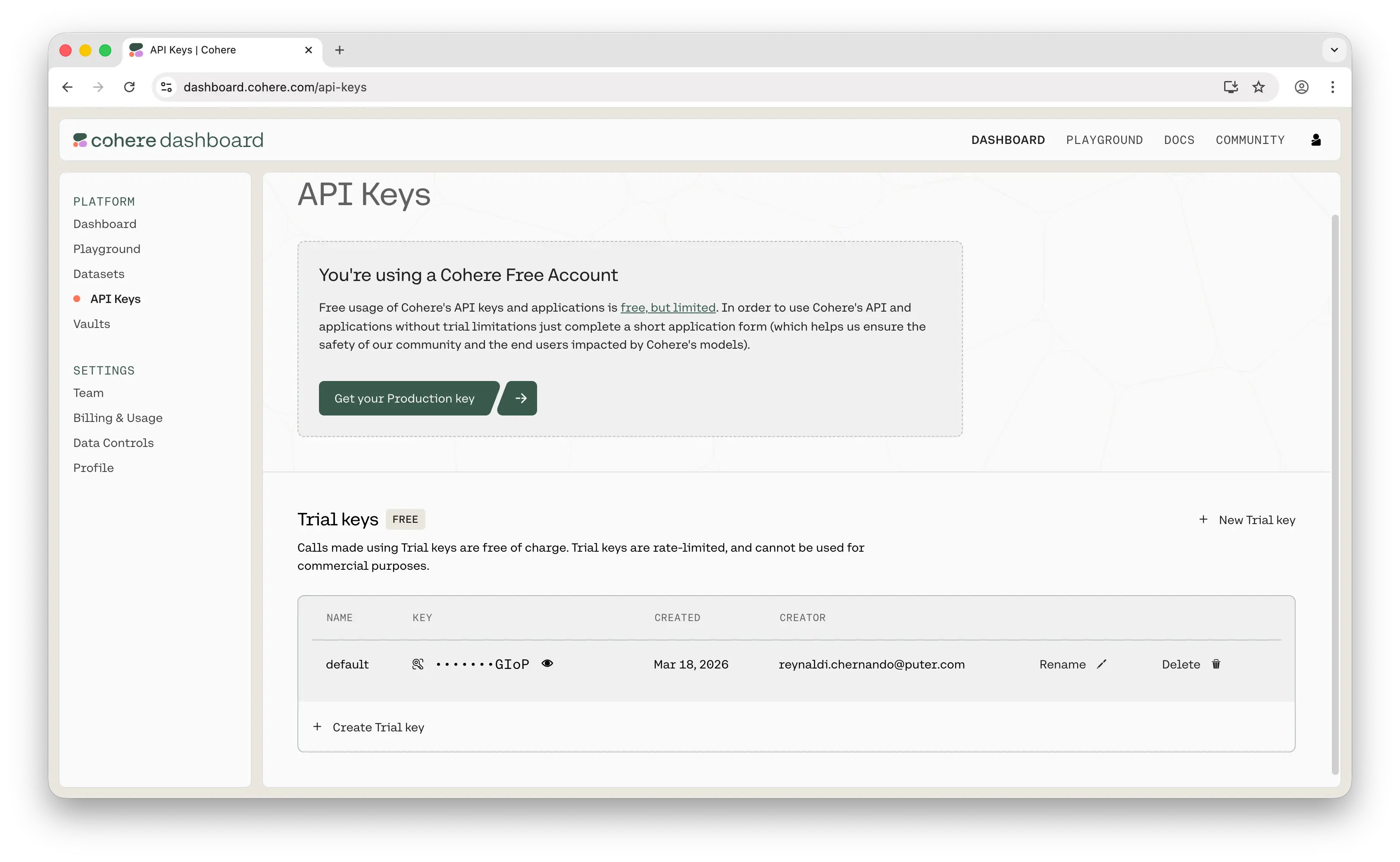
Keep in mind: the trial key is rate-limited and not intended for commercial use. If that doesn't suit your use case, you can request a production key from the same page.
Store your key somewhere safe — a password manager, an .env file, or your platform's secrets manager. Never commit API keys to a public repository.
Step 4: Make Your First API Call
Now you're ready to use the key. Here's a quick example using the Cohere JavaScript SDK:
npm install cohere-ai
const { CohereClientV2 } = require('cohere-ai');

const cohere = new CohereClientV2({
  token: '<<apiKey>>',
});

(async () => {
  const response = await cohere.chat({
    model: 'command-a-03-2025',
    messages: [
      {
        role: 'user',
        content: 'hello world!',
      },
    ],
  });

  console.log(response);
})();
If you get a response back, everything is working. For the full set of endpoints and parameters, see Cohere's official API docs.
Can You Use the Cohere API for Free?
Creating an API key is free, and every Cohere account starts with a Trial API key that costs nothing to use. The Trial key is rate limited and not permitted for production or commercial use, so it suits prototyping and evaluation rather than a live app. Production billing requires a Production key, which is pay-as-you-go and bills per token.
Puter.js offers a different model. With its User-Pays model, you can add Cohere models to your app for free: each user covers their own AI usage through their own Puter account, so your cost stays at $0 regardless of how many users you have, with no API key and no backend.
Add Cohere models with the browser script tag:
<script src="https://js.puter.com/v2/"></script>
<script>
  puter.ai.chat("Explain quantum computing in simple terms", {
    model: "cohere/command-r-08-2024"
  }).then(response => {
    document.body.innerHTML = response.message.content;
  });
</script>
or the npm package:
import { puter } from '@heyputer/puter.js';

const response = await puter.ai.chat("Explain quantum computing in simple terms", {
  model: "cohere/command-r-08-2024"
});
console.log(response.message.content);
This fits front-end apps where your users sign into Puter: usage is tied to their accounts, and Puter.js runs in the browser, so it does not replace a server-side key for a backend you control. For a backend, see the pricing below.
How Much Does the Cohere API Cost?
Cohere bills per token, with separate input and output rates. Its main paid model, Command R, is $0.15 per 1M input tokens and $0.60 per 1M output. The cheapest model, Command R7B, is $0.0375 input and $0.15 output, four times cheaper. Cohere's most capable model, Command A+, is open-source under an Apache 2.0 license: there is no per-token charge, but you run it on your own hardware.
For the full breakdown, see our Cohere API pricing guide.
Why Isn't My Key Working?
Most first-call failures trace back to a few errors:
- 401, Unauthorized: no API key was supplied, the key is invalid, or it has expired. Check that the key is passed correctly, and regenerate it if it picked up a stray space or newline when copied.
- 402, Payment Required: the account has hit its billing limit. Add or update a payment method, then retry.
- 429, Too Many Requests: requests are going out faster than your tier allows. Trial keys are capped at 40 calls per minute; add retries with exponential backoff, or move to a Production key.
- 404, Not Found: the requested model, dataset, or connector does not exist or your key cannot access it. Check the model ID for typos.
- 400, Bad Request: the request has a missing or invalid field, an unsupported parameter, or it exceeds the token limit.
Most of these come back to billing or the trial-key limits, so check those first. For the full list of status and error codes, see Cohere's error codes reference.
Conclusion
To get a Cohere API key: sign up at dashboard.cohere.com, then open API Keys in the sidebar to copy your Trial key, or request a Production key for commercial use. From there you can make your first API call, or skip the key entirely and add Cohere models to a web app for free with Puter.js.
Related
- How to Get an OpenAI API Key
- How to Get an Anthropic API Key
- How to Get a Grok (xAI) API Key
- How to Get a Gemini API Key
- How to Get a DeepSeek API Key
- How to Get a Mistral API Key
- How to Get a MiniMax API Key
- How to Get a Moonshot AI (Kimi) API Key
- How to Get a Qwen API Key
- How to Get a Z.AI (GLM) API Key
- How to Get an OpenRouter API Key
- How to Get a FLUX (Black Forest Labs) API Key
- How to Get a Stability AI (Stable Diffusion) API Key
- How to Get a Kling API Key
- How to Get a Leonardo.Ai API Key
- How to Get a Together AI API Key
- How to Get an ElevenLabs API Key
- Free, Unlimited Cohere API
- Cohere API Pricing
- How to Use OpenAI SDK with Puter
- Free, Unlimited OpenAI API
- Free, Unlimited Claude API
- Free, Unlimited Gemini API
- How to Use LangChain with Puter
- How to Use Vercel AI SDK with Puter
Ship a Full-Stack App with One Prompt
Build an AI chat app using Puter.js
Coding manually? see the guide