How to Get a Llama API Key
On this page
In this tutorial, you'll learn how to get a Llama API key, use other providers like Puter and OpenRouter, and even call Llama without needing an API key at all.
Meta Llama API Platform
The official way to get a Llama API key is through Meta's Llama API platform. However, access is currently limited — you'll need to join a waitlist, and it's only available in the US region.
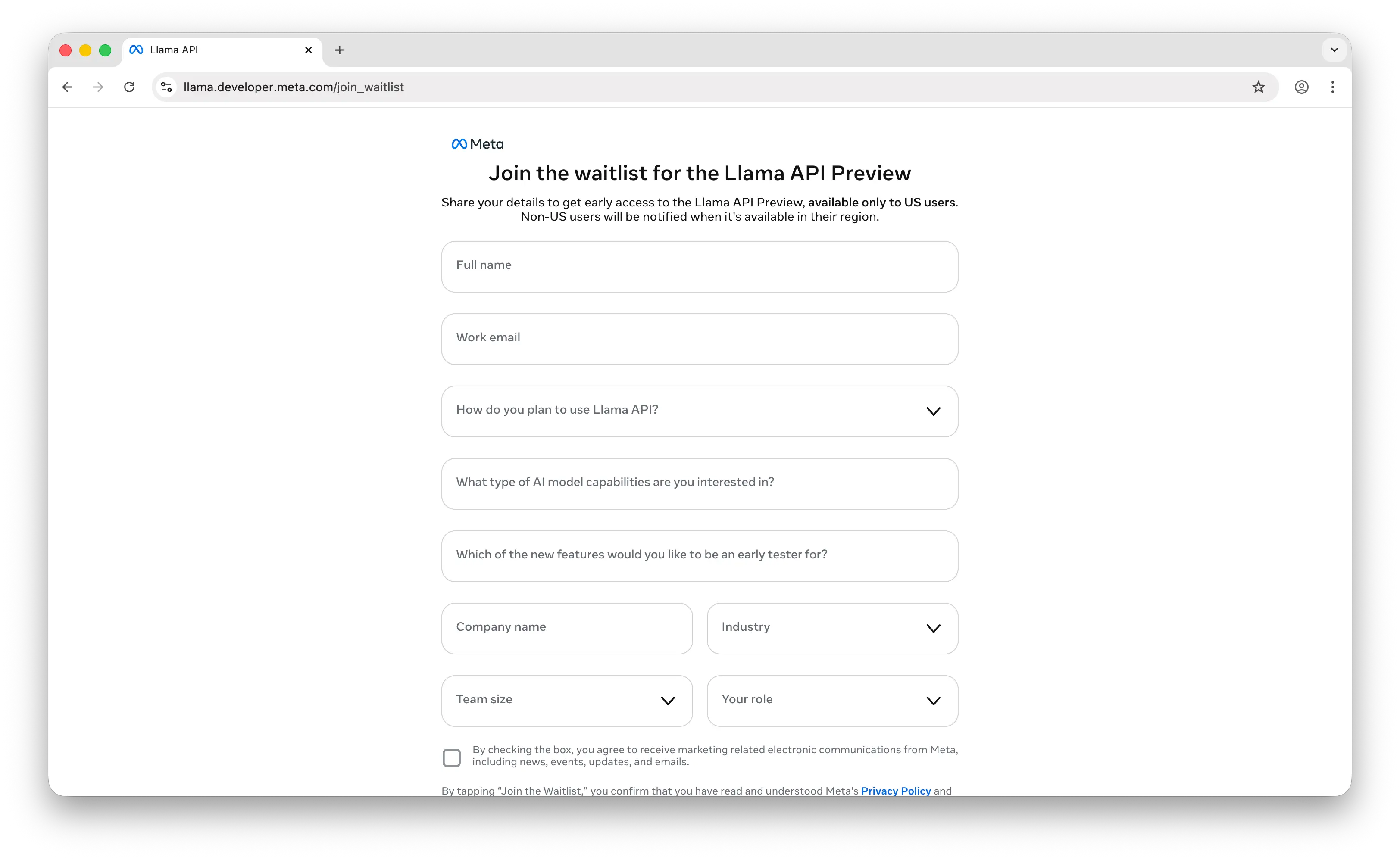
Once you have access, calling the Llama API is straightforward. It's compatible with the OpenAI endpoint, so you can use the OpenAI SDK directly:
npm install openai
import OpenAI from "openai";

const client = new OpenAI({
  baseURL: "https://api.llama.com/compat/v1/",
  apiKey: "YOUR_LLAMA_API_KEY",
});

const response = await client.chat.completions.create({
  model: "Llama-4-Maverick-17B-128E-Instruct-FP8",
  messages: [
    { role: "user", content: "What is the capital of France?" },
  ],
});

console.log(response.choices[0].message.content);
Replace YOUR_LLAMA_API_KEY with the API key from your Meta Llama dashboard.
Option 1: Puter
If you don't want to deal with the waitlist, you can use Puter. Puter exposes an OpenAI-compatible endpoint, so you can use the exact same code — just swap the base URL and API key:
import OpenAI from "openai";

const client = new OpenAI({
  baseURL: "https://api.puter.com/puterai/openai/v1/",
  apiKey: "YOUR_PUTER_AUTH_TOKEN",
});

const response = await client.chat.completions.create({
  model: "meta-llama/llama-4-maverick",
  messages: [
    { role: "user", content: "What is the capital of France?" },
  ],
});

console.log(response.choices[0].message.content);
To get your Puter auth token, go to puter.com/dashboard and click Copy.
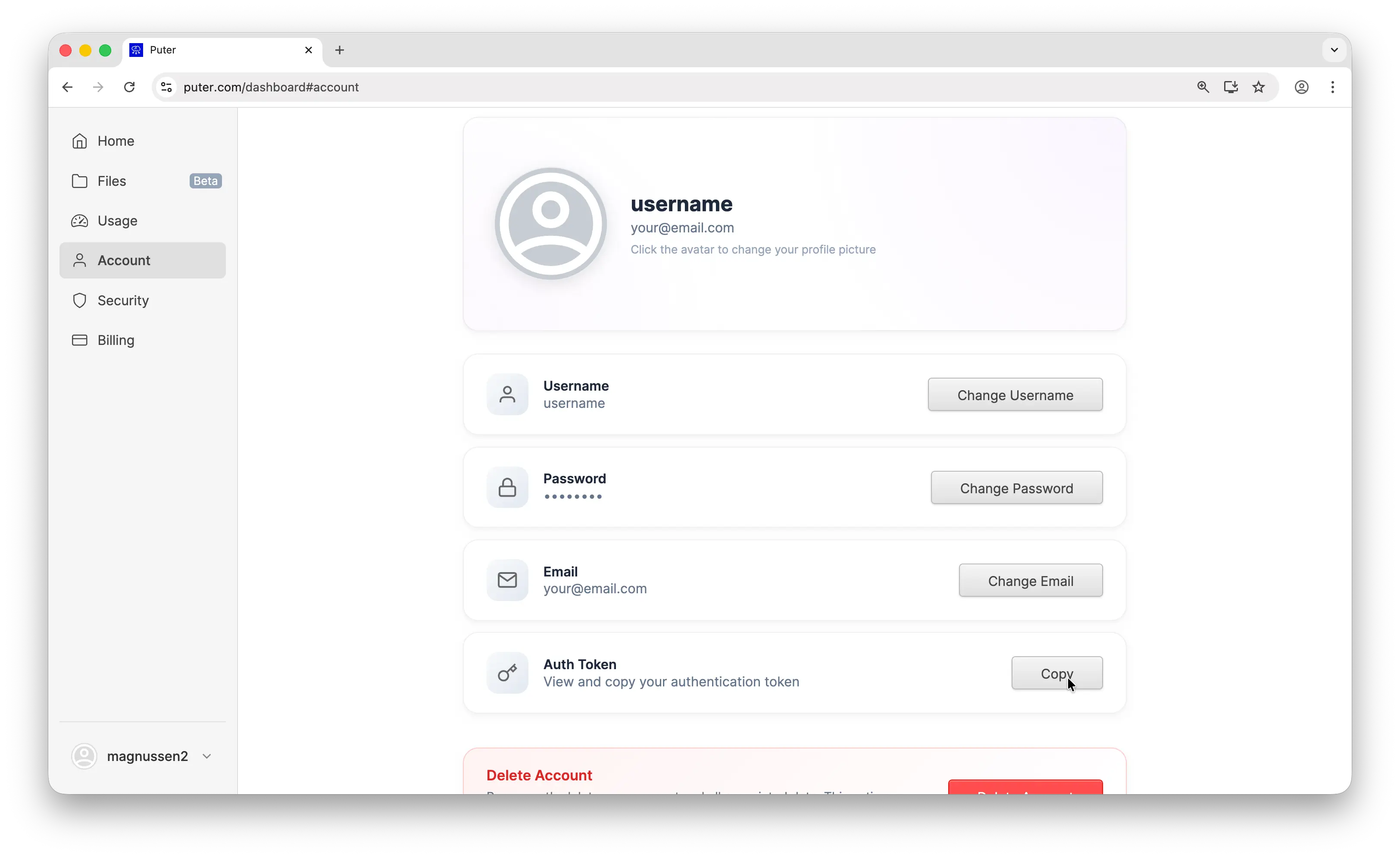
Not only can you use Llama through Puter, but you also get access to hundreds of other models — GPT, Claude, Gemini, and more. Check out the full list of supported AI models.
Option 2: OpenRouter
Another popular option is OpenRouter. OpenRouter is a unified API that gives you access to models from multiple providers, including Llama. It also supports the OpenAI-compatible endpoint, so the same code works here too:
import OpenAI from "openai";

const client = new OpenAI({
  baseURL: "https://openrouter.ai/api/v1",
  apiKey: "YOUR_OPENROUTER_API_KEY",
});

const response = await client.chat.completions.create({
  model: "meta-llama/llama-4-maverick",
  messages: [
    { role: "user", content: "What is the capital of France?" },
  ],
});

console.log(response.choices[0].message.content);
Check out our tutorial on how to get an OpenRouter API key for setup instructions.
No API Key Method
All the solutions above require an API key. But what if you don't want to use one at all? That's where Puter.js comes in.
Just add one library to your project:
// npm install @heyputer/puter.js
import puter from '@heyputer/puter.js';
Or add one script tag to your HTML:
<script src="https://js.puter.com/v2/"></script>
No API keys needed. Start building with Llama immediately.
const response = await puter.ai.chat(
  "What is the capital of France?",
  { model: "meta-llama/llama-4-maverick" }
);
console.log(response.message.content);
Through Puter.js's User-Pays Model, your users pay for their own AI costs. They authenticate with their Puter account, and any AI usage is billed to them instead of you as the developer, making your app free to run.
In addition to AI, Puter.js also gives you access to cloud storage, databases, and more. Check out the Puter.js documentation for details.
Conclusion
You now know how to get a Llama API key from Meta's official platform, use Puter or OpenRouter as different providers, and even call Llama without an API key using Puter.js. Whether you want direct access or a simpler setup, there's an option that works for you.
Related
Free, Serverless AI and Cloud
Start creating powerful web applications with Puter.js in seconds!
Get Started Now