How to Get a FLUX (Black Forest Labs) API Key: A Step-by-Step Guide
On this page
In this guide, you'll learn how to get your FLUX (Black Forest Labs) API key. You'll create a BFL account, generate your key, and make your first image generation API call. We'll also show you a simpler alternative if you want access to FLUX and hundreds of other AI models without managing multiple accounts.
Prerequisites
- A Google account or email, BFL supports both sign-in methods
- A payment method, FLUX's API is usage-based
- Basic familiarity with code (we'll show simple examples)
Step 1: Create Your Black Forest Labs Account
Go to dashboard.bfl.ai. You'll see the sign-up page.

Sign up with your Google account or email. Once you've completed the setup and signed in, you'll land on the dashboard. Select the default project under Projects.
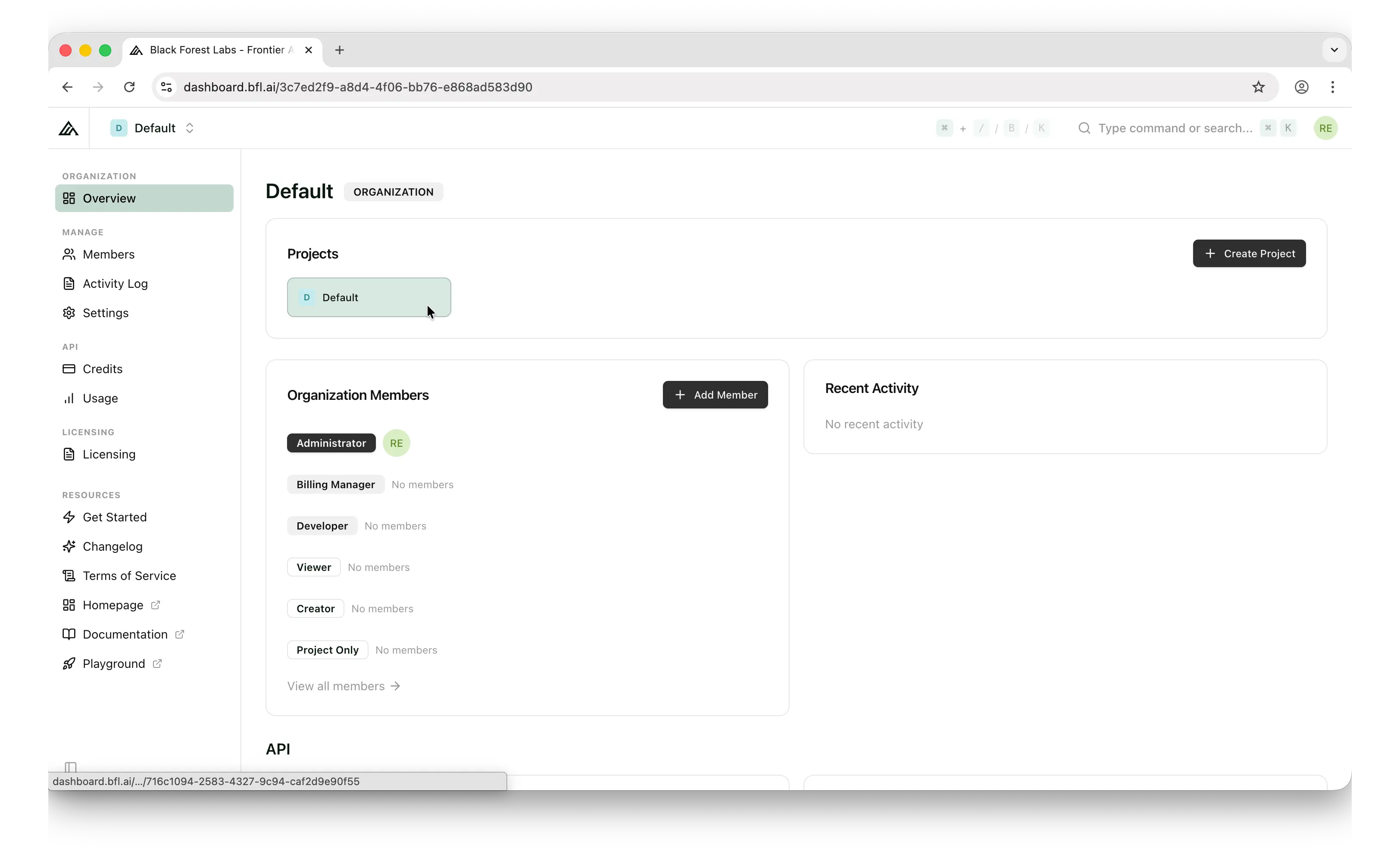
Step 2: Generate Your API Key
Once inside the project, look at the left sidebar. Under the API group, you'll find the Keys menu.
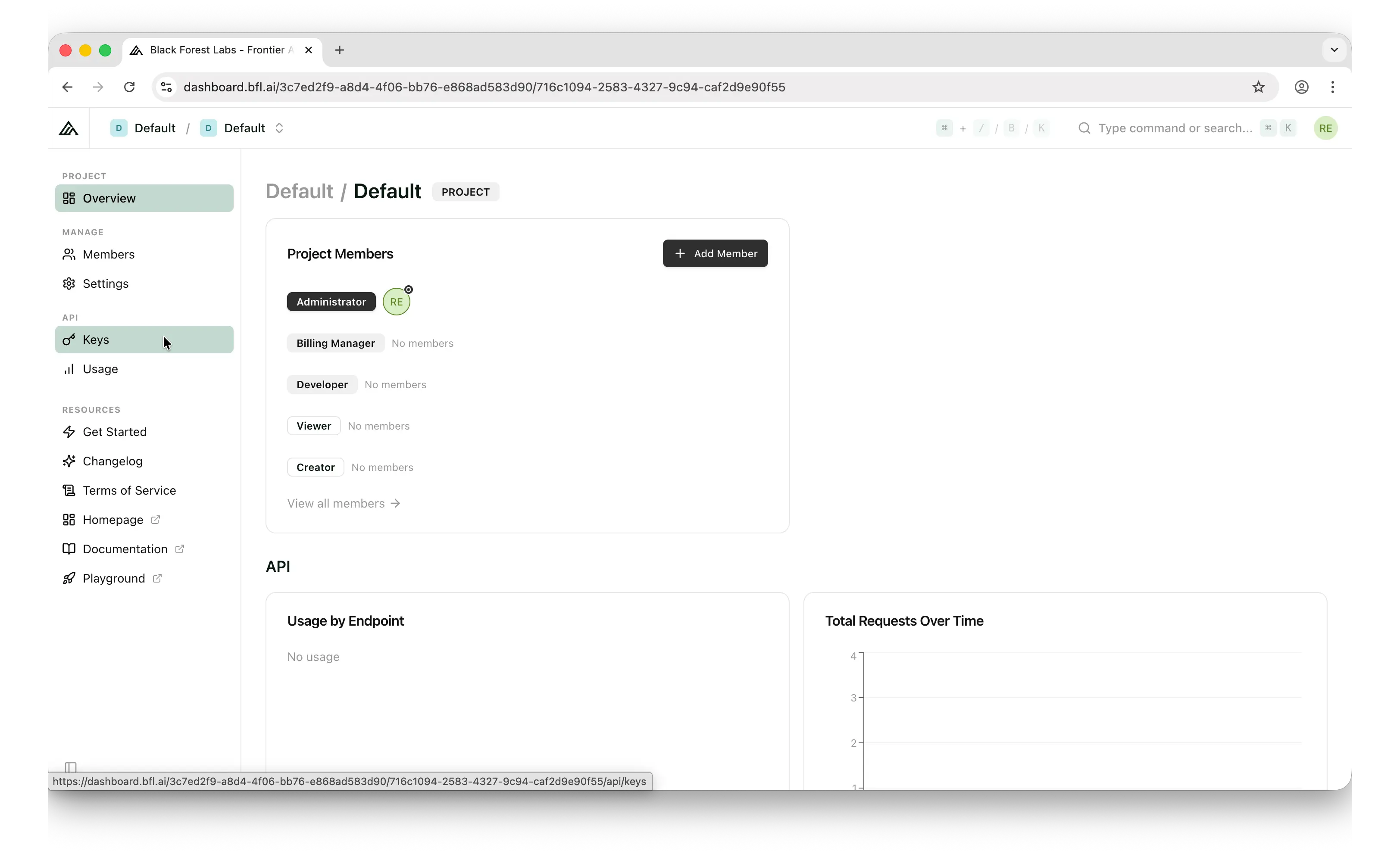
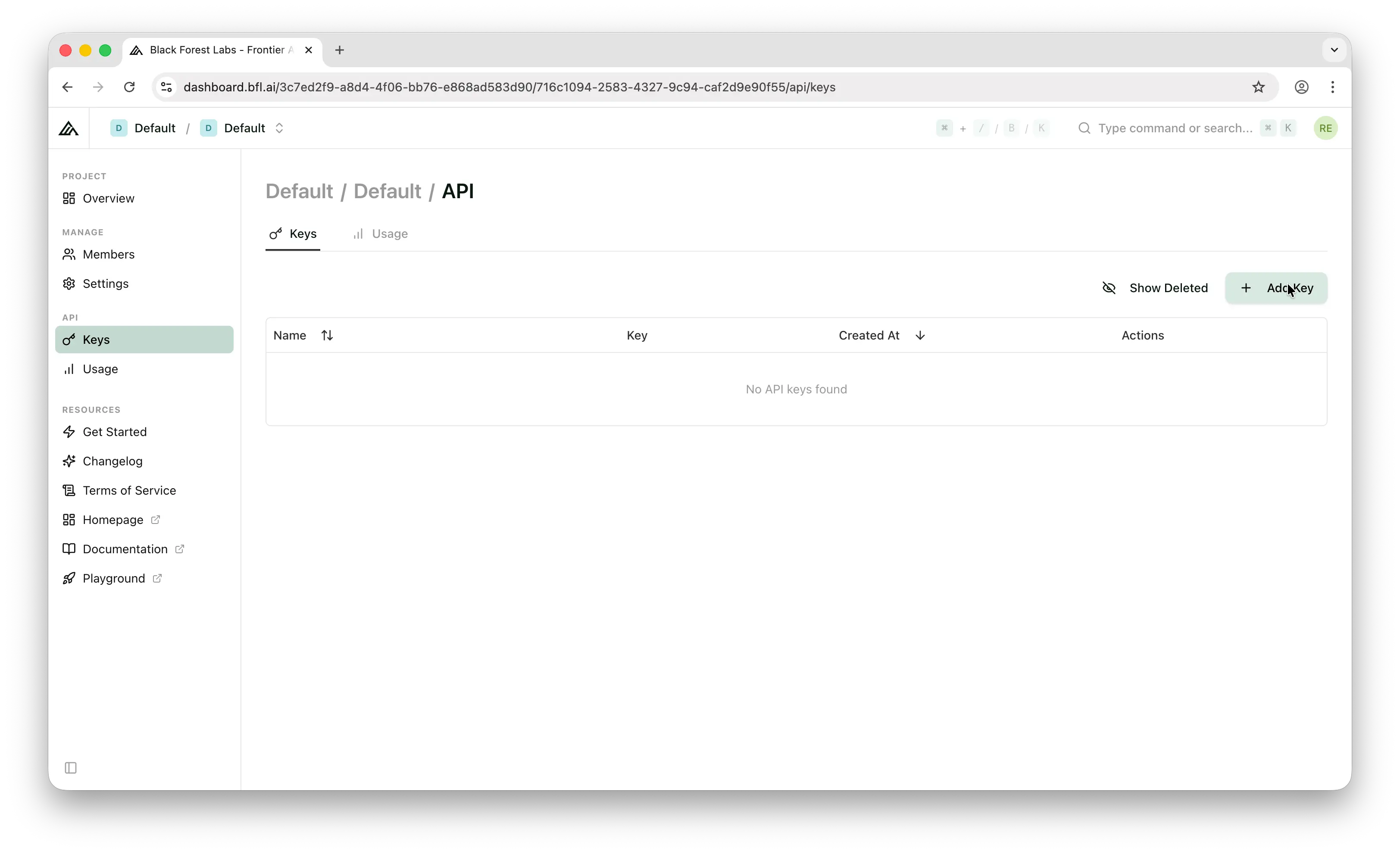
Click Keys to go to the API key page. Then click Add Key.
Enter a name for your API key.
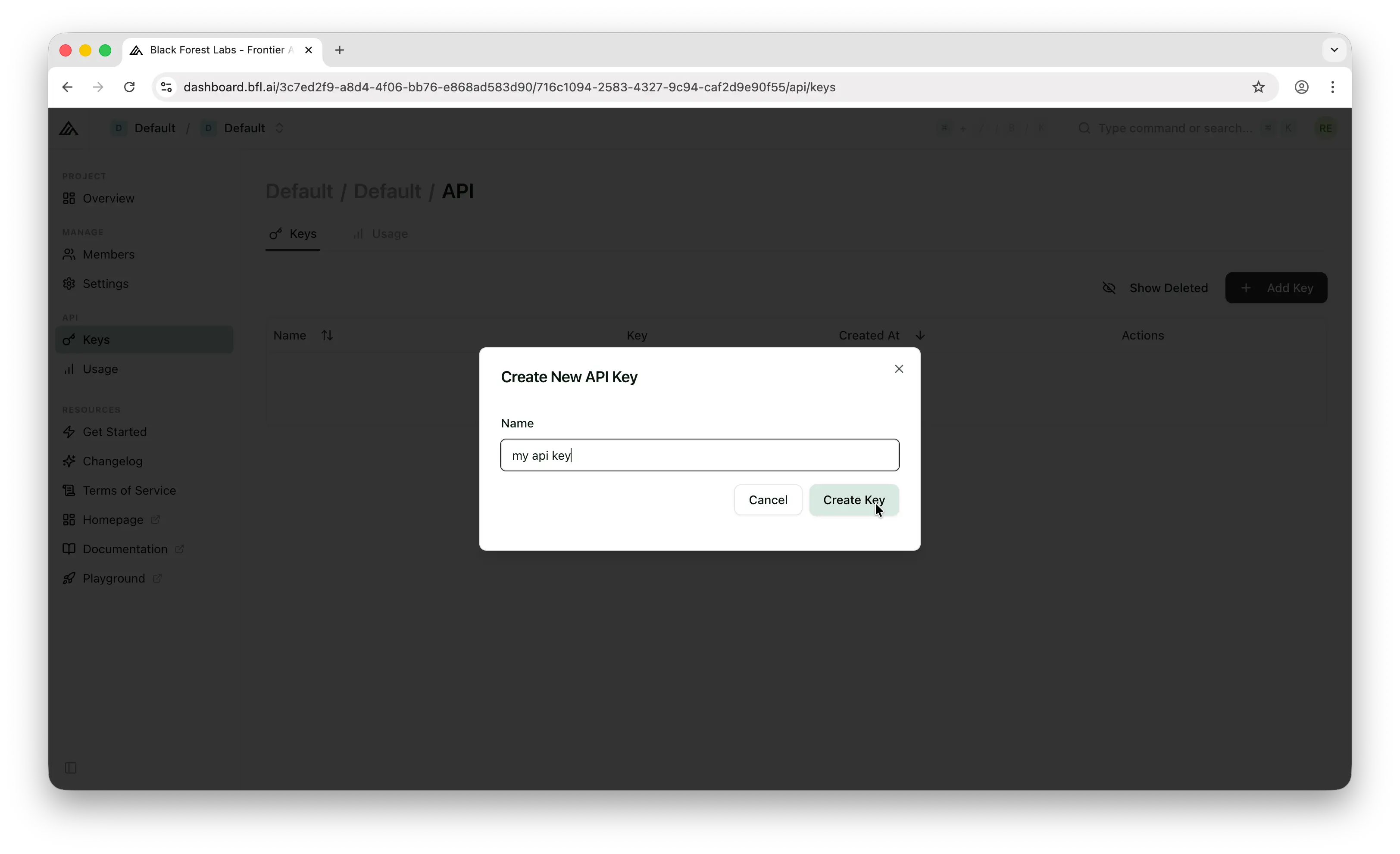
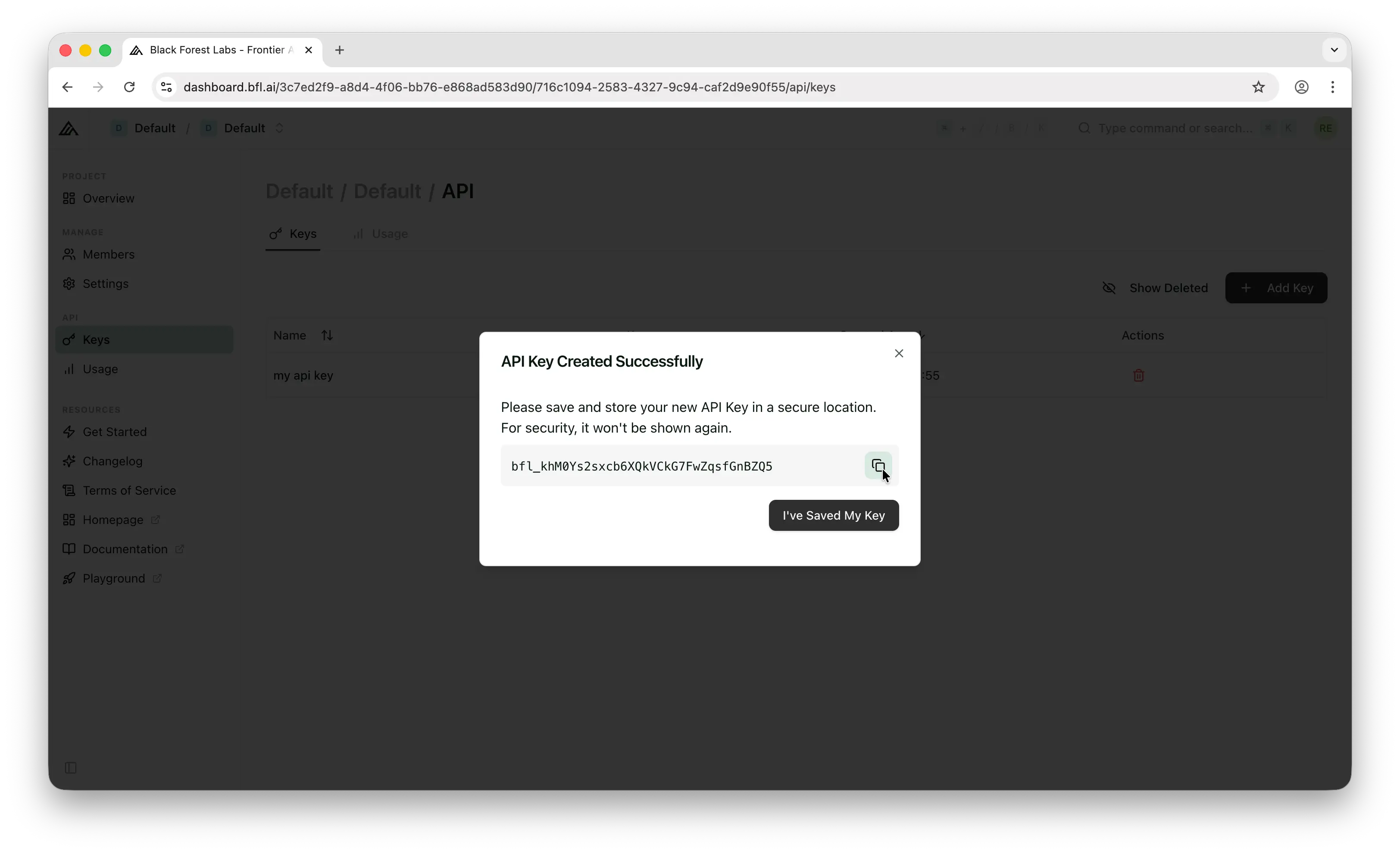
Important: Copy the key immediately. BFL only shows it once. If you lose it, you'll need to generate a new one.
Store it somewhere safe, like a password manager, an .env file, or your platform's secrets manager. Never commit API keys to a public repository.
Step 3: Make Your First API Call
FLUX uses a direct REST API with an asynchronous polling pattern. For full details, check out BFL's official documentation.
Here's a quick example using curl to generate an image with FLUX:
# Submit the image generation request
curl -X 'POST' \
  'https://api.bfl.ai/v1/flux-2-pro-preview' \
  -H 'accept: application/json' \
  -H "x-key: ${BFL_API_KEY}" \
  -H 'Content-Type: application/json' \
  -d '{
    "prompt": "A cat running like a human holding a silver fish in a market",
    "width": 1024,
    "height": 1024
  }'
The response contains an id and a polling_url. Poll that URL until the status is "Ready", then read the image URL from result.sample:
// Example response
{
  "id": "your-request-id",
  "polling_url": "https://api.bfl.ai/v1/get_result?id=your-request-id"
}
Use the polling_url to check the status of your request:
curl -s 'https://api.bfl.ai/v1/get_result?id=your-request-id' \
  -H "x-key: ${BFL_API_KEY}"
When the status is "Ready", the response will include the image URL in result.sample.
One Library, Hundreds of Models
The process above works for FLUX specifically, but it requires managing API keys, handling asynchronous polling, and dealing with a provider-specific API format. What if you want to also use Nano Banana, GPT Image, Stable Diffusion, or other image models? You'd need to learn each provider's API, manage separate keys, and set up billing for each one.
Puter.js offers a simpler approach: one JavaScript library, access to hundreds of AI models across providers, including FLUX, GPT, Claude, Gemini, and many more.
With Puter.js, you don't even need an API key. Puter uses the User-Pays model, where your app's users cover their own AI costs. This means you pay nothing for AI usage, no matter how many users you have.
Just add the Puter.js script tag and start generating images:
<html>
<body>
    <script src="https://js.puter.com/v2/"></script>
    <script>
        puter.ai.txt2img(
            "A cat running like a human holding a silver fish in a market",
            { model: "black-forest-labs/flux.2-pro" }
        )
        .then(imageElement => {
            document.body.appendChild(imageElement);
        });
    </script>
</body>
</html>
That's it. No API key, no polling, no backend. The same puter.ai.txt2img() function works with Nano Banana, GPT Image, Stable Diffusion, and other image models too. One library, one interface, access to all of them.
Conclusion
You now know how to create a Black Forest Labs account, generate an API key, and make your first image generation call with FLUX. For more details, check out BFL's official documentation. If you'd rather skip managing API keys and provider-specific APIs, Puter.js gives you access to FLUX and hundreds of other AI models through a single JavaScript library, with no API keys required.
Related
- Free, Unlimited Flux API
- Free, Unlimited Image Generation API
- Free, Unlimited Stable Diffusion API
- Free, Unlimited GPT Image API
- Free, Unlimited Claude API
- How to Get an OpenAI API Key
- How to Get an Anthropic (Claude) API Key
- How to Get a Gemini API Key
- How to Get a Grok (xAI) API Key
- How to Get a DeepSeek API Key
- How to Get a Mistral API Key
- How to Get a MiniMax API Key
- How to Get a Moonshot AI (Kimi) API Key
- How to Get a Z.AI (GLM) API Key
- How to Get a Stability AI (Stable Diffusion) API Key
- How to Use OpenAI SDK with Puter
- How to Use LangChain with Puter
- How to Use Vercel AI SDK with Puter
Free, Serverless AI and Cloud
Start creating powerful web applications with Puter.js in seconds!
Get Started Now