Grok 4.6 Review: xAI's Stronger Visual and Interactive Model
On this page
We added Grok 4.6 to Puter.js a few weeks after Grok 4.5, and one of xAI's specific claims for the newer model is that it produces stronger first passes on visual and interactive work, establishing an app's structure and visual language in one go rather than needing a second round of fixes.
We gave both models the same brief and picked the output apart.
The brief and how we graded it
Build a single self-contained recipe app: browse recipes, open one for ingredients and steps, mark ones as cooked. We asked for a real color palette, a deliberate type scale, consistent spacing, rounded corners, hover states, something that reads as designed rather than scaffolded.
Rather than eyeball the results, we graded both against the same two questions. First, does every button, card, and toggle a user would expect to be clickable actually do something, or is any of it a dead handler? Second, is the CSS underneath coherent? Do the spacing values follow a consistent base unit, and can every gray in the palette actually be told apart from the one next to it (we used an 8-point RGB threshold per channel as the cutoff). We clicked through both apps ourselves first, then went through the source code.
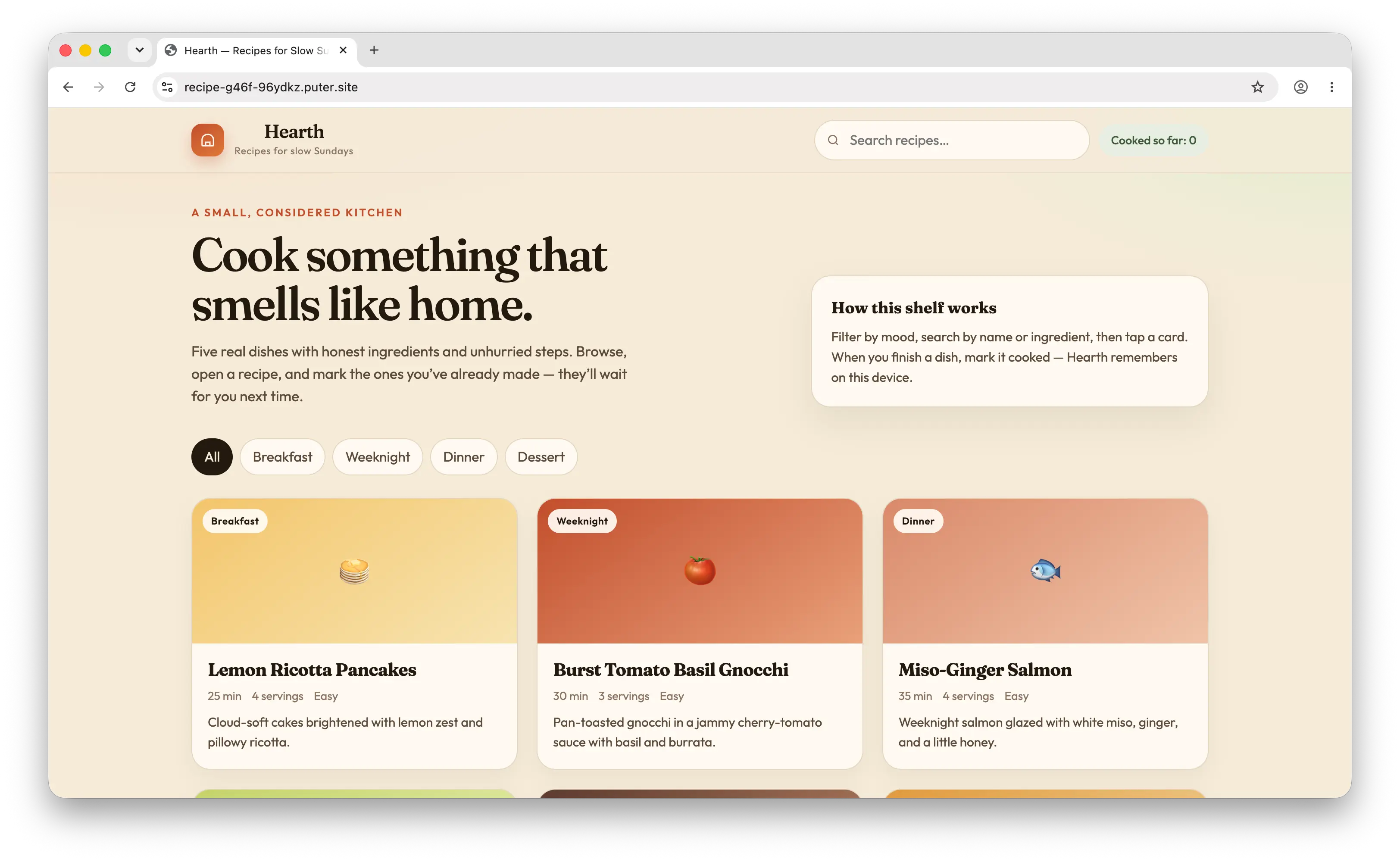
Grok 4.6's first pass, live at recipe-g46f-96ydkz.puter.site
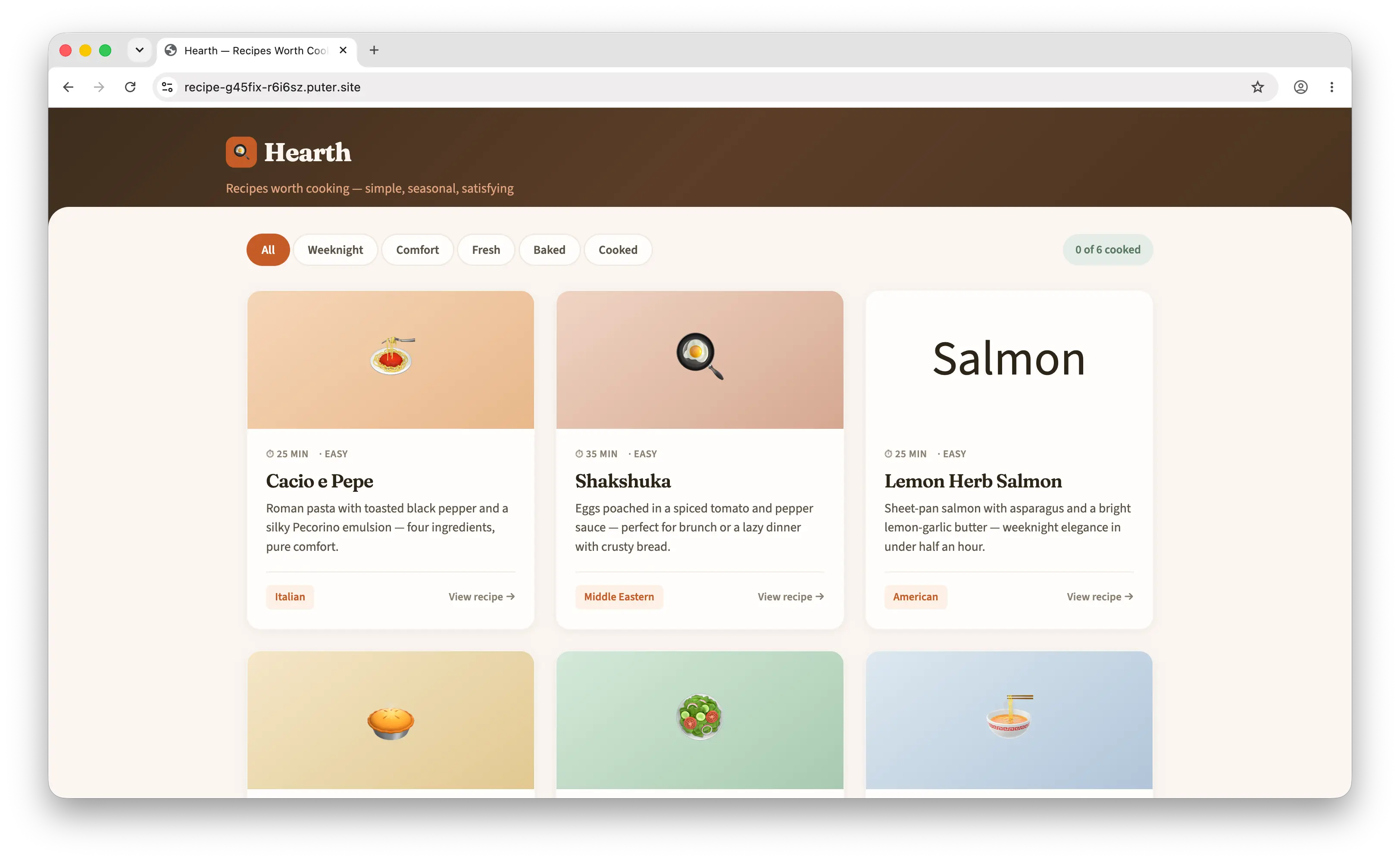
Grok 4.5's first pass, live at recipe-g45fix-r6i6sz.puter.site
Both nailed the interactive half
Grok 4.6 shipped 16 interactive elements with zero dead handlers. Grok 4.5 shipped 15, also with zero dead handlers, and added keyboard support (Enter and Space) on its recipe cards, which Grok 4.6 did not include. Opening a recipe, filtering, marking something cooked, all of it worked on both apps without us touching a line of code.
So if the claim were only about interactivity, this would be a tie.
The visual language is where they split
Grok 4.6's palette had 6 grays and every pair was clearly distinguishable, the two closest still differed by at least 11 points in some RGB channel. It used 16 distinct font sizes and 6 border-radius values.
Grok 4.5's palette had 7 grays, and one pair failed the check outright: its card background (#fffdfb) and its button text color (#fff) differ by only 0, 2, and 4 across red, green, and blue. That's not a palette choice, it's the same color twice with a rounding error between them. Its type scale ran wider too, 20 distinct sizes against Grok 4.6's 16, along with 7 border-radius values.
There was also a real bug in Grok 4.5's CSS, not a design judgment call:
.filter-pills {
  display: flex  flex-wrap: wrap;
  gap: 0.5rem;
}
No semicolon after flex, which makes the whole declaration invalid. The filter pills still lined up fine when we tested it, because the parent container and the buttons' own default layout happened to cover for it, but the display: flex rule that was supposed to be doing that work never actually applied.
What this actually says about the claim
More font sizes or more border-radius values isn't inherently a worse design, plenty of good interfaces have some range in them. What matters here is narrower: one gray a user can't tell apart from another, and one CSS rule that's broken the moment a browser parses it. Those are exactly the things a second pass is supposed to catch, and "establishes the visual language in one pass" is a claim about not needing that second pass.
By that standard, Grok 4.6's first pass held up on its own. Grok 4.5's needed a person to go find the bug.
Try it yourself
Both models are on Puter.js now. Run the same brief through each and check the two things we checked: does everything clickable actually do something, and can you find two grays you can't tell apart.
<html>
<body>
    <script src="https://js.puter.com/v2/"></script>
    <script>
        (async () => {
            const brief = `Build a recipe app as a single self-contained HTML file. Users can browse recipes, open one to see ingredients and steps, and mark ones they've cooked. Use a real color palette, a deliberate type scale, consistent spacing, rounded corners, and hover states.`;
            const response = await puter.ai.chat(brief, { model: "x-ai/grok-4.6", stream: true });
            for await (const part of response) {
                puter.print(part?.text);
            }
        })();
    </script>
</body>
</html>
Or from npm with @heyputer/puter.js:
import { puter } from "@heyputer/puter.js";

const response = await puter.ai.chat(brief, { model: "x-ai/grok-4.5" });
Swap the model string between x-ai/grok-4.6 and x-ai/grok-4.5 to run the comparison yourself. Both go through the same puter.* API either way.
FAQ
When was Grok 4.6 released?
August 12, 2026, about five weeks after Grok 4.5 shipped on July 8, 2026.
Is Grok 4.6 a new base model, or an update to Grok 4.5?
An update. It's built on the same roughly 1.5-trillion-parameter foundation as Grok 4.5, with a longer supplemental training run, more curated engineering data, and an improved optimizer and RL recipe, not a bigger model.
What's the context window?
500,000 tokens, unchanged from Grok 4.5.
How much does Grok 4.6 cost on xAI's own API?
$2 per million input tokens and $6 per million output tokens for prompts under 200K tokens, the same headline rate as Grok 4.5. At 200K prompt tokens or more, those rates double. Cached input rose to $0.50 per million tokens, up from Grok 4.5's $0.30.
Is Grok 4.6 better than Grok 4.5?
It depends on the task. Reported benchmark results show real gains on single-shot coding and reasoning, plus more self-testing behavior on long, multi-step runs, which matches what we saw in the visual and interactive design test above. But it's not a clean sweep. Some sources report Grok 4.6 regressing on certain agentic-coding benchmarks compared to 4.5, along with higher latency and cost per completed task.
Does Grok 4.6 support images?
It accepts text and image input and returns text only. It doesn't generate images itself.
Do I need an API key to try Grok 4.6?
Not through Puter.js. Puter runs on a User-Pays Model, so each person who runs your app covers their own usage when they sign in, and you don't need to hold or ship an API key at all.
Related
Ship a Full-Stack App with One Prompt
Create a to-do list app using Puter.js
Coding manually? see the guide