Access Your Puter Files From Any Device
In this tutorial, you'll learn how to access your Puter files directly from your computer or phone, just like any local files.
This is made possible by WebDAV, a protocol that lets your device connect to remote file storage. Once set up, you can browse, open, and edit your Puter files without using a browser.
How to Connect
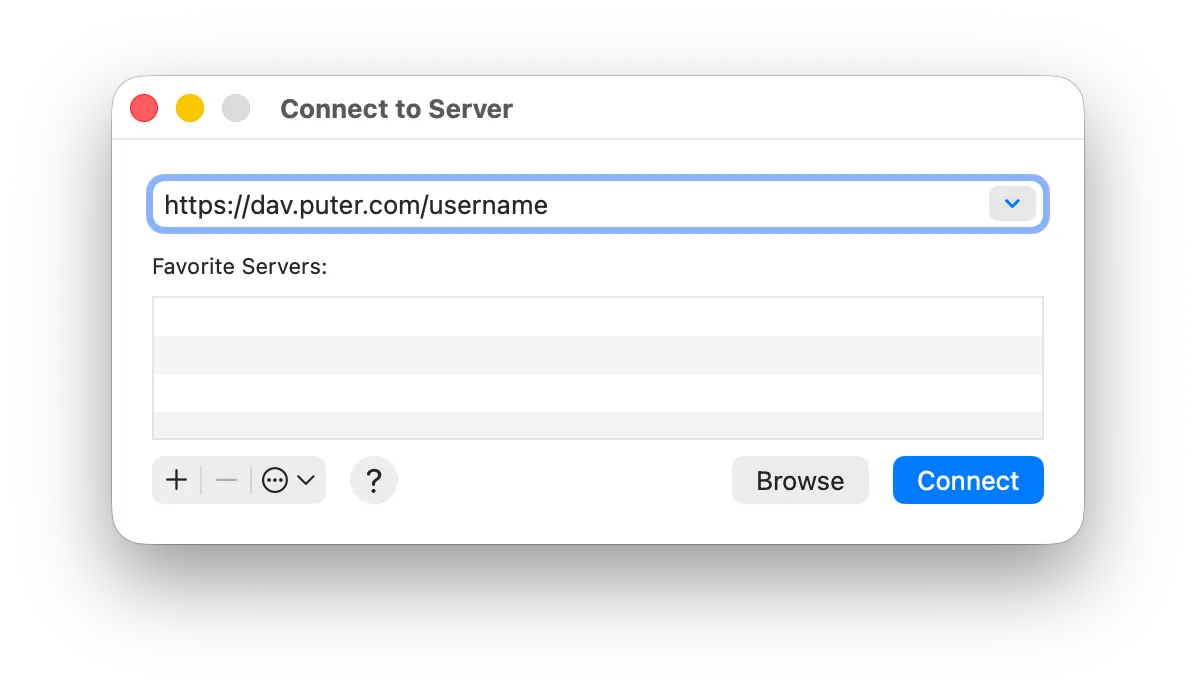
- On your device, find the option to connect to a server using WebDAV
- Enter the URL:
https://dav.puter.com/<username>(replace<username>with your Puter username)
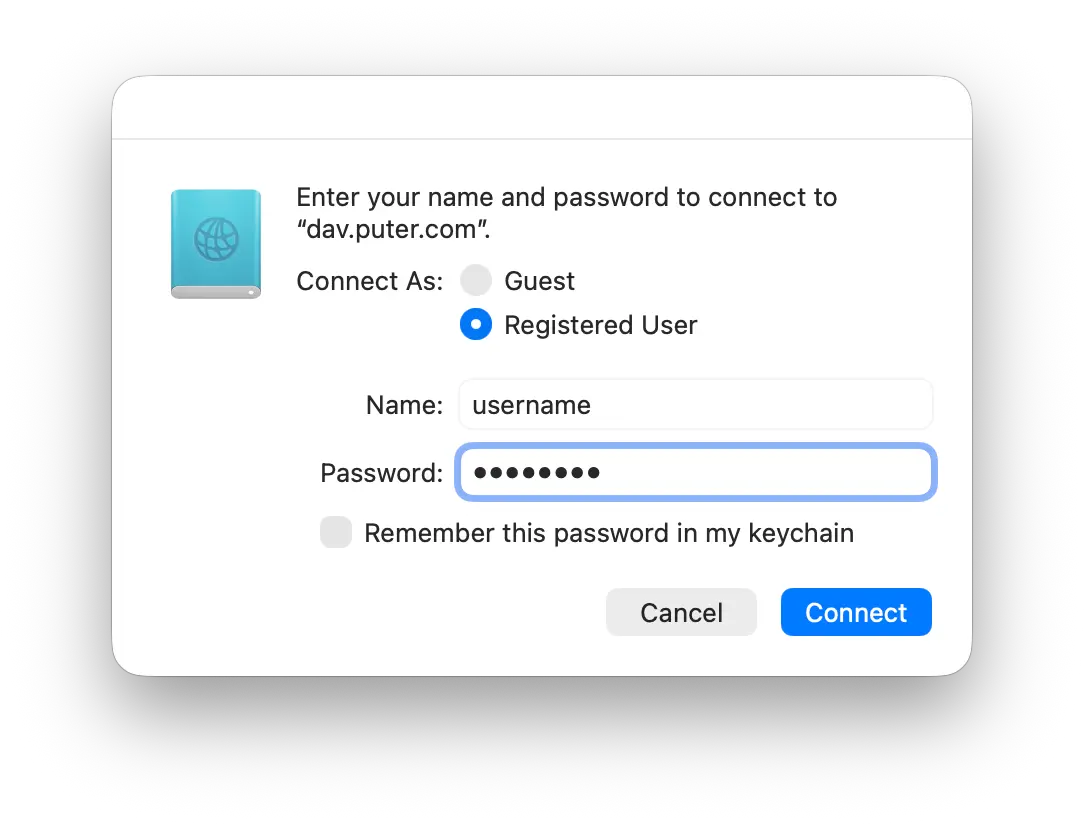
- When prompted, enter your Puter username and password
- Once authenticated, your Puter files will appear as a mounted drive
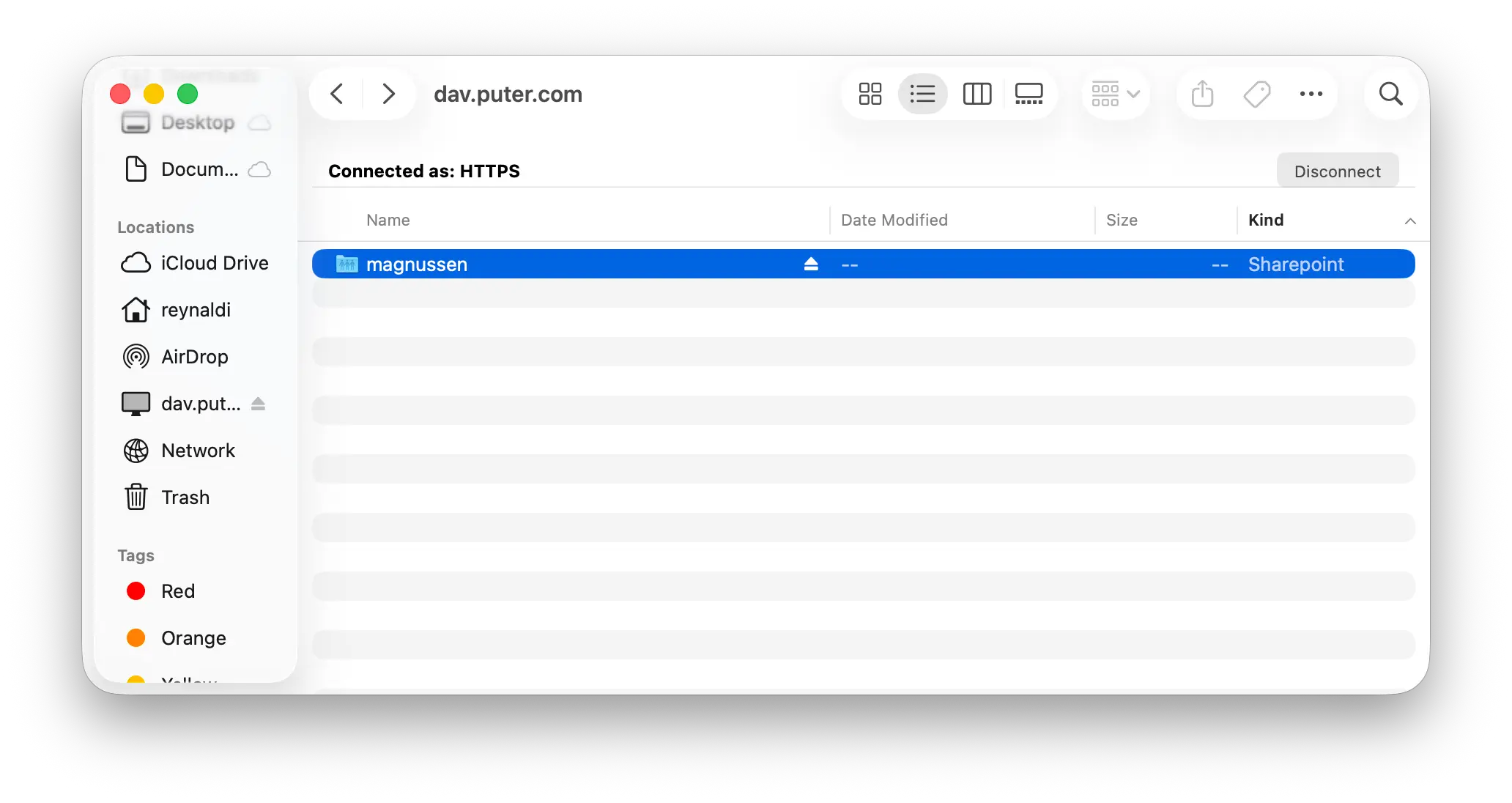
The example above uses macOS, but the same principle applies on Windows, Linux, Android, and iOS.
Working With Your Files
Once connected, your Puter files behave like local files. You can:
- Open documents in your preferred apps
- Edit code directly in your IDE
- Modify your website and worker files
- Drag and drop files to upload or download
Changes sync instantly — no manual uploading required.
This effectively gives you your own cloud storage, a lightweight alternative to Google Drive or iCloud that you fully control.
Other Ways to Authenticate
If you have two-factor authentication enabled, enter your password and 2FA code together as a single string. For example, if your password is mypassword and your 2FA code is 123456, enter:
- Username: your Puter username
- Password:
mypassword123456
Some WebDAV clients have issues with cookies, which can cause your session to expire after 30 seconds. If this happens, you can use token authentication instead.
To get your auth token, go to puter.com and log into your account. Open your browser's developer console and run:
puter.authToken
Copy the value that appears. Then when connecting via WebDAV, enter:
- Username:
-token - Password: your auth token
This bypasses the cookie issue entirely.
Conclusion
That's it! You can now access your Puter files from anywhere — your computer, your phone, even your tablet. Edit a file and watch it sync to Puter instantly.
Having trouble connecting? Get help in our Discord server.
Related
Free, Serverless AI and Cloud
Start creating powerful web applications with Puter.js in seconds!
Get Started Now