Access Any Model Using LangChain
In this tutorial, you'll learn how to access any AI model using LangChain through Puter's OpenAI-compatible endpoint. GPT, Claude, Gemini, Grok, DeepSeek, Llama, and more, all through a single endpoint. No separate API keys needed, just your Puter auth token.
Prerequisites
- A Puter account
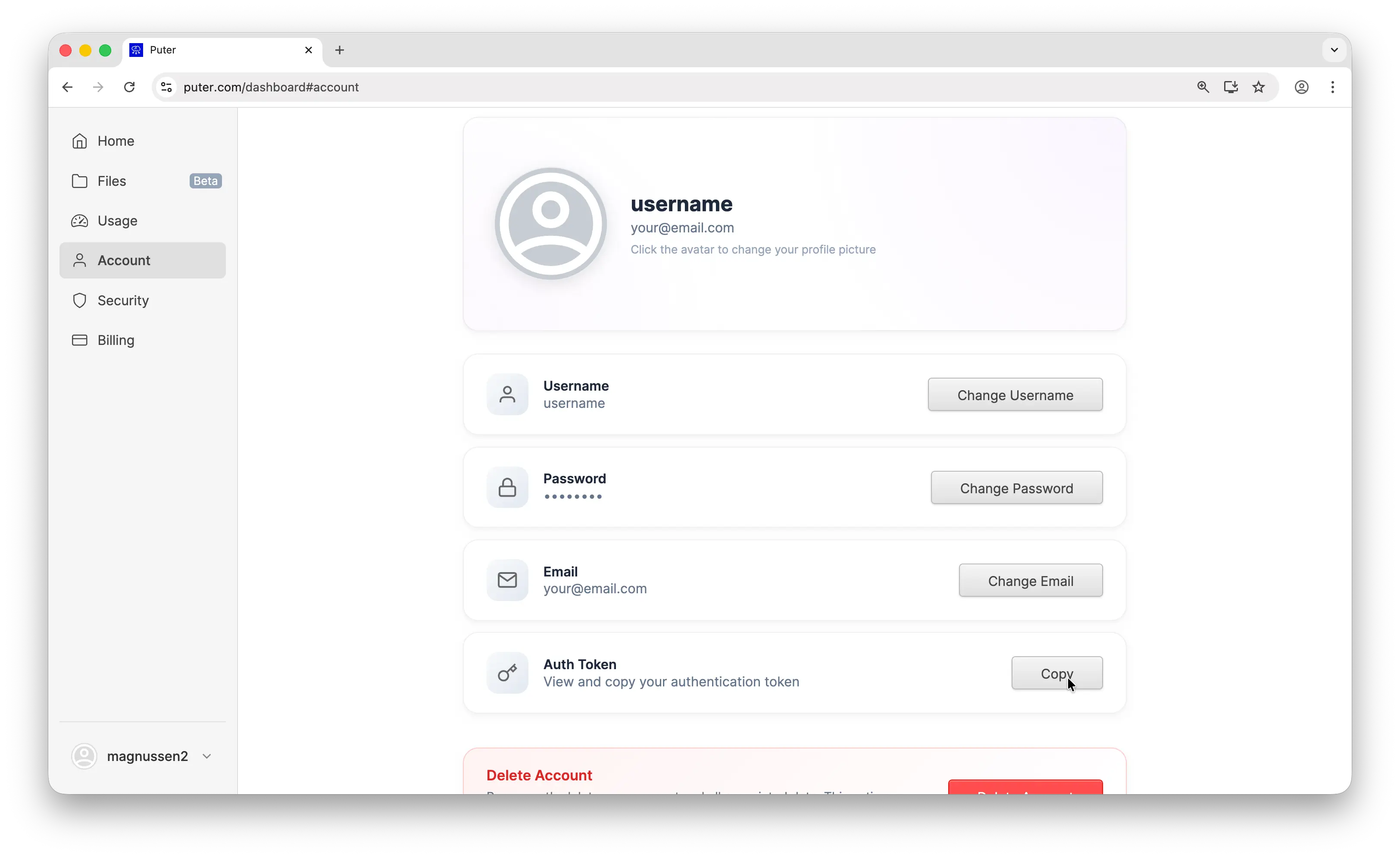
- Your Puter auth token, go to puter.com/dashboard and click Copy to get your auth token
Setup
Create a new project and install langchain-openai:
uv init puter-langchain
cd puter-langchain
uv add langchain-openai
Then configure the client with Puter's base URL and your auth token:
from langchain_openai import ChatOpenAI

llm = ChatOpenAI(
    base_url="https://api.puter.com/puterai/openai/v1/",
    api_key="YOUR_PUTER_AUTH_TOKEN",
    model="gpt-5-nano",
)
Replace YOUR_PUTER_AUTH_TOKEN with the auth token you copied from your Puter dashboard. That's all you need. No separate API keys required for any model.
Basic Chat Completion
Here's a simple chat completion using GPT:
from langchain_openai import ChatOpenAI

llm = ChatOpenAI(
    base_url="https://api.puter.com/puterai/openai/v1/",
    api_key="YOUR_PUTER_AUTH_TOKEN",
    model="gpt-5-nano",
)

response = llm.invoke("What is the capital of France?")
print(response.text)
Sample output:
The capital of France is Paris.
The code is identical to what you'd write for OpenAI directly. The only difference is the base URL and auth token. Run it with:
uv run main.py
Switching Models
This is where it gets interesting. Same code, same setup. Just change the model parameter to use any supported model:
from langchain_openai import ChatOpenAI

# Use Claude
claude = ChatOpenAI(
    base_url="https://api.puter.com/puterai/openai/v1/",
    api_key="YOUR_PUTER_AUTH_TOKEN",
    model="claude-sonnet-4-5",
)
print("Claude:", claude.invoke("What is the capital of France?").text)

# Use Gemini
gemini = ChatOpenAI(
    base_url="https://api.puter.com/puterai/openai/v1/",
    api_key="YOUR_PUTER_AUTH_TOKEN",
    model="gemini-2.5-flash-lite",
)
print("Gemini:", gemini.invoke("What is the capital of France?").text)

# Use Grok
grok = ChatOpenAI(
    base_url="https://api.puter.com/puterai/openai/v1/",
    api_key="YOUR_PUTER_AUTH_TOKEN",
    model="grok-4-1-fast",
)
print("Grok:", grok.invoke("What is the capital of France?").text)
One endpoint, any model. You don't need separate SDKs, separate API keys, or separate billing accounts. Switch between providers by changing a single string.
Streaming
For longer responses, streaming gives you results in real-time as they're generated:
from langchain_openai import ChatOpenAI

llm = ChatOpenAI(
    base_url="https://api.puter.com/puterai/openai/v1/",
    api_key="YOUR_PUTER_AUTH_TOKEN",
    model="claude-sonnet-4-5",
)

for chunk in llm.stream("Write a short story about a robot learning to paint."):
    print(chunk.text, end="", flush=True)
Use stream instead of invoke and iterate over the chunks as they arrive. Each chunk contains a piece of the response that you can display immediately. This works with any model.
Conclusion
That's it. You now have LangChain connected to any AI model through Puter, GPT, Claude, Gemini, Grok, and more through a single endpoint. No need to juggle multiple API keys or rewrite your code when you want to try a different model. Just swap the model string.
Related
- How to Use LangChain with Puter
- How to Use OpenAI SDK with Puter
- Access Claude Using OpenAI-Compatible API
- Access Gemini Using OpenAI-Compatible API
- Access Grok Using OpenAI-Compatible API
- Access Llama Using OpenAI-Compatible API
- Access DeepSeek Using OpenAI-Compatible API
- Free, Unlimited AI API
- Supported AI Models
Free, Serverless AI and Cloud
Start creating powerful web applications with Puter.js in seconds!
Get Started Now