Building an AI-Powered RAG Application with Puter.js
On this page
In this tutorial, we'll build a RAG (Retrieval-Augmented Generation) application that lets you chat with any website using Puter.js.
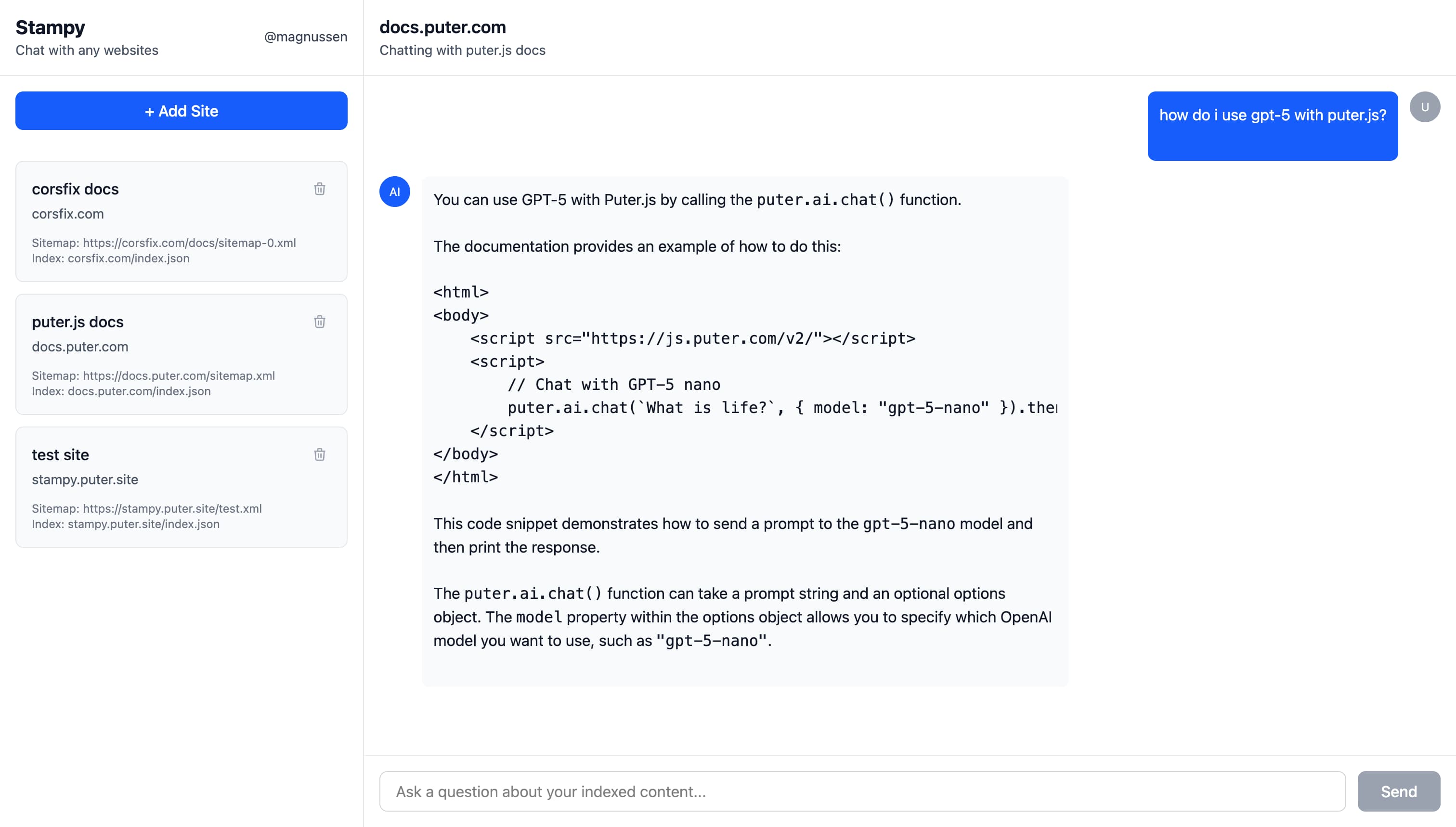
Demo: https://stampy.puter.site/
Key Features
Our RAG application allows you to chat with any website, with answers grounded in the actual website content:
- Add any website: Enter a sitemap URL to index an entire site
- Retrieval: Full-text search across all indexed pages using MiniSearch
- Generation: AI-powered chat with function calling via Puter AI
What is RAG? RAG combines information retrieval with AI text generation. Instead of relying solely on an AI model's training data, RAG first searches through relevant documents, then uses that context to generate accurate, grounded responses. This means the AI can answer questions about specific content it was never trained on.
Getting Started
Set up your project with any JavaScript framework you prefer (React, Vue, Svelte, or even vanilla JS), then add Puter.js:
npm install @heyputer/puter.js
or, via CDN:
<script src="https://js.puter.com/v2/"></script>
Puter.js is a JavaScript library that provides features like AI, cloud file storage, database, networking, and authentication, all running client-side with a User-Pays Model.
You can find the full Puter.js documentation here.
Building the App
Our RAG app works in three stages:
- Crawl & Store: Fetch all pages from a website's sitemap, extract the text content, and store it in Puter's cloud file system. Site metadata is persisted in Puter's key-value database
- Index for Search: Build a search index from the stored documents so we can quickly find relevant content
- AI Chat with Function Calling: Let the AI decide when to search the documents and use the results to generate grounded answers
Crawling the Website
We start by fetching the website's sitemap, an XML file that lists all pages on a site. This gives us a list of URLs to crawl:
// Fetch the sitemap using Puter's networking
const response = await puter.net.fetch(sitemapUrl);
const sitemapContent = await response.text();

// Parse URLs from the sitemap XML
function parseSitemapUrls(xmlContent) {
  const parser = new DOMParser();
  const xmlDoc = parser.parseFromString(xmlContent, "text/xml");
  const locElements = xmlDoc.querySelectorAll("urlset url loc");
  return Array.from(locElements).map((loc) => loc.textContent || "");
}

const urls = parseSitemapUrls(sitemapContent);
Once we have all the URLs, we fetch each page and extract the text content. To save tokens and help the AI understand the page content, we strip away all the markup and keep just the meaningful text:
async function fetchHTMLContent(url) {
  const response = await puter.net.fetch(url);
  return await response.text();
}

function parseHTMLContent(html, url) {
  const parser = new DOMParser();
  const doc = parser.parseFromString(html, "text/html");
  const title = doc.querySelector("title")?.textContent?.trim() || "";
  const text = doc.querySelector("body")?.textContent?.trim() || "";

  const urlObj = new URL(url);
  return {
    id: `${urlObj.hostname}${urlObj.pathname}#content.txt`,
    title,
    text,
  };
}

// Crawl all pages and build the documents array
const documents = [];
for (const url of urls) {
  const html = await fetchHTMLContent(url);
  if (html) {
    documents.push(parseHTMLContent(html, url));
  }
}
Finally, we store each document in Puter's cloud file system. This gives us persistent storage without needing to set up a database or backend server. The documents are saved to the user's Puter account and will be available across sessions:
for (const doc of documents) {
  await puter.fs.write(doc.id, doc.text, {
    createMissingParents: true,
  });
}
Managing Sites with Puter Key-Value Store
While Puter's file system stores the actual document content, we need a way to keep track of which sites have been indexed. Puter's key-value store (puter.kv) works as a database for this: we store a list of site entries, each containing the site name, hostname, sitemap URL, and the path to its search index.
Loading the list of indexed sites is straightforward:
const websites = await puter.kv.get("websites");
When a user adds a new site (after crawling and indexing), we save the site entry with its metadata:
const hostname = new URL(sitemapUrl).hostname;

const newSite = {
  id: crypto.randomUUID(),
  name: name,
  hostname: hostname,
  sitemap_url: sitemapUrl,
  index_path: `${hostname}/index.json`,
};

const updatedSites = [...sites, newSite];
await puter.kv.set("websites", updatedSites);
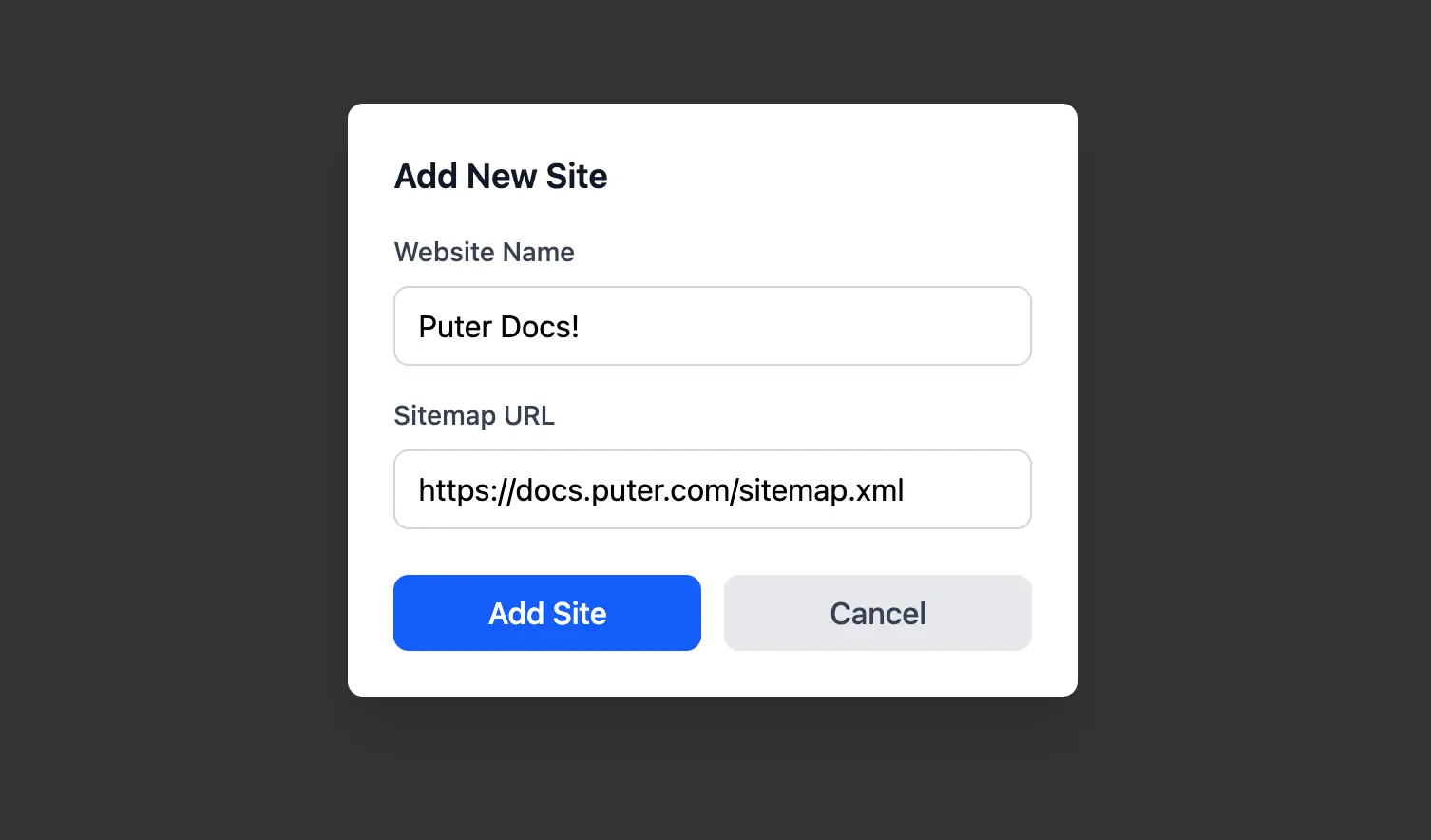
Deleting a site removes it from both the key-value store and the file system:
// Remove the site's files from Puter FS
await puter.fs.delete(site.hostname);

// Update the site list in Puter KV
const updatedSites = sites.filter((s) => s.id !== site.id);
await puter.kv.set("websites", updatedSites);
This separation keeps things clean: puter.fs handles the heavy content storage, while puter.kv acts as a database for site metadata. Both persist to the user's Puter account, so everything is available across sessions without any backend setup.
Adding Search for Website Content
At this point, we have document content in Puter FS and site metadata in Puter KV. But to answer user questions, we still need a way to quickly find the right documents. This is the "Retrieval" in RAG: before the AI generates an answer, we first retrieve the most relevant documents to give it context.
We use MiniSearch, a lightweight full-text search library that runs entirely in the browser. A search index works like a book's index: instead of scanning every page to find a word, you look it up and jump straight to the relevant pages. This makes searching thousands of documents nearly instant:
// Create and populate the search index from the crawled documents
const miniSearch = new MiniSearch({
  fields: ["title", "text"],  // Fields to index
});
miniSearch.addAll(documents);

// Serialize and store the index in Puter FS
const hostname = new URL(sitemapUrl).hostname;
const searchIndexPath = `${hostname}/index.json`;
const searchIndex = JSON.stringify(miniSearch);
await puter.fs.write(searchIndexPath, searchIndex, {
  createMissingParents: true,
});
When a user selects a site and asks a question, we load its saved index and search for relevant documents. MiniSearch returns results ranked by relevance, so we take the top matches to use as context for the AI:
// Load the saved index from Puter FS using the site's index path
const indexBlob = await puter.fs.read(site.index_path);
const indexData = await indexBlob.text();
const miniSearch = MiniSearch.loadJSON(indexData, {
  fields: ["title", "text"],
});

// Search and get top results
const searchResults = miniSearch.search(query);
const topResults = searchResults.slice(0, 5);
Adding AI Chat with Function Calling
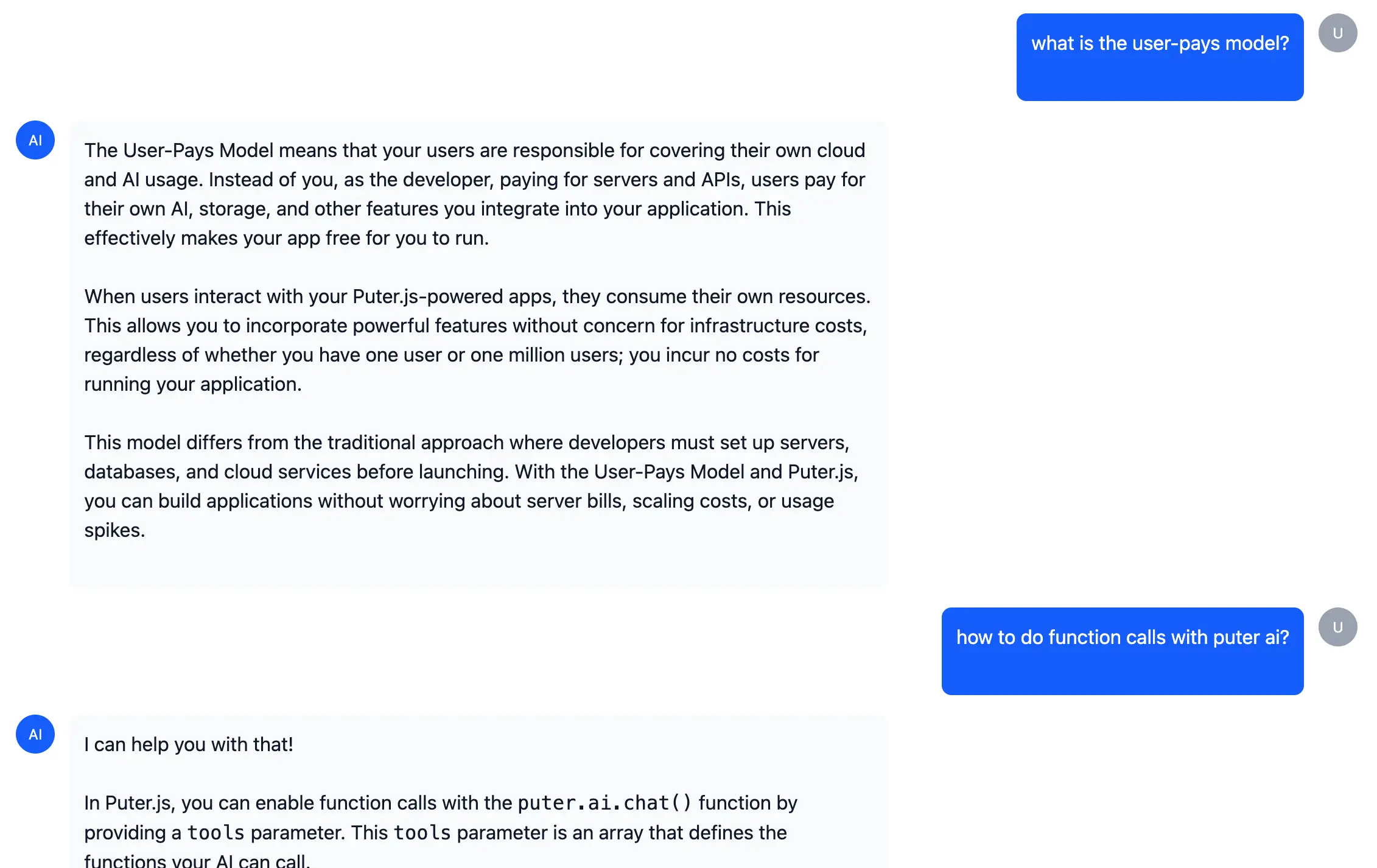
This is where everything comes together. We use Puter AI with function calling, a feature that lets the AI decide when to search the documents rather than us hardcoding when to search.
Function calling works by giving the AI a list of "tools" it can use. We describe what each tool does, and the AI autonomously decides when to call them based on the conversation. For our RAG app, we define a search tool that the AI will call whenever it needs information from the indexed website:
const tools = [
  {
    type: "function",
    function: {
      name: "search_documents",
      description: "Search through website documents to find relevant information",
      parameters: {
        type: "object",
        properties: {
          query: {
            type: "string",
            description: "The search query to find relevant documents",
          },
        },
        required: ["query"],
      },
    },
  },
];
The chat flow works in two steps. First, we send the user's question to the AI along with our tool definitions. The AI analyzes the question and decides whether it needs to search for information. If it does, it returns a "tool call" instead of a direct answer. We then execute that search, feed the results back to the AI, and let it generate a final response grounded in the actual document content:
const systemPrompt = {
  role: "system",
  content: "Answer in the context of the document. Search documents before clarifying with users.",
};

// Build conversation from system prompt and user messages
const conversationMessages = [systemPrompt, ...userMessages];

// First call: AI decides whether to search
const response = await puter.ai.chat(conversationMessages, false, {
  model: "openrouter:google/gemini-2.5-flash-lite",
  tools: tools,
  stream: false,
});
const systemPrompt = {
role: "system",
content: "Answer in the context of the document. Search documents before clarifying with users.",
};
// Build conversation from system prompt and user messages
const conversationMessages = [systemPrompt, ...userMessages];
// First call: AI decides whether to search
const response = await puter.ai.chat(conversationMessages, false, {
model: "openrouter:google/gemini-2.5-flash-lite",
tools: tools,
stream: false,
});
const systemPrompt = {
  role: "system",
  content: "Answer in the context of the document. Search documents before clarifying with users.",
};

// Build conversation from system prompt and user messages
const conversationMessages = [systemPrompt, ...userMessages];

// First call: AI decides whether to search
const response = await puter.ai.chat(conversationMessages, false, {
  model: "openrouter:google/gemini-2.5-flash-lite",
  tools: tools,
  stream: false,
});

// If AI called the search tool, execute it
if (response.message.tool_calls?.length > 0) {
  const toolCall = response.message.tool_calls[0];
  const args = JSON.parse(toolCall.function.arguments);

  // Execute search and fetch document contents
  const searchResults = miniSearch.search(args.query).slice(0, 5);
  const documentContents = [];

  for (const result of searchResults) {
    const blob = await puter.fs.read(result.id);
    documentContents.push(await blob.text());
  }

  // Add tool result to conversation
  conversationMessages.push({
    role: "tool",
    tool_call_id: toolCall.id,
    content: documentContents.join("\n\n"),
  });

  // Second call: Generate final response with context
  const finalResponse = await puter.ai.chat(conversationMessages, false, {
    model: "openrouter:google/gemini-2.5-flash-lite",
    stream: true,  // Stream for better UX
  });
}
Conclusion
You've now built an AI-powered RAG application with Puter.js by incorporating:
- Puter Networking: Fetching website content without CORS issues
- Puter File System: Storing document content and search indexes in the cloud
- Puter Key-Value Store: Managing site metadata as a database
- MiniSearch: Full-text search for document retrieval
- Puter AI: Chat with function calling for intelligent document search
The best part? With Puter's User-Pays Model, you can deploy this app for free. Users authenticate with their own Puter account, so they cover their own usage, making your app free to run and scale.
Demo: https://stampy.puter.site/
Source Code: https://github.com/Puter-Apps/stampy
Get started with Puter.js and access features like AI, cloud storage, key-value stores, and more.
Free, Serverless AI and Cloud
Start creating powerful web applications with Puter.js in seconds!
Get Started Now