How to Run Serverless Functions on Puter
On this page
Serverless Workers let you run backend code without provisioning or managing servers. You can deploy JavaScript functions that respond to HTTP requests, access databases, interact with AI, and more—all without any infrastructure setup.
In this tutorial, you'll learn how to write, deploy, and use Workers to run serverless JavaScript code for building API endpoints, processing data, and integrating with Puter's cloud services.
Getting Started With Workers
Serverless Workers use a simple, router-based API. If you've worked with backend frameworks like Express.js or Flask, you'll feel right at home:
router.post("/api/hello", async ({ request, user, params }) => {
  return { message: "Hello, World!" };
});
This creates a POST endpoint at /api/hello that returns a JSON response.
Deploying Your Worker
Deploying a Worker takes just seconds:
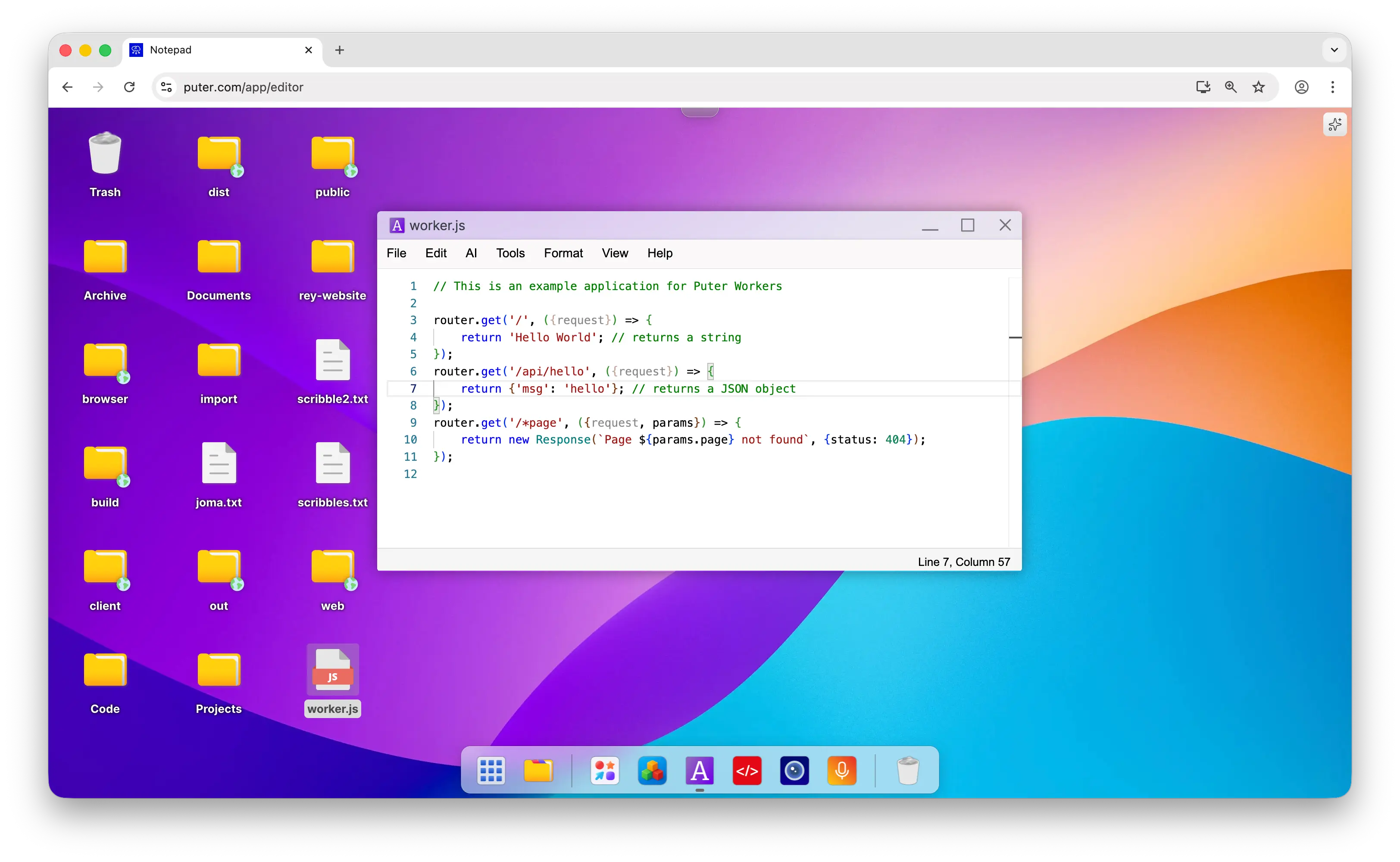
- In Puter.com, create a
.jsfile containing the worker code
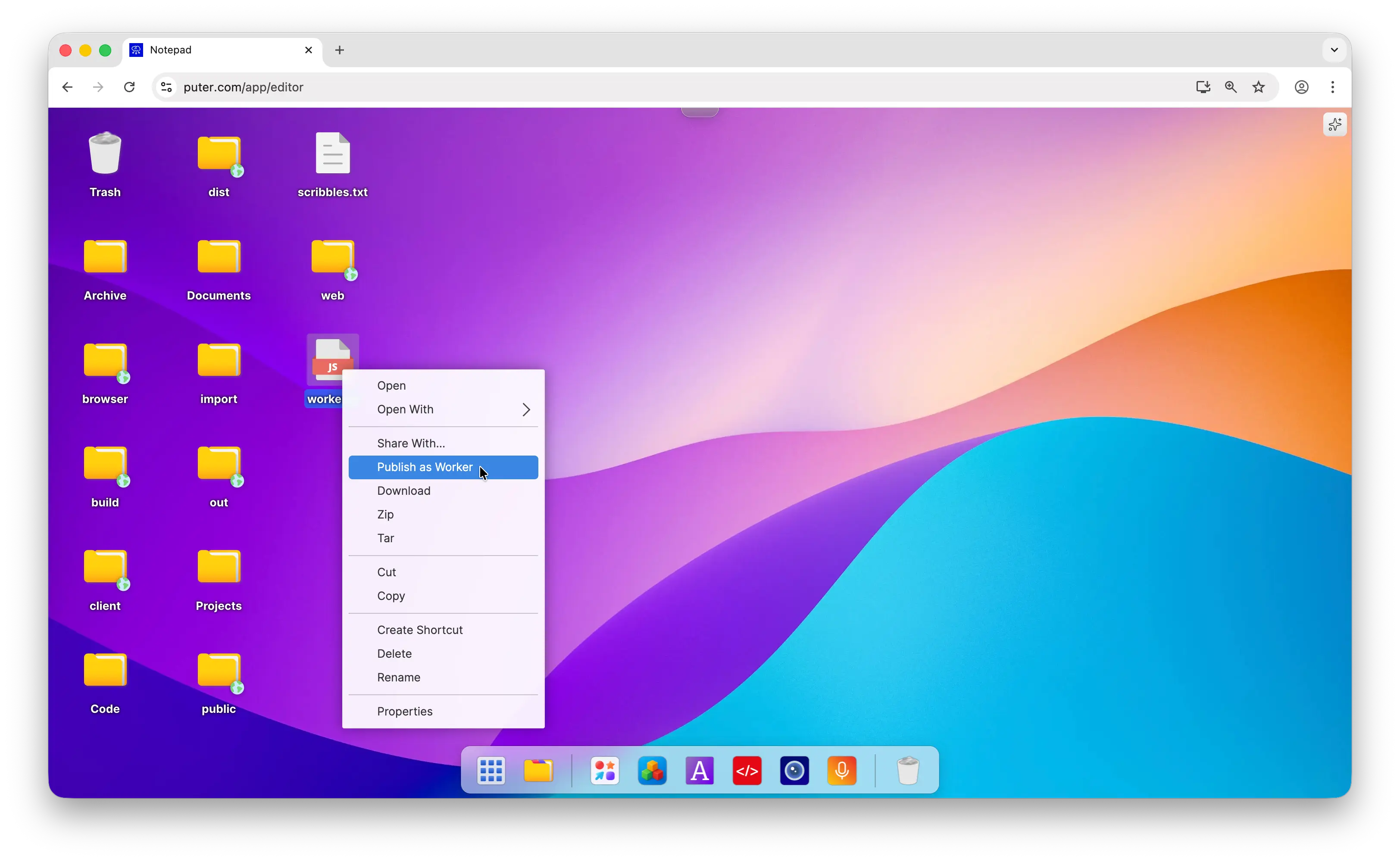
- Right-click the file and select "Publish as Worker"
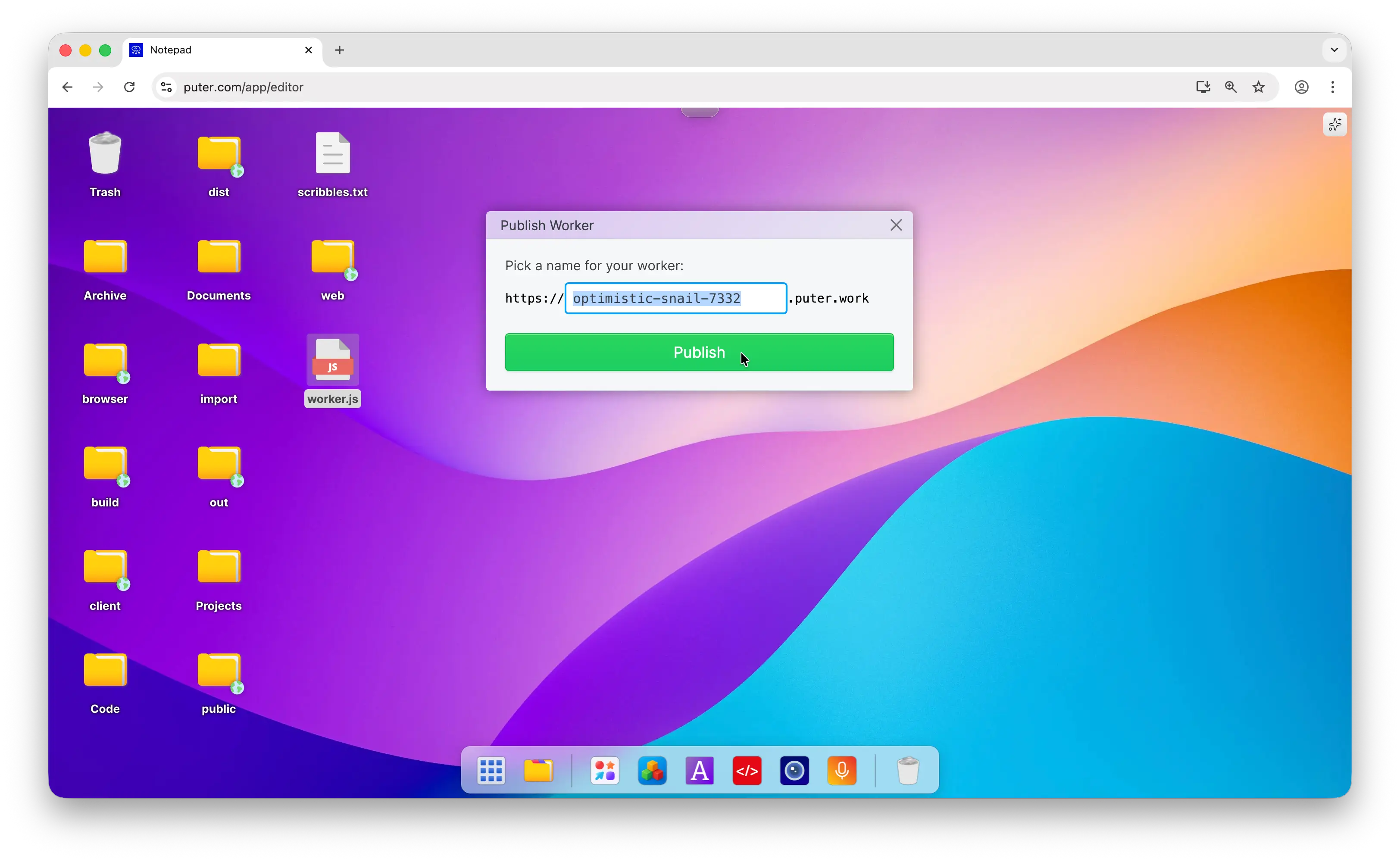
- Choose your Worker URL and click Publish
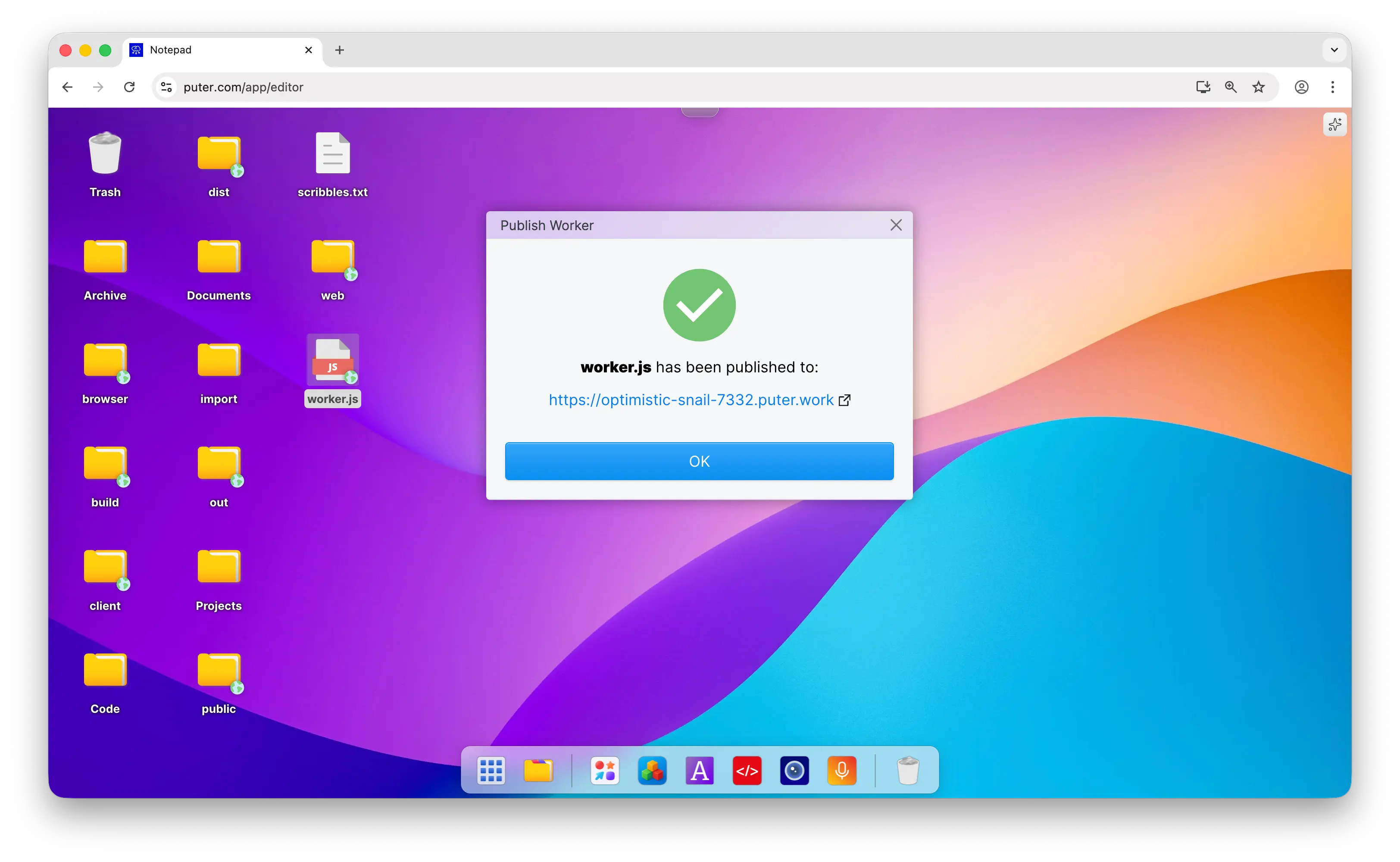
That's it! Your serverless worker is now live and ready to handle requests.
Tailoring Workers to Your Needs
HTTP Methods
Workers support all standard HTTP methods you'd use in an API:
router.get(path, handler)     // Handle GET requests
router.post(path, handler)    // Handle POST requests
router.put(path, handler)     // Handle PUT requests
router.delete(path, handler)  // Handle DELETE requests
router.options(path, handler) // Handle OPTIONS requests
Dynamic URL Parameters
You can capture dynamic segments in your routes using :paramName:
router.get("/api/users/:id", async ({ params }) => {
  const userId = params.id;
  return { userId };
});

router.get("/api/posts/:category/:slug", async ({ params }) => {
  const { category, slug } = params;
  return { category, slug };
});
Handler Parameters
Route handlers receive an object with useful properties:
request- The incoming HTTP Request objectparams- URL parameters from dynamic route segmentsuser- The calling user's context (available when called viaputer.workers.exec())me- The deployer's (your) Puter context
Response Types
Workers can return various response types depending on your needs:
// JSON (automatically serialized)
router.get("/api/data", async () => {
  return { status: "ok", count: 42 };
});

// Plain text
router.get("/api/text", async () => {
  return "Hello, World!";
});

// Custom Response with headers and status codes
router.get("/api/custom", async () => {
  return new Response(JSON.stringify({ data: "custom" }), {
    status: 201,
    headers: {
      "Content-Type": "application/json",
      "X-Custom-Header": "value"
    }
  });
});
Integrating with Puter.js
Just like in frontend apps, you can use Puter.js in Workers to access AI, cloud storage, key-value stores, and databases. The key difference is whose resources you're using:
me.puter(Worker context) - Your own Puter resources as the developer. Use this for shared application data, server-side logic, and centralized storage that you control.user.puter(User context) - The calling user's Puter resources. This maintains the User-Pays model while executing logic server-side.
This flexibility lets you choose which parts of your app use centralized resources versus user-specific resources:
router.post("/api/chat", async ({ request, user }) => {
  const { message } = await request.json();

  // Use the user's AI quota (they pay for their usage)
  const response = await user.puter.ai.chat(message);

  // Store analytics in your own database
  await me.puter.kv.set(`chat_${Date.now()}`, {
    timestamp: new Date().toISOString(),
    messageLength: message.length
  });

  return { response };
});
Conclusion
Serverless Workers let you run backend code without managing infrastructure. With a familiar router-based API and seamless Puter.js integration, you can build powerful APIs in just minutes.
Find more details about workers in our Serverless Workers documentation.
Related
Free, Serverless AI and Cloud
Start creating powerful web applications with Puter.js in seconds!
Get Started Now